

Contents
Upgrade Your Drive: Get Wireless Android Auto with an Affordable Adapter
For many drivers, smartphone integration in their car is a must-have. While Android Auto offers fantastic navigation, music, and communication features, being tethered by a cable can be inconvenient. If your vehicle supports Android Auto but lacks the wireless functionality, there’s an incredibly simple and affordable solution: a dedicated wireless adapter.
These compact gadgets are not only budget-friendly, often costing under $30, but they also bring a significant upgrade in convenience to your driving experience. Let’s dive into how these adapters work and why they might be the perfect addition to your car.
What is Android Auto and Why Go Wireless?
Android Auto is a smart driving companion designed to make your time on the road safer and more enjoyable. It projects key apps from your Android smartphone directly onto your car’s infotainment screen, providing easy access to:
- Google Maps or Waze for navigation
- Music streaming services like Spotify and YouTube Music
- Messaging apps and call management
- Voice commands via Google Assistant
While many newer cars offer wireless Android Auto from the factory, older models (or even some current ones) still require you to plug in your phone via a USB cable. The benefits of going wireless are clear:
- Seamless Connectivity: Your phone connects automatically when you start the car.
- No Cable Clutter: Keep your car’s interior tidy and organized.
- Convenience: Easily pick up or put down your phone without disconnecting.
- Reduced Wear and Tear: Less strain on your phone’s charging port and cables.
Introducing the Carlinkit Mini Pro Adapter
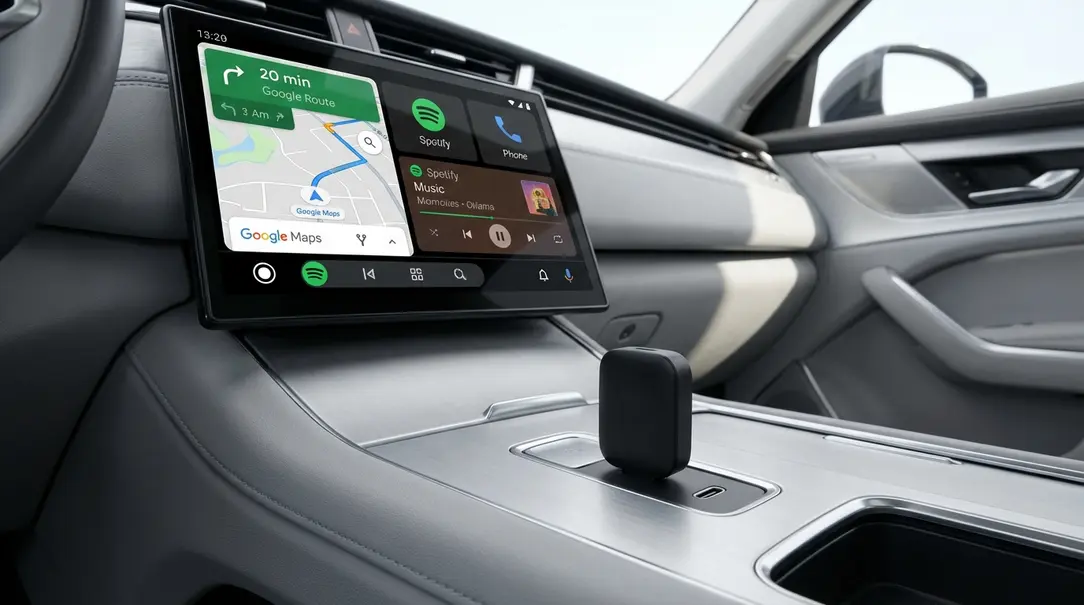
The Carlinkit Mini Pro is a popular example of an adapter that bridges the gap between your car’s wired Android Auto and your desire for wireless freedom. It’s designed for “plug-and-play” simplicity, meaning installation is straightforward:
- Plug the Carlinkit Mini Pro into your car’s existing USB port that supports wired Android Auto.
- The adapter then creates a local Wi-Fi hotspot.
- Connect your Android smartphone to this Wi-Fi network (and Bluetooth) as instructed by the adapter.
- The adapter communicates with your car’s infotainment system, effectively tricking it into thinking your phone is still connected via a USB cable, while your phone is actually connected wirelessly to the adapter.
This clever workaround allows you to enjoy all the features of Android Auto without ever having to physically connect your phone to the car.
Key Features and Specifications
While specific models may vary, the Carlinkit Mini Pro typically offers robust features for reliable performance:
- Compatibility: Supports both Android Auto and Apple CarPlay (for iPhone users).
- Communication: Utilizes dual-band Wi-Fi (2.4 GHz and 5.8 GHz) for stable and fast connections.
- Inputs: Typically features a USB-C input for power/data and a USB 2.0 port for connection to the car.
- Compact Design: Small and unobtrusive, with typical dimensions around 3.2 x 0.8 x 0.45 inches (81.24 × 20.59 × 11.41 mm).
Affordability and Where to Buy
These wireless Android Auto adapters are remarkably affordable, often found for under $30 USD. Prices can fluctuate, and promotions are common across various online electronics retailers. Keep an eye out for deals to snag one at an even lower price. While specific promotions mentioned in the original text are regional, the general trend is that these devices are highly accessible and budget-friendly.
Important Considerations Before You Buy
Before purchasing a wireless Android Auto adapter, it’s crucial to understand a key limitation:

Your car MUST already support wired Android Auto for these adapters to work.
These adapters convert an existing wired connection into a wireless one; they do not add Android Auto functionality to a vehicle that doesn’t support it at all. If your car doesn’t recognize Android Auto when you plug in your phone, this adapter will not solve that problem.
Ensure your phone’s operating system is up-to-date (generally Android 11 or newer is recommended for optimal wireless Android Auto performance).
Frequently Asked Questions (FAQ)
Q: What is the main benefit of wireless Android Auto?
A: The primary benefit is convenience. Your phone connects automatically when you start your car, eliminating the need to plug in a cable every time you drive. This reduces clutter and wear and tear on your phone’s charging port.
Q: How does a wireless Android Auto adapter work?
A: The adapter plugs into your car’s USB port that supports wired Android Auto. It then creates a local Wi-Fi hotspot and uses Bluetooth. Your smartphone connects wirelessly to the adapter, which then transmits the Android Auto signal to your car’s infotainment system as if your phone were still plugged in via a cable.
Q: Does my car need to have Android Auto for this adapter to work?
A: Yes, absolutely. The adapter only converts your car’s existing wired Android Auto capability into a wireless one. It cannot add Android Auto to a vehicle that doesn’t support it at all.
Q: Is the Carlinkit Mini Pro compatible with Apple CarPlay?
A: Yes, many such adapters, including the Carlinkit Mini Pro, are designed to be compatible with both Android Auto and Apple CarPlay, offering versatility for different smartphone users.
Q: Are these adapters expensive?
A: No, these adapters are generally very affordable, often costing less than $30 USD, making them a cost-effective upgrade for your vehicle.
About Post Author
