

Contents
Upcoming Windows 11 Features to Anticipate in 2026
Microsoft consistently evaluates new features for Windows 11 through its Insider program, offering testers a sneak peek into functionalities that often make their way into official system releases. This early access allows users to discover upcoming innovations and anticipate future software enhancements. This article will highlight the most interesting features that could be integrated into Windows 11 as early as 2026.
What to Expect: Windows 11 Features Potentially Arriving in 2026
By 2026, Windows 11 is poised for a significant evolution, moving further away from its current design paradigms. The majority of these changes will focus on practical, everyday elements of the operating system, with an increasing integration of artificial intelligence, particularly through Copilot, across various aspects of the software.
Ask Copilot in the Search Bar
This is one of the most anticipated features. Windows 11 is expected to introduce a new search experience directly within the standard “Search” field, transforming it into an “Ask Copilot” panel. This redesigned interface is more minimalistic and reportedly faster. It aims to provide a less cluttered experience, free from excessive internet content, and is designed to interpret user intent more effectively. For instance, it could directly guide users to brightness settings or other system functions based on their queries.
According to Windows Latest, this new panel still leverages the existing Windows Search index, ensuring familiar search results while offering a more responsive and flexible overall experience. The feature will be optional, allowing users to disable it if they prefer. I personally hope that Copilot will eventually be able to modify specific Windows 11 settings directly via commands, leading to full system integration. This initial step, however, looks very promising compared to the current, often clunky search bar.
Further Context Menu Enhancements
Microsoft has previously refined the context menu (the menu that appears when you right-click), introducing popular actions at the top and later adding labels like ‘copy,’ ‘paste,’ etc. However, these changes aren’t the end. Many users find the right-click menu often overloaded with options. In 2026, the File Explorer context menu is expected to undergo a significant reorganization.
The system will begin grouping repetitive or less frequently used options into additional submenus, making the main list shorter and more streamlined. For example, file operations such as compression or copying a file path will be consolidated into a single location, and similar organization will apply to image-related options. This will significantly improve navigation and reduce visual clutter.
Other Changes in File Explorer
Windows Latest reports that File Explorer will receive a refreshed properties tab, designed with a dark theme. This enhancement, already seen in internal builds, aims to unify the system’s appearance by eliminating the last remaining light-themed windows inherited from older Windows versions.
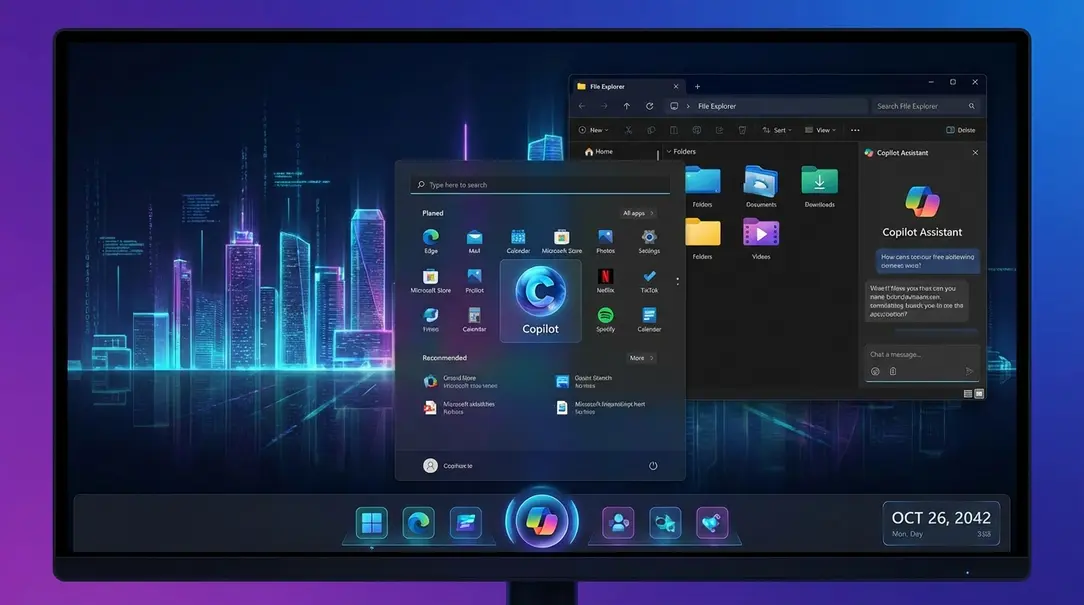
Furthermore, File Explorer may gain a dedicated Copilot panel in its sidebar, functioning similarly to the existing details or preview panels. Preliminary interface elements suggest the ability to conduct contextual conversations about files without leaving the File Explorer window. This panel might also be detachable into a separate window for greater flexibility. While currently in the testing phase and subject to change, the integration of Copilot into more areas of the system was largely inevitable.
The ‘Run’ Command Gets a Modern Makeover
The ‘Run’ command (accessed via Win+R) often brings to mind older versions of Windows, like Windows 95 or XP, due to its dated appearance. It’s surprising that this function has looked largely unchanged for over two decades in the current system. Fortunately, the ‘Run’ window is finally set to receive a modern update based on WinUI (Windows User Interface).

It will adopt a look consistent with the rest of the system, including the translucent Mica effect, and can be enabled through advanced settings. The classic version will remain available, and Microsoft is even testing a dark mode for it, offering users a choice between variants. This modernization is a welcome change for a long-standing system utility.
Agenda View in the Notification Center
A feature reminiscent of Windows 10, the agenda view from Outlook, is making a comeback to the Notification Center. This will allow users to quickly check their schedule, join meetings, and synchronize their calendar without needing to open additional applications.
The Windows 11 version is based on WebView2, which implies slightly higher memory consumption but functionally mirrors the Windows 10 implementation. This improvement is highly beneficial for users who frequently attend online meetings, providing easier and quicker access to their schedule.
A Revamped Start Menu
A redesigned Start Menu has already rolled out to some users earlier this year, although Microsoft has indicated a broader deployment to all devices is expected within the current year.
The new Start Menu, introduced in update 25H2, is noticeably larger and better organized. A key enhancement is an additional panel displaying information from a paired smartphone, ranging from battery status and Bluetooth connection to quick shortcuts for calls, messages, and photos. This significantly improves Windows’ integration with Android devices.
The main section of the menu has also been reorganized. Pinned applications and the search bar remain in their familiar positions, but the program list is now thematically grouped into folders by default. This creates a more logical and readable layout, though users can still revert to the classic list or grid view if preferred.
Frequently Asked Questions (FAQ)
- Q: When are these Windows 11 features expected to be released?
A: Many of these features are currently in the Windows Insider program and are anticipated to roll out to the stable version of Windows 11 as early as 2026. Specific release dates for individual features may vary. - Q: Will I be forced to use Copilot for search?
A: No, the ‘Ask Copilot’ search panel is expected to be an optional feature that users can disable if they prefer the traditional search experience. - Q: Can I keep the classic ‘Run’ command?
A: Yes, the classic ‘Run’ command will remain available, and Microsoft is even testing a dark mode for it, giving users a choice between the modern WinUI version and the traditional interface. - Q: How will the new Start Menu improve Android integration?
A: The revamped Start Menu includes a dedicated panel that displays real-time information from a paired Android smartphone, such as battery level, Bluetooth status, and quick access shortcuts for calls, messages, and photos, enhancing the synergy between Windows and Android devices.
About Post Author
