

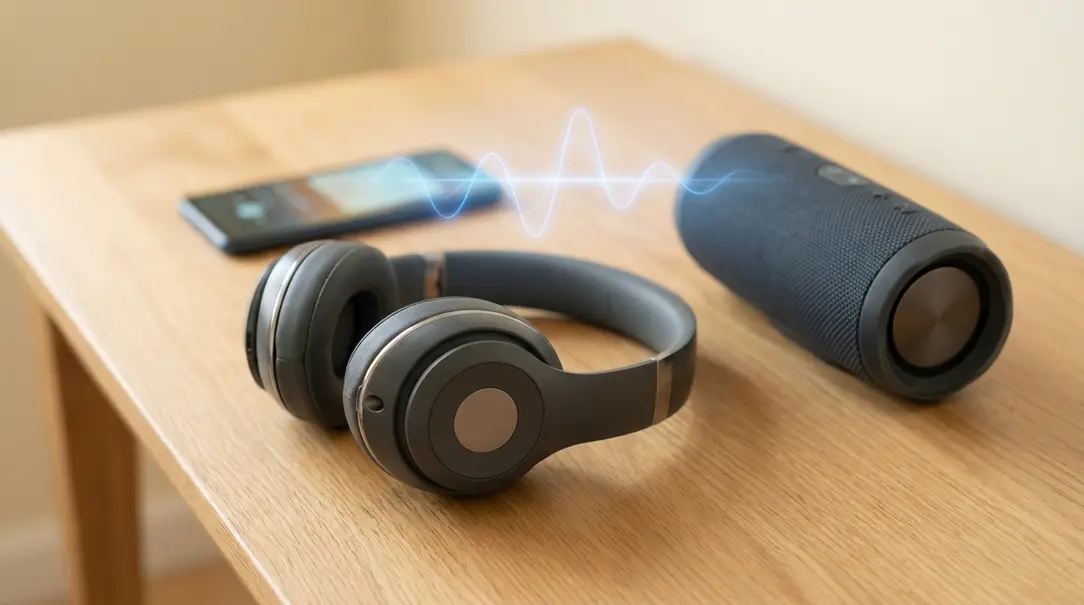
Bluetooth headphones and speakers offer the freedom of wireless audio, allowing you to enjoy music and podcasts without being tethered to your phone or computer by a cable. However, an all-too-common frustration arises when the sound frequently cuts out, making your listening experience anything but enjoyable. Understanding the root causes of these interruptions is the first step towards resolving them.
This article dives into the primary reasons why your Bluetooth audio might be unreliable and provides practical, actionable solutions to get your music back on track.
Contents
Table of Contents
- Why Does Sound Cut Out in Bluetooth Speakers or Headphones?
- Too Much Distance Between Your Speaker/Headphones and Phone
- Obstacles Between Your Bluetooth Device and Phone
- Slow or Unstable Internet Connection
- Other Devices Nearby Causing Interference
- Bluetooth Used by Multiple Applications Simultaneously
- Frequently Asked Questions (FAQ)
Why Does Sound Cut Out in Bluetooth Speakers or Headphones?
Bluetooth technology relies on short-range radio waves to transmit data. Several factors can disrupt these waves, leading to audio dropouts or complete disconnections. Identifying the specific cause is key to finding the right solution.
1. Too Much Distance Between Your Speaker/Headphones and Phone
One of the most frequent culprits behind choppy Bluetooth audio is simply being too far from your audio source. Bluetooth devices, especially those adhering to older standards, have a limited operational range. For most consumer Bluetooth devices (Class 2), the optimal range is typically around 10 meters (about 33 feet) in an open environment. Beyond this, the signal weakens significantly, leading to interruptions.
Solution:
- Keep Devices Close: Position your phone (or other playback device) as close as possible to your Bluetooth speaker or headphones. Ideally, keep them within a few feet of each other.
- Minimize Barriers: Ensure there are no major obstructions between the devices (discussed further below).
2. Obstacles Between Your Bluetooth Device and Phone
Physical obstructions can severely degrade a Bluetooth signal. Walls, especially thick ones or those containing metal, can block radio waves, causing the audio to cut out. Even your own body can act as an obstruction if your phone is in a back pocket and your headphones are trying to connect through it.
Solution:
- Clear Line of Sight: Try to maintain a clear line of sight between your Bluetooth audio device and the source device.
- Relocate: Move both devices into the same room or an area with fewer physical barriers between them.
3. Slow or Unstable Internet Connection
If you’re streaming music or podcasts from online services (like Spotify, Apple Music, YouTube, etc.) and experiencing audio interruptions, your internet connection might be the problem, not your Bluetooth. A slow or unstable Wi-Fi or cellular data connection can prevent the audio stream from loading continuously, resulting in buffering and dropouts.
Solution:
- Check Internet Stability: Test your internet connection speed. If it’s slow, try connecting to a different, more stable Wi-Fi network or moving to an area with better cellular reception.
- Reduce Audio Quality: In your streaming app’s settings, you can often lower the audio quality. This requires less bandwidth, making it easier for a weaker internet connection to keep up.
- Download for Offline Playback: For critical listening, download your music or podcasts beforehand. Playing media stored directly on your device eliminates internet connection issues entirely.
4. Other Devices Nearby Causing Interference
Bluetooth operates on the 2.4 GHz frequency band, which is also used by many other wireless devices. This crowded frequency spectrum makes Bluetooth susceptible to interference from various household electronics. Devices like Wi-Fi routers, microwave ovens, cordless phones, smart home gadgets, and even some older computers can emit radio waves that disrupt your Bluetooth signal.
Companies like Sony have openly acknowledged that interference from other devices can impact Bluetooth performance.
Solution:
- Increase Distance: Move your Bluetooth devices further away from other potential sources of interference.
- Turn Off Unused Devices: If possible, temporarily switch off other wireless devices in the immediate vicinity that might be causing interference.
- Check for Updates: Ensure your Bluetooth headphones or speaker firmware is up-to-date, as manufacturers often release updates to improve connectivity and reduce interference susceptibility.
5. Bluetooth Used by Multiple Applications Simultaneously
Modern smartphones and computers can juggle many tasks at once, but sometimes too many background processes or concurrent app usage can strain your device’s resources, including its Bluetooth capabilities. If you’re using a smartphone (e.g., one priced under $500 USD) and have multiple apps running, receiving notifications, or loading content while listening to music via Bluetooth, it can lead to audio interruptions.

For example, a notification from a messaging app or a video starting to load automatically in a social media feed (even if you intend to skip it) can temporarily divert system resources, causing your music to momentarily pause or cut out.
Solution:
- Close Unnecessary Apps: Close any applications not actively in use, especially those that frequently use data or send notifications.
- Disable Background App Refresh: For non-essential apps, consider disabling background app refresh in your phone’s settings to free up resources.
- Minimize Notifications: Temporarily mute notifications from chat apps or social media when critical listening is required.
Frequently Asked Questions (FAQ)
Here are some common questions about Bluetooth audio issues:
Q: How far can Bluetooth go?
A: Most standard Bluetooth devices (Class 2) have a range of about 10 meters (33 feet). High-power Bluetooth (Class 1) can extend up to 100 meters (330 feet), but these are less common in consumer audio devices like headphones and portable speakers.
Q: Can low battery cause Bluetooth audio to cut out?
A: Yes, a low battery on either your Bluetooth headphones/speaker or your source device (phone, laptop) can often lead to weakened signals, intermittent connections, and audio dropouts. Always ensure your devices are adequately charged.
Q: Why does my Bluetooth keep disconnecting even when close?
A: If your Bluetooth devices are close but still disconnecting, check for strong interference from other 2.4 GHz devices, try restarting both your Bluetooth device and source device, “forget” and re-pair the Bluetooth connection, and ensure both devices have the latest software/firmware updates.
Q: Does my Wi-Fi affect Bluetooth?
A: Yes, Wi-Fi can definitely affect Bluetooth. Both technologies often operate on the same 2.4 GHz frequency band, leading to potential interference, especially in crowded wireless environments. If you’re experiencing issues, try changing your Wi-Fi router’s channel if possible, or move your Bluetooth devices further from your router.
Q: Should I restart my Bluetooth device to fix cutting out audio?
A: Yes, a simple restart of both your Bluetooth audio device and your source device (phone, tablet, computer) can often resolve temporary glitches or software conflicts that cause audio interruptions. It’s always a good first troubleshooting step.
About Post Author
