

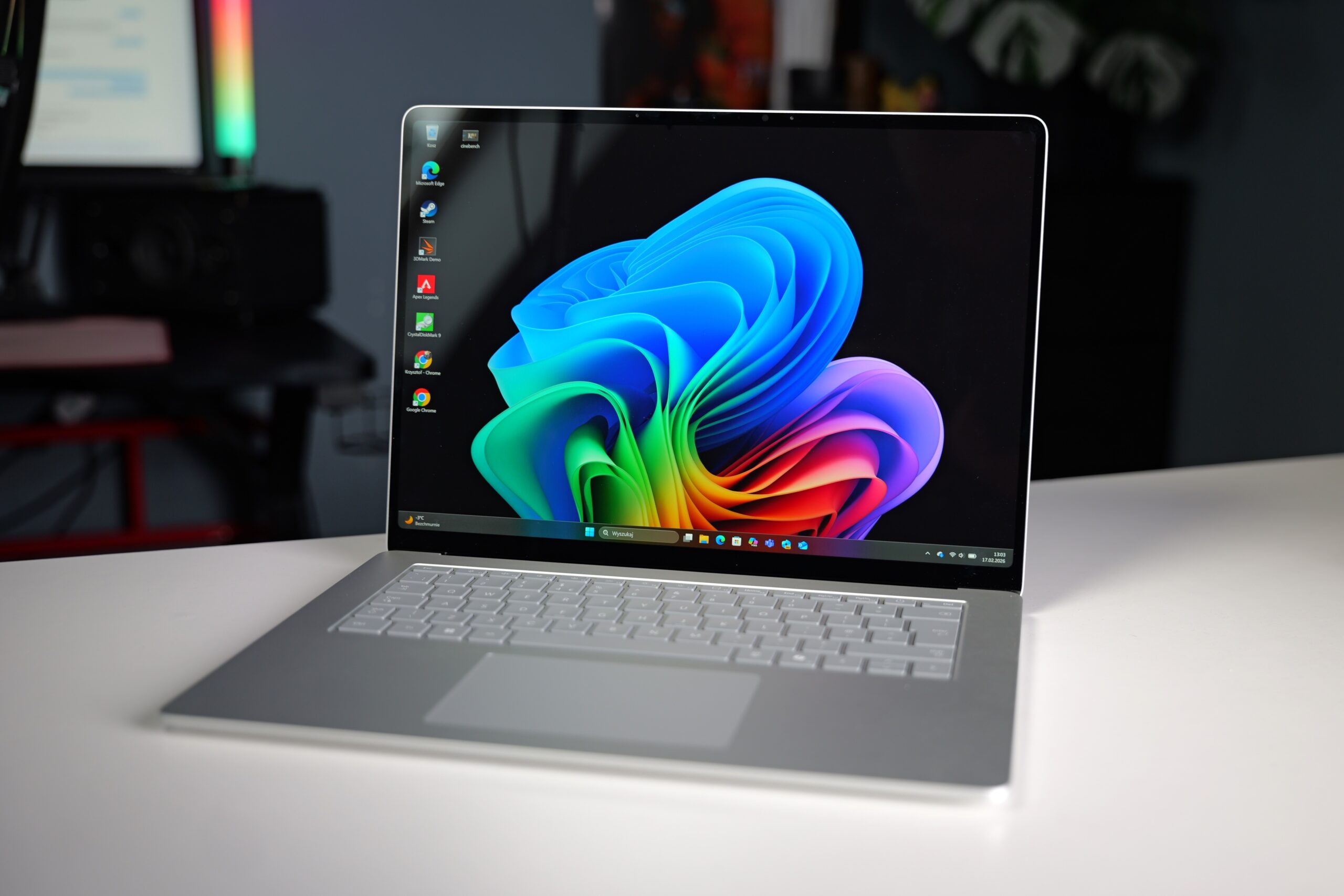
Windows is embracing ARM architecture, and the 7th generation Microsoft Surface Laptop 15 is at the forefront of this shift. This review delves into what this sleek laptop, powered by the Qualcomm Snapdragon X Elite processor, is truly capable of. We’ll examine its strengths, weaknesses, and ultimately determine who this laptop is designed for.
Contents
Microsoft Surface Laptop 15 Review: Table of Contents
- What’s in the Box?
- Design and Build Quality
- Ports and Connectivity
- Keyboard and Touchpad
- Display and Image Quality
- Battery Life and Charging
- Software Experience
- Performance: Benchmarks (CPU, GPU, AI, SSD)
- Gaming Performance
- Temperatures and Noise
- Technical Specifications and Price
- Conclusion: Our Opinion and Verdict
Microsoft Surface Laptop 15 in a Nutshell
The Microsoft Surface Laptop 15 is a device that leaves a significant impression. Its build quality, responsiveness, and battery life are outstanding, and multimedia content looks fantastic. However, the device has one serious limitation: the modest 256GB SSD in its base configuration.
Advantages
- Fantastic build quality
- Good performance in applications optimized for ARM architecture
- Effective Windows Hello facial recognition
- Useful charger with magnetic connector and an additional USB Type-A port
- Phenomenal battery life
- Quiet device operation
- User-replaceable SSD
Disadvantages
- 256GB storage capacity is meager in 2024
- Lack of HDMI port and a full-size SD card slot (only MicroSD)
- Application and game compatibility with ARM still needs improvement
What’s in the Box?
Laptop packaging has become increasingly compact in recent years, and the Microsoft Surface Laptop 15 follows this trend. The box is quite minimalist, containing only the laptop itself, a two-piece power adapter, and a set of instruction manuals.
Our review unit likely originated from the UK market, as indicated by the power cord plug and keyboard layout. When purchased through US distribution channels, you can expect a standard US plug and a more conventional keyboard layout without specific regional symbols.
Design and Build Quality
The 7th generation Microsoft Surface Laptop 15 is available in black and silver (referred to as “platinum” in press materials and on the manufacturer’s website). Our unit was the platinum version, which effectively masks dust but makes cleaning fingerprints and smudges a challenge. In terms of fingerprint resistance, the Ceraluminum material on the ASUS ZenBook A14 remains the best we’ve encountered.
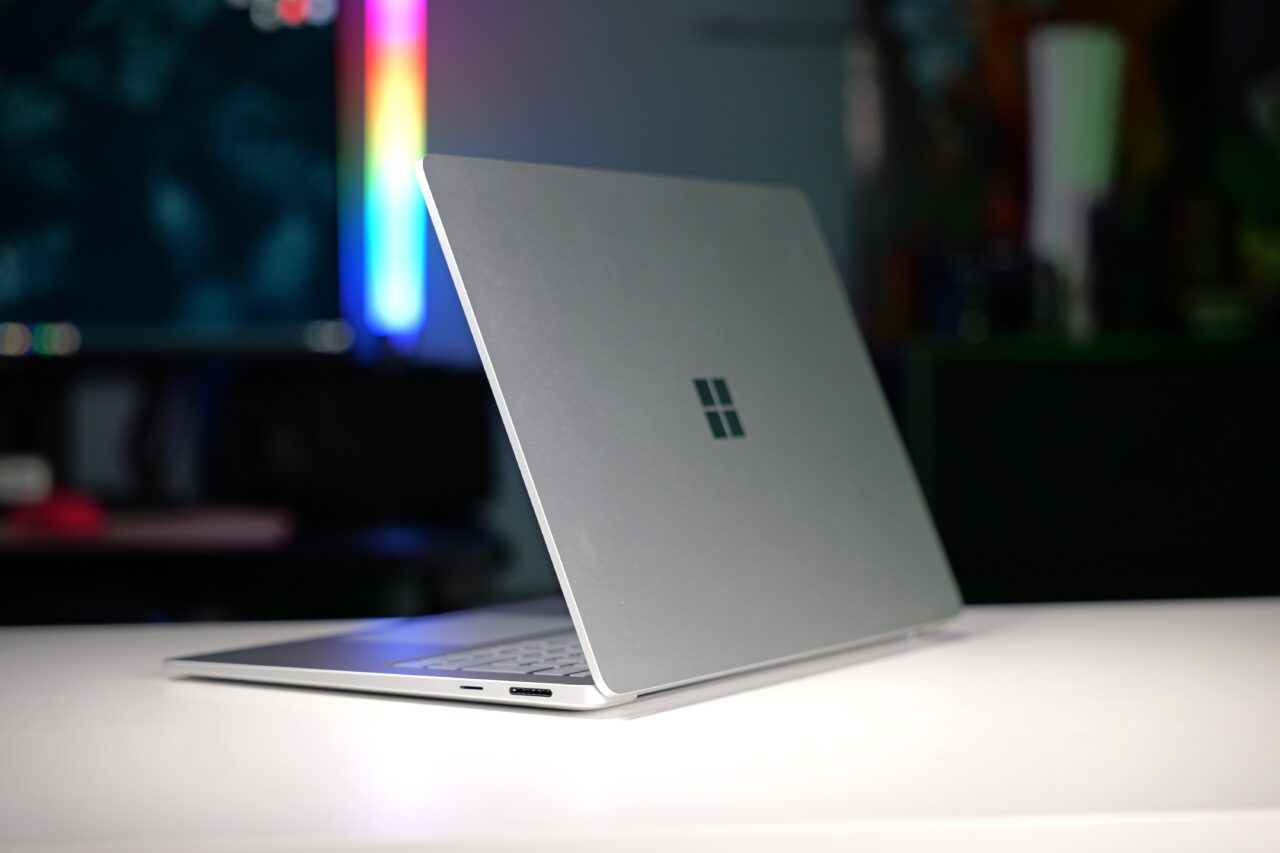
The laptop’s construction is almost entirely made of anodized aluminum. The top lid features only a high-gloss Windows logo. With its minimalist aesthetic and superb build quality, the laptop bears a striking resemblance to Apple’s portable computers.
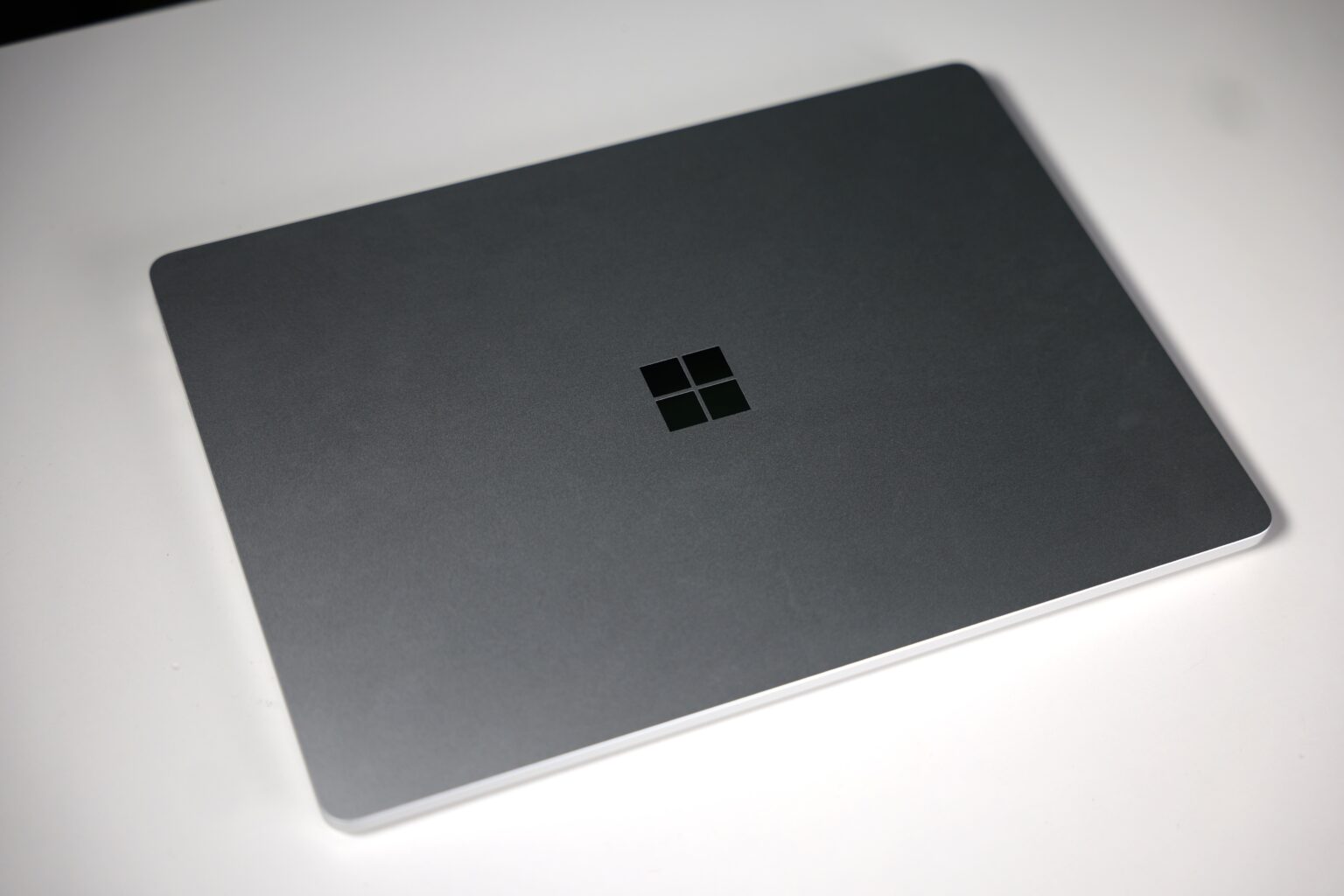
While not the smallest or lightest laptop on the market, it’s exceptionally well-designed for a 15-inch device. The Microsoft Surface Laptop should fit into most backpacks, measuring a mere 0.72 inches (18.29 mm) in thickness. Its weight of 3.66 pounds (1.66 kg) is perfectly manageable for portability.
The hinge is stiff, providing excellent screen stability. Although it’s possible to open the lid with one hand, it’s quite challenging due to the lack of a finger or nail cutout. Consequently, we always found ourselves opening the laptop with both hands. The lid opens to a fairly standard angle of approximately 130 degrees.

The bottom of the device is as minimalist as the top lid. It features printed certifications and small, yet effective, anti-slip feet. Beneath these feet are screws that allow access to the interior for component upgrades, such as replacing the SSD.
Near the hinge, at the top, the manufacturer has placed a narrow slot for the heavily enclosed cooling system. Initially, we had concerns about temperatures and noise levels, but the Surface Laptop 15 positively surprised us in this regard.
Ports and Connectivity
The selection of ports on this 15-inch laptop is not particularly impressive. On the left side, you’ll find an audio port, one USB 3.2 Type-A port, and two USB 4 Type-C ports. The opposite side features a magnetic charging connector and a MicroSDXC Express card reader.
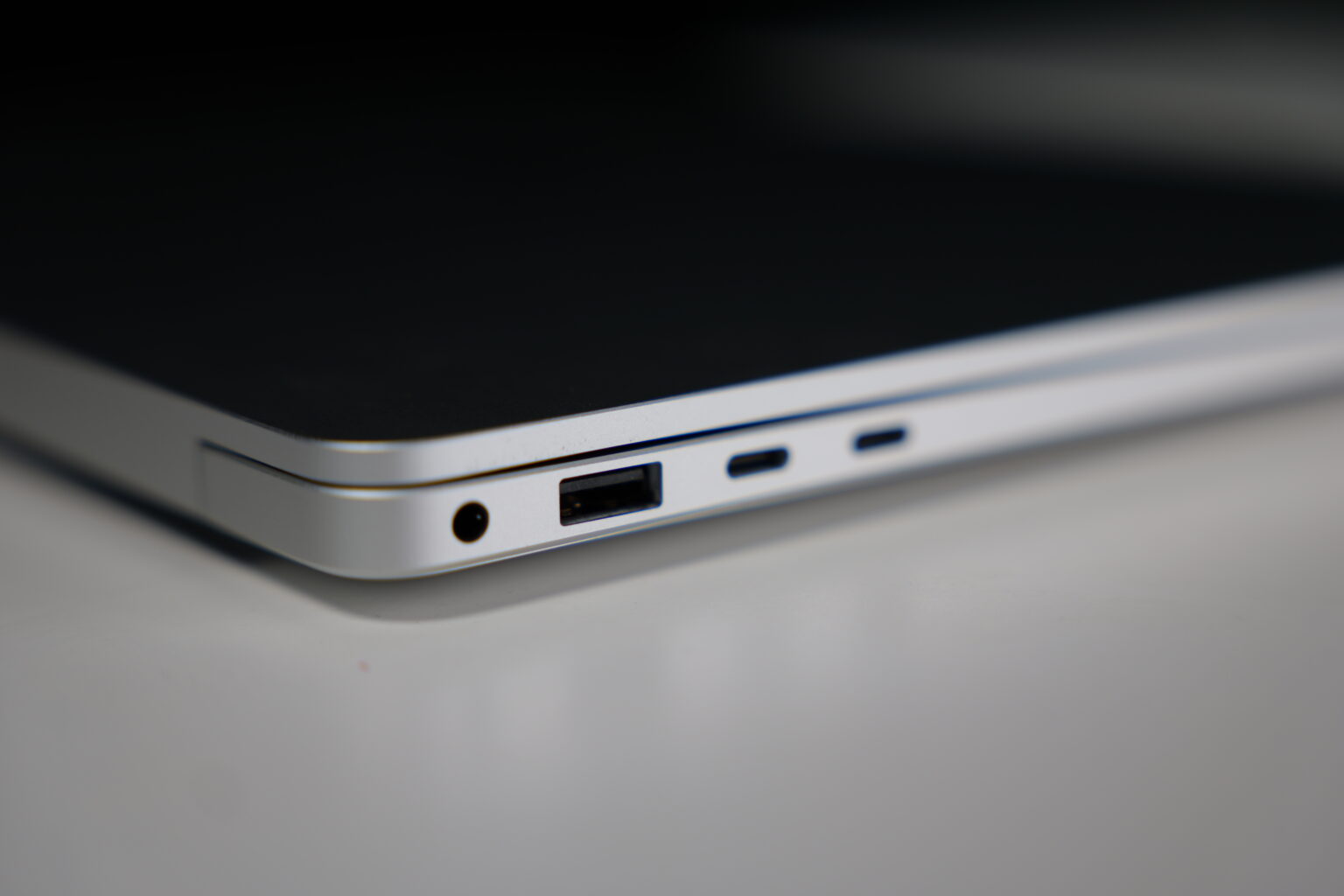
It’s a shame that Microsoft didn’t include a full-sized SD card slot, which is more commonly used by content creators. An HDMI port is also notably absent from this design.
External monitors can be connected via the USB 4 Type-C ports, which also support full 65-watt charging. This is a significant advantage, as users are not forced to carry a dedicated charger with the Surface Connect port.
Keyboard and Touchpad
The keyboard features a fairly standard layout and minimalist design. The left Shift key and the arrow keys are somewhat small. Beyond that, it’s a typical keyboard with a firm and responsive key travel. Key stabilization is decent, making typing on the Microsoft Surface Laptop a pleasant experience. For use in low-light conditions, the evenly distributed white backlighting, with three levels of brightness, is very helpful.
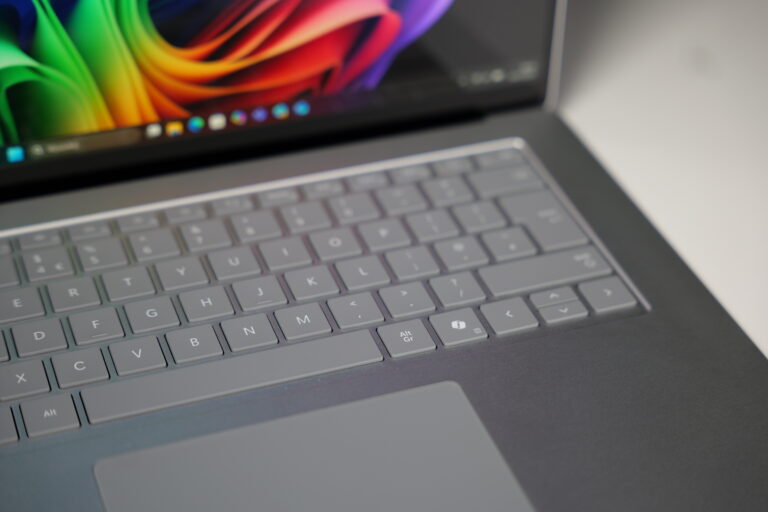
For a multimedia device, the touchpad is surprisingly small. Even the gaming-focused Razer Blade 16, which we previously reviewed, featured a much larger trackpad. Fortunately, the touchscreen compensates for this. The touchpad itself is smooth, finger movement is fluid, and touch precision is spot-on. Gestures are accurately recognized, and the haptic engine provides convincing click simulation.
We found no speaker grilles on the bottom or sides of the keyboard. This isn’t a design flaw, as the sound emanates directly from the keyboard. The audio quality is quite positive, delivering a full and loud sound. Our specific unit occasionally experienced interference, but this is likely an isolated defect of this particular device.
Display and Image Quality
The tested Microsoft Surface Laptop features a generously sized 15-inch screen with a practical 3:2 aspect ratio. It operates at a high resolution of 2496 × 1664 pixels and offers a 120Hz refresh rate, which we highly appreciate. The fluidity and sharpness of the image are excellent.
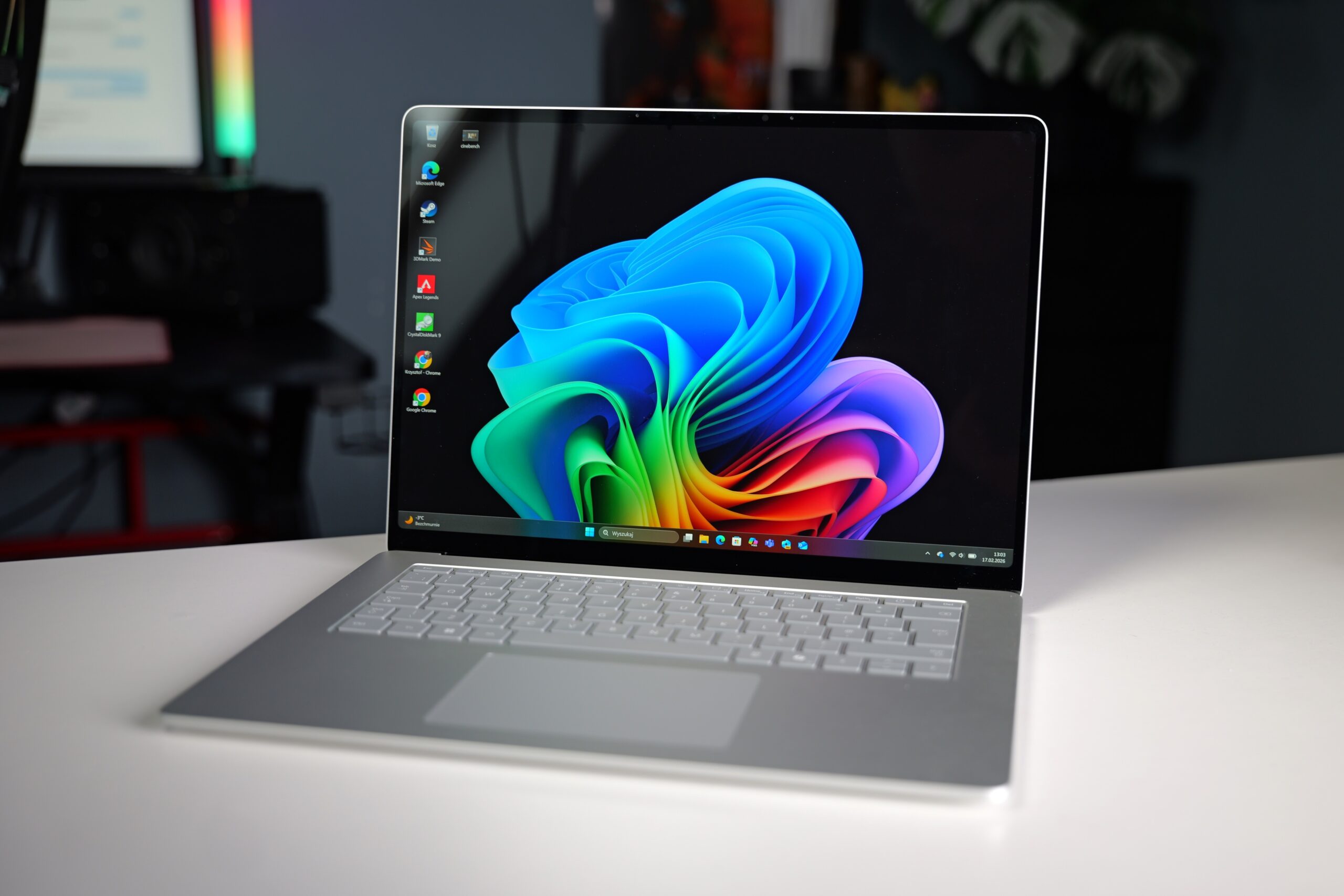
The laptop utilizes an LCD screen. While we might have expected an OLED panel in a premium segment computer, the Surface Laptop’s display performs admirably. Colors displayed on the glossy panel are vibrant and saturated.
The maximum brightness of 600 nits is particularly impressive, and the glossy finish further enhances visual appeal. Consuming content and working on this device was enjoyable, even in challenging lighting conditions.
In the top bezel, the manufacturer has integrated a set of sensors for Windows Hello facial recognition and an FHD camera. Video quality is decent, and the laptop handles audio capture well. Facial recognition login is fast and accurate.
Battery Life and Charging
Despite its relatively compact chassis, the manufacturer managed to fit a substantial 66 Wh battery. Microsoft claims up to 22 hours of video playback and up to 15 hours of active internet use. In practice, the battery life is simply phenomenal.
An hour of watching 1080p YouTube videos at half maximum brightness (approximately 300 nits) consumed just 10% of the battery. This translates to nearly 10 hours of online viewing on a full charge, and reducing brightness further could extend this by several additional hours. The laptop can effortlessly handle a full day of office work.
Under full load, power consumption stabilizes at around 30W, allowing the Microsoft Surface Laptop to operate for up to three hours in such scenarios.
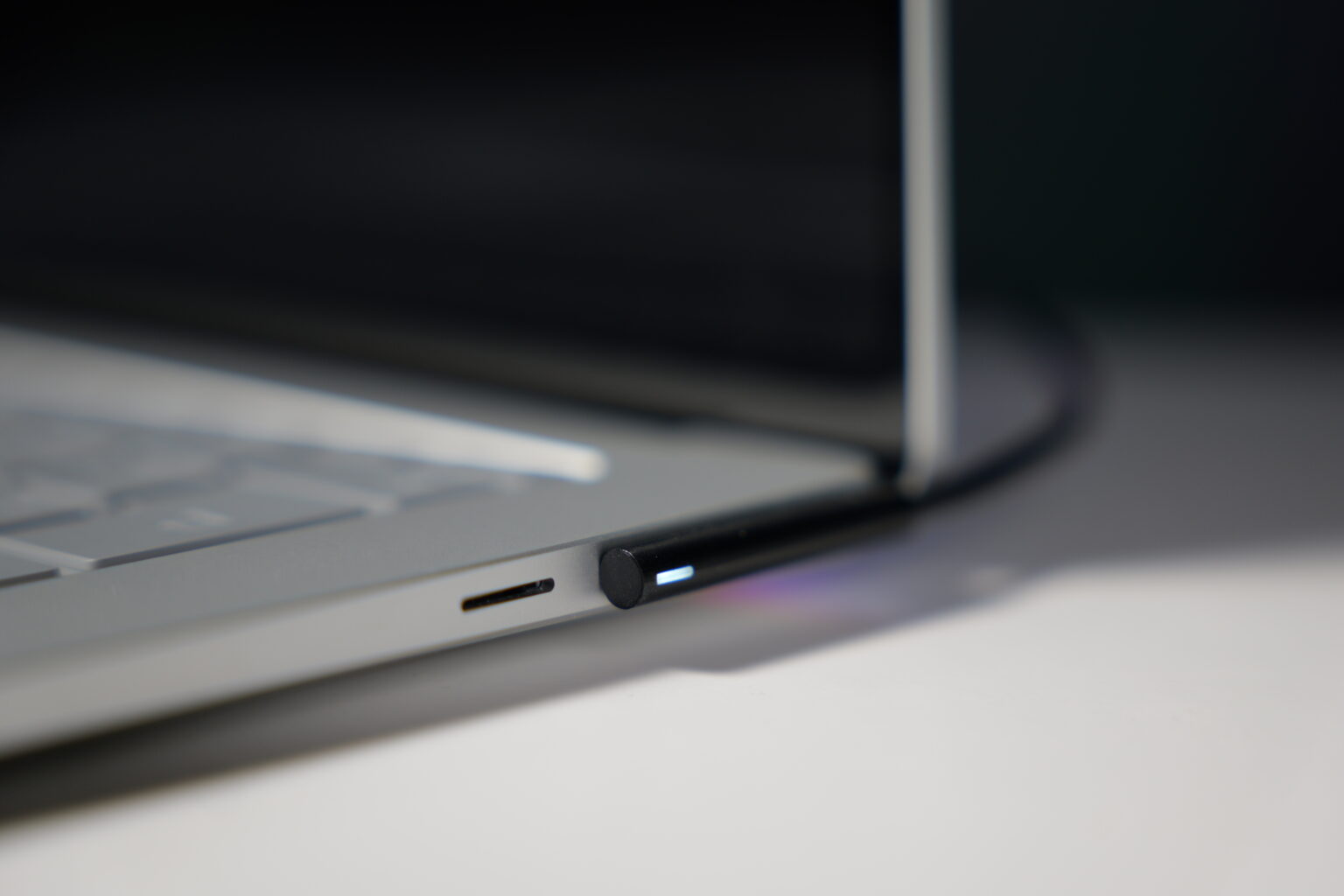
Charging occurs via either the dedicated, magnetic, reversible Surface Connect port or a USB Type-C port. The 65-watt power adapter charges the Microsoft Surface Laptop 15 from 10% to full in approximately 90 minutes.
A convenient feature is the female USB Type-A port located on the power adapter itself. This allows users to simultaneously charge the laptop and a smartphone without occupying any of the laptop’s own ports.
Software Experience
Our tested unit ran on the latest version 25H2 of Windows 11 Pro. This is one of the cleanest Windows installations we’ve encountered on a laptop. It includes only essential system applications (such as the Office suite and Copilot) and simple Surface-specific software.
The dedicated Microsoft Surface application provides information about the device, support options, and warranty details. The battery section is particularly useful, allowing users to set charging limits (e.g., to 80%) to preserve battery health. Touchpad settings are also accessible here.
Performance
Computational power is handled by a Qualcomm processor with integrated graphics and an NPU. Our tested configuration was equipped with 16GB of fast LPDDR5x RAM (8448 MT/s) and a rather modest 256GB SSD. Let’s see how the device performs in benchmarks and everyday use.
CPU Benchmarks
The new Snapdragon X2 Elite is still a rarity, but the older, twelve-core Snapdragon X Elite should deliver solid performance. The X1E-80-100 variant of the processor offers 42MB of Cache, a base frequency of 3.4 GHz, and can boost up to 4.0 GHz on up to two cores under load.
| Suggested Performance | Better Performance | Best Performance | |
|---|---|---|---|
| Cinebench R23 nT | 8506 | 8837 | 9519 |
| Cinebench R23 1T | 1100 | 1296 | 1275 |
| Average System Power (nT) [W] | 47.5 | 48.6 | 52 |
| Average CPU Temperature [°C] | 95 | 95 | 95 |
These results are significantly better than those of the Snapdragon X1 processor. While not quite on par with MacBooks featuring Apple M5 or even M4 chips, there should be ample power for daily tasks. This performance level is roughly comparable to an Intel Core Ultra 7 processor. In all tested power modes, the laptop remained relatively quiet.
GPU Benchmarks
The laptop features integrated Qualcomm Adreno XI-85 graphics, which in the X1E-80-100 processor delivers 3.8 TFLOPS of performance. The most powerful variants of the Snapdragon X Elite boast up to 4.6 TFLOPS. Performance in the 3DMark benchmark is not particularly impressive, with integrated Intel Arc Graphics often providing better results in this test.
| Best Performance | |
|---|---|
| 3DMark Steel Nomad | 488 (4.89 FPS) |
| 3DMark Steel Nomad Light | 2113 (15.65 FPS) |
| 3DMark Time Spy | 1927 |
| 3DMark Fire Strike | 6195 |
| 3DMark Night Raid | 27168 |
We also tested how the device handles video editing in Adobe Premiere Pro Beta. The performance proved sufficient for assembling simple Full HD clips. However, previewing and editing 4K raw footage was a significant challenge. For creative applications, Apple laptops continue to hold a considerable advantage.
AI Compute Benchmarks
The laptop is equipped with a Hexagon NPU (Neural Processing Unit) boasting 45 TOPS (trillions of operations per second). This means the Microsoft Surface Laptop 15 should effectively handle tools and features that leverage local AI computations. The NPU’s performance is significantly higher than the CPU’s in both the Half Precision and Quantized Score tests, highlighting its specialization for AI tasks.
| ONNX CPU | ONNX QNN (NPU) | |
|---|---|---|
| Single Precision | 1824 | 1852 |
| Half Precision | 2653 | 16077 |
| Quantized Score | 600 | 139679 |
Storage Benchmarks (SSD)
Our tested unit came with a basic 256GB SSD. For a laptop costing approximately $1500, this capacity is alarmingly low. After accounting for the operating system, users are left with roughly 195GB for their files. Fortunately, the drive can be replaced, though the selection is limited to the 2230 M.2 format (22 mm wide and 30 mm long).
Transfer speeds are disappointing. Sequential and random write speeds, in particular, are subpar, approaching those of average-class portable solid-state drives. Nevertheless, these transfer speeds should still ensure efficient operation for most everyday applications.
| Read (MB/s) | Write (MB/s) | |
|---|---|---|
| Sequential | 3345.30 | 1038.21 |
| Random | 353.48 | 291.88 |
Gaming Performance
Testing games on the Microsoft Surface Laptop is more of an addendum than a primary focus. The Surface Laptop is not designed for gaming. Its limitations include virtually everything: the processor architecture, the integrated graphics card, and the small SSD.
Initially, we attempted to test Apex Legends, a battle royale title with relatively low system requirements. Unfortunately, the game is not compatible with ARM architecture, and similar compatibility warnings appeared with several other games.
Next, we tried a AAA title with comparatively low requirements: Marvel’s Spider-Man Remastered. While it launched, the gameplay was far from enjoyable. We managed to achieve a somewhat stable 30 frames per second only with FSR3 upscaling, at 1600 × 900 pixels resolution, and on very low graphics settings.
In contrast, Metro Exodus ran successfully and achieved a fluid frame rate of approximately 60 frames per second. We also observed a stable 60 FPS in our recent discovery, the graphically simple roguelite game Brotato.
The Microsoft Surface Laptop 15 is certainly not a gaming machine. However, with some perseverance and by choosing compatible titles, users can still find games to enjoy.
Temperatures and Noise
The bottom of the device is quite minimalist. A narrow cutout for the cooling system is located only near the hinge, with a single fan responsible for heat dissipation. The laptop’s operating acoustics were a positive surprise.
During tasks like working on documents or browsing the internet, the computer operates silently. The processor maintains temperatures of around 46 degrees Celsius (115°F), and the casing remains cool, reaching up to 35 degrees Celsius (95°F).
Under full load, the fan becomes audible, but its operation cannot be described as loud. The high-frequency hum is the most noticeable aspect, but it’s not excessively bothersome. The processor temperature rises to approximately 96 degrees Celsius (205°F), and the hottest spot on the casing, located on the upper part of the keyboard, reaches 49 degrees Celsius (120°F).
Technical Specifications and Price
At the time of this review’s publication, the tested Microsoft Surface Laptop 15 7th generation, with identical components, was found for approximately $1500 USD. Overlooking the 256GB storage, the laptop makes a compelling case, as customers are acquiring a premium-segment device.
| Component | Details |
|---|---|
| Display | 15″ LCD PixelSense Flow, 2496 x 1664 pixels resolution (201 PPI), 600 nits brightness, 120 Hz refresh rate, Corning Gorilla Glass 5 |
| Processor | Snapdragon X Elite (12 cores and threads, up to 3400 MHz clock speed), with Qualcomm Hexagon NPU (45 TOPS) |
| Graphics Card | Qualcomm® Adreno™ GPU |
| RAM | 16 or 32 GB LPDDR5x |
| Storage | 256, 512 GB, or 1TB SSD PCIe Gen 4 |
| Ports and Connectors | 2 x USB 4 Type-C (with charging and DisplayPort 1.4a), 1 x USB 3.2 Type-A, 1 x MicroSDXC Express card reader, 1 x 3.5 mm headphone jack, 1 x magnetic Surface Connect port |
| Battery | 66 Wh, 65 W power adapter |
| Connectivity | Bluetooth 5.4, Wi-Fi 7 |
| Other | FHD camera, Windows Hello login, backlit keyboard, anodized aluminum casing, dual studio microphones with voice enhancement |
| System | Windows 11 Home |
| Dimensions | 329 x 239 x 18.29 mm (12.95 x 9.41 x 0.72 inches) |
| Weight | 1.66 kg (3.66 lbs) |
Conclusion: Our Opinion and Verdict
The Microsoft Surface Laptop 15 is a device full of contradictions, capable of impressing while also, at times, disappointing. Fundamentally, it’s an exceptionally well-built machine with a phenomenal, bright screen and outstanding battery life. Consuming content and working on documents is a pure pleasure.
However, for a computer in this price range, it should also perform well in the hands of creative professionals. Unfortunately, this isn’t entirely the case. While the processor is capable, the ARM architecture can still lead to compatibility issues, and its performance lags behind devices equipped with Apple M4 and M5 chips.
We clearly missed an HDMI port and a full-size SD card reader (only MicroSDXC is present) in this design. However, the biggest problem is the mere 256GB of storage. Such a small SSD in a laptop costing around $1500 USD is frankly unacceptable in today’s market.
So, who is this computer for? We recommend the Microsoft Surface Laptop 15 to individuals accustomed to Windows who have moderate performance requirements but desire a premium device. Its battery life, lasting up to fifteen hours or more, is a significant advantage that is hard to overlook.
Frequently Asked Questions (FAQ)
What are the key advantages of the Microsoft Surface Laptop 15?
The Microsoft Surface Laptop 15 offers fantastic build quality, exceptional battery life (up to 15+ hours for active web use), effective Windows Hello facial recognition, quiet operation, and a bright, high-resolution 120Hz display.
What are the main drawbacks of the Surface Laptop 15?
Its primary drawbacks include the base model’s severely limited 256GB SSD for its price point, the absence of an HDMI port, only a MicroSD card slot instead of a full-size SD, and ongoing compatibility challenges with some applications and games on ARM architecture.
Who is the Microsoft Surface Laptop 15 best suited for?
This laptop is ideal for Windows users who value premium design, a superb display, and especially long battery life for productivity and content consumption. It’s best for those who don’t have demanding requirements for creative tasks or extensive gaming and are comfortable with the current state of ARM app compatibility.
Source: Self-developed. Opening photo: Generated by Gemini.
About Post Author
