

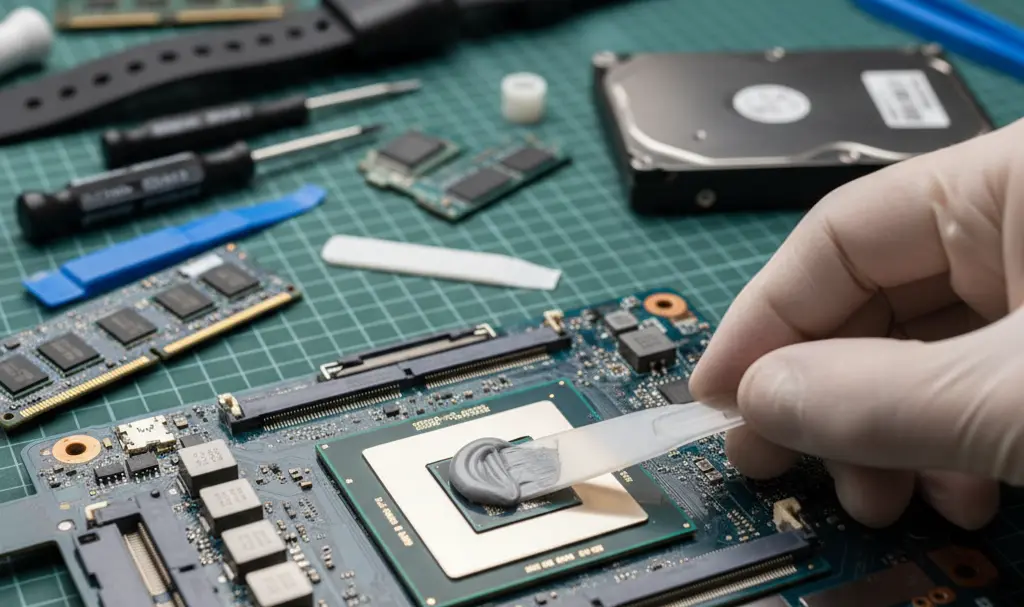
Recently, I had a rather costly, yet ultimately beneficial, series of visits to a local computer repair shop, totaling around $150. The urgent need for a laptop intervention served as a stark reminder that even the most advanced technology is susceptible to wear and tear. It’s up to us to properly maintain our devices to minimize future repair expenses and extend their lifespan.
Contents
Beyond the Manual: Why Your Gaming PC and Console Need Regular Thermal Maintenance
The Unspoken Truth: Prioritizing Your Computer’s Health
Just like cars need regular oil changes, computers, especially high-performance gaming laptops, require consistent attention to their internal components. “For gaming laptops, it’s wise to replace the thermal paste every year,” a technician advised me after I picked up my computer following this crucial operation. “People remember to change their car’s oil regularly, but this vital knowledge is often missing when it comes to computers.”
One major reason for this oversight is the conspicuous absence of such information in user manuals. Out of curiosity, I reviewed five manuals for popular gaming laptop models. Not a single one mentioned the necessity of replacing thermal paste after 12-18 months of intensive use. While these manuals often provide basic tips for cleaning external components, they fail to address the critical internal maintenance needed when a laptop, post-warranty, starts reaching temperatures above 90°C (194°F) during typical office work, let alone under the stress of modern gaming.
Understanding Thermal Paste and Its Critical Role
Every new laptop or pre-built desktop computer comes with thermal paste applied to its processor. This paste, a specialized compound, fills the microscopic gaps and imperfections between the CPU (or GPU) surface and the heatsink of the cooling module. Its primary function is to facilitate efficient heat transfer from the processor to the cooling system, preventing overheating. Over time, however, this paste naturally dries out and loses its effectiveness.
For gaming laptops, which generate significant heat, this degradation can occur rapidly—sometimes within a year of intensive use, though 1.5 years is a more common estimate. For standard office laptops and desktop PCs, the lifespan of thermal paste is typically longer, around 2-3 years. However, usage intensity and specific symptoms should always be your guide.
Signs Your Device Needs a Thermal Tune-Up
If your computer exhibits any of the following symptoms during basic tasks, it might be time for a professional thermal maintenance session, which typically costs around $50-$70:
- Loud Fan Noise: Fans constantly spinning at high speeds, even during light use, indicate the system is struggling to cool down.
- Excessive Heat: The computer feels unusually hot to the touch, or you notice performance dips as it heats up.
- Performance Throttling: Higher processor temperatures not only lead to “throttling” (the CPU automatically reduces its clock speed to prevent damage, causing slowdowns and stuttering), but also accelerate the wear and tear on cooling fans, forcing them to work harder.
Even if these issues don’t immediately impact your workflow (especially if you use headphones), worn-out thermal paste translates to consistently higher processor temperatures. Prolonged exposure to elevated temperatures can significantly shorten the lifespan of your CPU and other components.
While simply cleaning your fans with compressed air is a good first step (they are often easily accessible by unscrewing the bottom panel of a laptop), it’s not a substitute for replacing degraded thermal paste. Annual thermal paste replacement isn’t a “waste of money”; it’s a genuine investment that significantly extends the overall lifecycle of your valuable hardware.
Thermal Management in Gaming Consoles: PS5 and Beyond
Thermal management is equally crucial for gaming consoles. Whether it’s the thermal paste in older consoles or the more advanced liquid metal used in the PlayStation 5, their job remains the same: to efficiently transfer heat away from the processor. These materials fill the microscopic gaps between the processor surface and the cooling module, ensuring that generated heat can be dissipated effectively.

If your PlayStation 4, PS4 Pro, or PlayStation 5 has become noticeably louder lately, it’s a clear signal that it might be time for a “console spa day” and a thermal compound replacement. This is especially important for the PS5, where liquid metal replenishment is recommended every 1.5 years. I recently had this done on my own PS5 after 3.5 years of intensive use. The technician confirmed that, as expected, about half of the liquid metal layer protecting the processor had become inactive, severely hindering its cooling efficiency.
To DIY or Not to DIY?
While numerous videos demonstrate the process of replacing thermal paste, it’s crucial to honestly assess your own technical comfort and skill level. If you feel that disassembling your device and applying the compound is beyond your capabilities, it’s strongly recommended not to attempt it yourself.
There are many ways to improperly apply thermal paste or liquid metal, which can worsen the situation or, in the worst-case scenario, permanently damage your computer or console if the compound spills onto the motherboard. It’s always safer to leave such tasks to trained professionals. Furthermore, if your device is still under an active warranty (typically 24 or 36 months), utilizing professional service ensures you don’t void it by attempting a DIY repair.
Frequently Asked Questions (FAQ)
What is thermal paste and why is it important for my computer or console?
Thermal paste is a special compound applied between your computer’s (or console’s) processor and its cooling system (heatsink). It fills microscopic gaps to improve heat transfer, preventing the processor from overheating. Without effective thermal paste, your device can slow down, become loud, and suffer long-term damage.
How often should I replace thermal paste?
For high-performance gaming laptops and PCs, it’s recommended every 1 to 1.5 years. For standard office computers, every 2-3 years. For PlayStation 5, liquid metal replenishment is suggested every 1.5 years. However, always pay attention to symptoms like excessive heat and loud fans, as these can indicate an earlier need.
What are the signs that my computer or console needs thermal maintenance?
Key indicators include excessively loud cooling fans, the device feeling unusually hot to the touch even during light use, and a noticeable decrease in performance (stuttering, slowdowns), which is often due to the processor “throttling” itself to avoid overheating.
Can I replace thermal paste myself, or should I hire a professional?
While there are tutorials available, applying thermal paste or liquid metal incorrectly can worsen cooling performance or even damage your device’s components if spilled. If you’re not confident in your technical skills, it’s always safer and recommended to hire a professional technician. This also helps preserve your device’s warranty.
How much does professional thermal paste replacement typically cost?
The cost for professional thermal paste replacement and general internal cleaning usually ranges from $50 to $70, depending on the service provider and your device. It’s a small investment that can significantly extend the life and improve the performance of your expensive electronics.
Source: Original content and general tech knowledge. Opening photo: Generated by Gemini.
About Post Author
