

Contents
Google Pixel Users Report Serious Display Issues After Latest March Update
Google is once again facing challenges with a software update for its Pixel smartphones. The recent March Pixel Drop, which combines new features with a security patch, is causing severe display-related errors for some users. Reports range from a frozen lock screen to a complete loss of touch responsiveness, potentially rendering newer models like the Pixel 10 and Pixel 9 series practically unusable.
The March Pixel Drop Brings Trouble
At the beginning of March, Google rolled out its quarterly Pixel Feature Drop alongside a security patch, promising new functionalities, bug fixes, and overall performance improvements. However, it wasn’t long before Google’s support forums and Reddit were flooded with bug reports.
The primary complaints revolve around phones freezing on the lock screen or when the Always-On Display is active, often becoming completely unresponsive to touch or the power button. The Always-On Display feature allows users to see essential information like time, date, and notifications without fully waking their device, but for affected users, it’s contributing to the problem.
Users describe distinct symptoms: a grey bar appearing on the screen, a “frozen” image that doesn’t react to gestures, and situations where the system appears to be running in the background (vibrations occur, the Gemini assistant can be invoked, and notifications work), yet the touch panel remains unresponsive.
In some cases, the freeze resolves itself after a few or several seconds. However, many reports indicate that a hard restart, typically performed by holding down the power and volume buttons simultaneously, is often required. Disturbingly, similar issues were reported following the February security patch and in the initial weeks after the Pixel 10 series launch, suggesting a recurring problem.
Which Pixel Models Are Most Affected?
The majority of reports concern the latest smartphones, particularly the Pixel 10 and Pixel 10 Pro series, which had already faced screen responsiveness and display stability issues upon their release. Similar reports are emerging from users of the Pixel 9 series, including the “a” models. There are also indications that some Pixel 8 Pro units might be affected.
It’s important to note that this is not a universal problem. Many owners of the same models report no anomalies after the March update, with their devices functioning correctly. This inconsistency points to a potential software conflict with specific hardware components or variations in quality between different production batches of the smartphones, rather than a widespread bug affecting all devices.
What Can You Do If Your Pixel Is Affected?
Unfortunately, there isn’t a single, universally effective solution to resolve the problem at present. Users have tried several workarounds with varying degrees of success:
- Disabling Always-On Display: Some users report that completely turning off the Always-On Display reduces the frequency of freezes. However, others see no noticeable improvement.
- Factory Reset: There are accounts of users performing a factory reset, but in most cases, even this drastic step does not permanently resolve the issue.
A more effective, albeit more cumbersome, approach appears to be reverting to the February software version or an earlier patch level. This requires users to have access to the appropriate system images and be comfortable with manual installation, which can be complex and carries risks.

For individuals who have not yet installed the March update, the safest course of action is simply to defer the download until Google officially confirms that the problem has been eliminated in a subsequent patch or a smaller update.
Google’s Response to the Situation
As of now, Google has not released an official statement explicitly acknowledging a bug in the March Pixel Drop, nor has it published a patch to rectify the fault. Posts on the official Pixel Community forum suggest that the support team is contacting selected users, requesting logs and additional information. This indicates that an internal investigation is currently underway.
If the tech giant from Mountain View does not respond swiftly and issue a fix, some users might begin to consider disabling automatic updates or even switching from future generations of Pixel phones to brands known for more stable software. The ongoing issues could significantly impact user trust and loyalty.
Frequently Asked Questions (FAQ)
What is the “Pixel Drop” update, and what issues is it causing?
A “Pixel Drop” is a quarterly software update from Google that introduces new features, bug fixes, and performance improvements to Pixel smartphones. The March Pixel Drop, combined with a security patch, is currently causing severe display issues for some users, including frozen lock screens, unresponsive touch, and problems with the Always-On Display.
Which Google Pixel models are most affected by these display problems?
The issues are predominantly reported on the newer Pixel 10 and Pixel 10 Pro series. Users of the Pixel 9 series, including the “a” models, are also reporting similar problems. There are also some instances of the Pixel 8 Pro being affected. However, it’s not a universal issue, and many users of these models have not experienced any problems.
What temporary solutions are available for users experiencing these issues?
Some users have found partial relief by disabling the Always-On Display, which can reduce the frequency of freezes. A factory reset has been attempted by others, but it often does not provide a permanent solution. The most effective, but more complex, workaround is to revert to an earlier, stable software version. For those who haven’t updated yet, waiting for an official fix from Google is recommended.
How serious are the display problems, and could they render my Pixel unusable?
For some affected users, the display problems are severe enough to make their Pixel devices practically unusable. Symptoms include the screen freezing completely, becoming unresponsive to touch or the power button, and requiring a hard restart. While the system might still be running in the background (with vibrations or notifications), the inability to interact with the screen makes basic phone functions impossible. The severity varies, but for those experiencing frequent freezes, it significantly impacts the user experience.
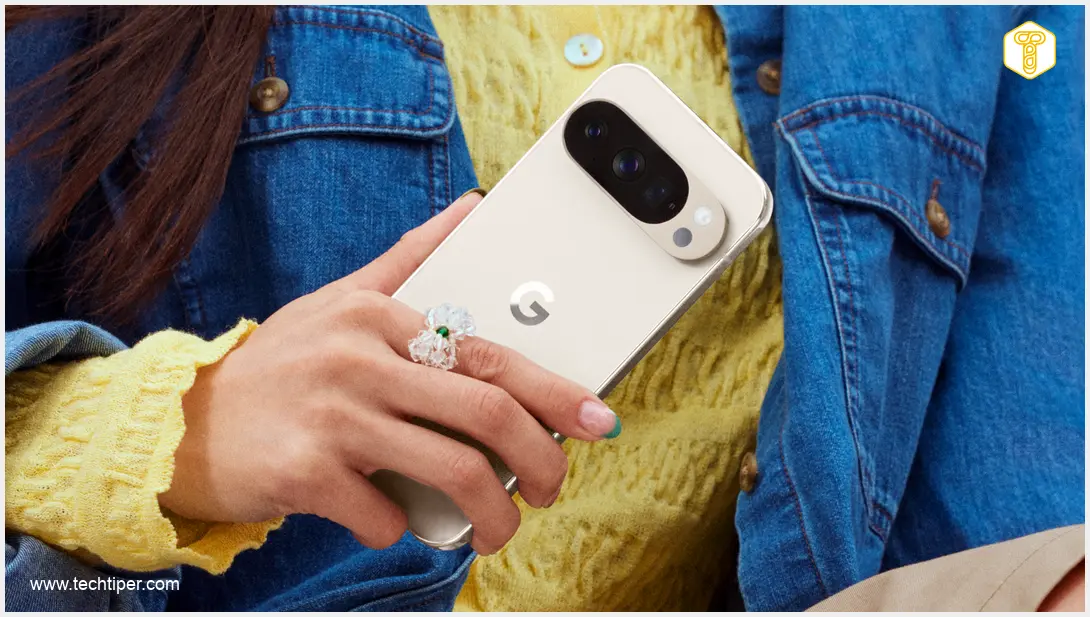
Source: AndroidAuthority, NextPit, PhoneArena. Opening photo: Google / Press materials
About Post Author
