

Contents

Google Photos Introduces Advanced AI Selfie Touch-Up Features
Google Photos is rolling out a major update designed to enhance your selfies quickly and subtly. While tech enthusiasts are welcoming the granular editing control, the announcement has sparked concerns among mental health advocates and parents worldwide.

Following recent improvements to the platform—and building upon innovations like the Google app AI mode history update—the tech giant is now focusing heavily on portrait refinement. These upcoming tools aim to give users professional-grade photo editing capabilities directly from their smartphone gallery.
How the New Selfie Enhancements Work
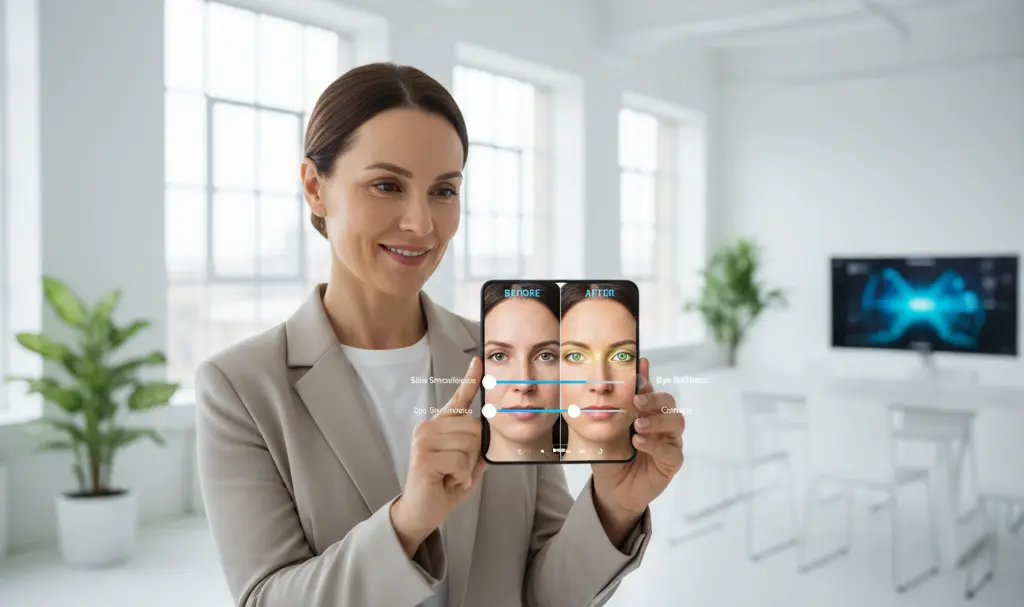
Google intends to make these portrait touch-ups highly intuitive. Instead of applying an aggressive, one-size-fits-all filter, the app will offer a suite of precision editing tools. Once you select a specific area of your selfie, the following enhancement options will appear:
- Skin Smoothing: Subtly reduce blemishes and even out skin tones.
- Teeth Whitening: Brighten smiles without making them look unnatural.
- Feature Adjustments: Improve the definition and appearance of eyebrows and lips.
- Eye Brightening: Make subjects stand out by adding natural light to the eyes.
- General Corrections: Seamlessly touch up minor photographic imperfections.
Crucially, these features are not automated filters that drastically alter your face. Users will have access to intensity sliders for each tool, allowing them to adjust the effect according to their personal preferences and keep the final result looking realistic.
System Requirements and Global Rollout
When can users expect to try these features? Rather than setting a single launch date, Google is opting for a gradual global rollout. Because these enhancements rely on on-device processing and machine learning, there are specific hardware requirements.
To access the new selfie editing suite, your device must meet the following criteria:
- A smartphone running Android 9.0 or a newer version.
- A minimum of 4GB of RAM to handle the image processing.
The Dark Side of Digital Beauty: Parental Concerns
Despite the technical impressiveness of the update, the introduction of built-in beautification tools is facing significant backlash. The loudest critics include parents of teenagers and child psychologists, who argue that easily accessible facial touch-ups can severely impact adolescent body image.
As social media platforms continue to face scrutiny—with several global regulatory bodies proposing stricter usage guidelines for minors—the integration of these tools into default photo galleries is seen by some as a step backward. When subtle digital alterations become the norm, users increasingly face the AI authenticity dilemma and human imperfection in the digital age.
Critics suggest that Google is largely downplaying these psychological concerns, prioritizing highly requested consumer features over the potential mental health implications of setting unrealistic, digitally altered beauty standards.
Frequently Asked Questions (FAQ)
Are the Google Photos selfie touch-ups applied automatically to all my pictures?
No, Google has designed these features to be strictly manual. You must actively open the editing tools, select the specific enhancements, and adjust the intensity sliders to alter your image. Your original photos will not be modified without your input.
How do these new editing tools impact my original photo files?
Like most editing features within Google Photos, the changes are non-destructive. This means edits are typically saved as a copy, or you retain the ability to undo the changes, ensuring your original, unedited selfie remains safely stored in your cloud backup.
Will these enhanced selfie tools be available for iOS users?
Currently, the officially confirmed system requirements only mention Android devices running version 9.0 or later with at least 4GB of RAM. While Google frequently brings its popular features to the iOS version of Google Photos, an official timeline for an Apple release has not yet been detailed.
Source: 9to5Google. Opening photo: Gemini
About Post Author
