

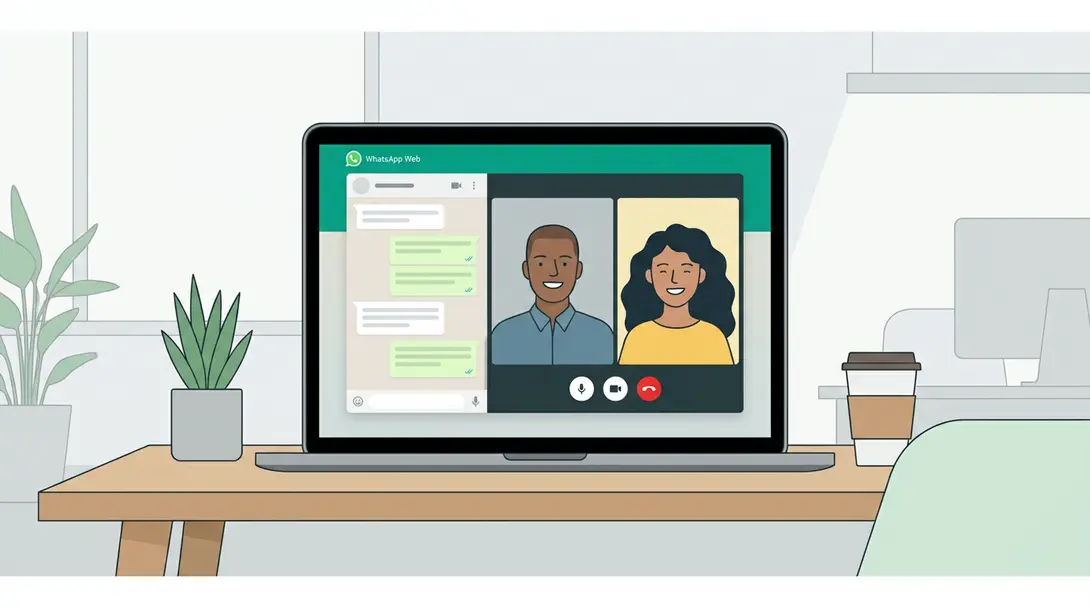
Meta is finally rolling out a highly anticipated feature for the browser version of its popular messaging platform. WhatsApp Web users can now make and receive voice and video calls directly from their web browsers, bringing a new level of convenience and functionality to desktop communication.
Contents
WhatsApp Web Unlocks Voice and Video Calls: A Game Changer for Desktop Users
For years, WhatsApp users have clamored for the ability to handle calls directly from their computers without needing their phone nearby. Meta has listened, and this significant update transforms WhatsApp Web from a text-centric companion into a full-fledged communication hub.
WhatsApp Web Levels Up with Voice and Video Calls
Following a series of announcements from Meta regarding new WhatsApp features, this latest update marks a pivotal moment. The rollout means users no longer need to switch to their mobile device for calls, streamlining their workflow and enhancing the multi-device experience. This move positions WhatsApp Web more competitively against other communication platforms that have long offered desktop calling.
A Comprehensive Suite of Communication Features
The updated WhatsApp Web client isn’t just about basic calls; it introduces a robust set of features designed to make desktop communication seamless and efficient:
- Individual and Group Calls: Effortlessly make and receive both one-on-one and group voice or video calls directly from your laptop or desktop computer.
- Dedicated Call History: A new tab on the left sidebar provides a clear overview of all your recent calls.
- Screen Sharing: Share your screen during calls, perfect for presentations, troubleshooting, or collaborative work.
- Reactions: Express yourself with reactions during calls, similar to those found in other communication apps.
- Familiar Interface: The call window is designed to be intuitive, resembling popular video conferencing tools like Microsoft Teams or Zoom.
- Call Transfer (Seamless Handover): A groundbreaking feature allows users to smoothly transfer an ongoing call between their phone and web browser without interruption. This ensures flexibility, whether you’re stepping away from your desk or settling in for a longer conversation.
- Waiting Room: For group calls, a ‘Waiting Room’ feature provides hosts with control over who joins, enhancing security and management.
- Enhanced Audio and Video Quality: The update includes optimizations to improve call quality, ensuring clearer conversations.
- Noise Reduction: Integrated ambient noise reduction helps minimize background distractions, allowing for more focused communication.
This update comes as WhatsApp continues to roll out significant improvements, including massive updates with new AI features, storage management, and chat transfer capabilities. For those who rely on seamless communication across devices, this feature complements other integrations like WhatsApp’s integration with Apple CarPlay for in-car messaging.
How to Access the New Calling Features
The new calling functionality is being progressively rolled out to all WhatsApp Web users over the coming days. Accessing it is straightforward:
- Log in to your WhatsApp account via your web browser at web.whatsapp.com.
- Navigate to any individual or group chat.
- In the top right corner of the chat window, you should now see two new icons:
- A camera icon (typically on the left) to initiate a video call.
- A phone receiver icon (next to the camera) to start a voice call.
- Additionally, the call history icon has been relocated to the left sidebar for easier access.
With these additions, the WhatsApp Web conversation window now closely mirrors the interface and functionality of its mobile counterpart, offering a consistent and powerful communication experience across all your devices.
Frequently Asked Questions (FAQ)
The feature is currently being rolled out gradually. While some users may already have access, it is expected to become available to all WhatsApp Web users worldwide within the next few days. Keep your browser tab open or refresh it periodically if you don’t see the new icons yet.
Yes, WhatsApp Web now supports both individual and group voice and video calls. You can initiate or join group calls directly from your desktop, complete with features like the ‘Waiting Room’ to manage participants.

The ‘Call Transfer’ feature allows you to seamlessly move an ongoing voice or video call from your mobile phone to your WhatsApp Web browser, and vice versa, without interrupting the conversation. This is incredibly useful if you need to switch devices mid-call for better audio, video, or simply more comfort. To use it, look for a transfer icon (often a phone with an arrow or similar) during an active call on either device; tapping it should prompt you to transfer the call. This ensures your communication remains flexible and uninterrupted, adapting to your environment and needs.
Source: AndroidAuthority, Original Research. Opening photo: Gemini
About Post Author
