

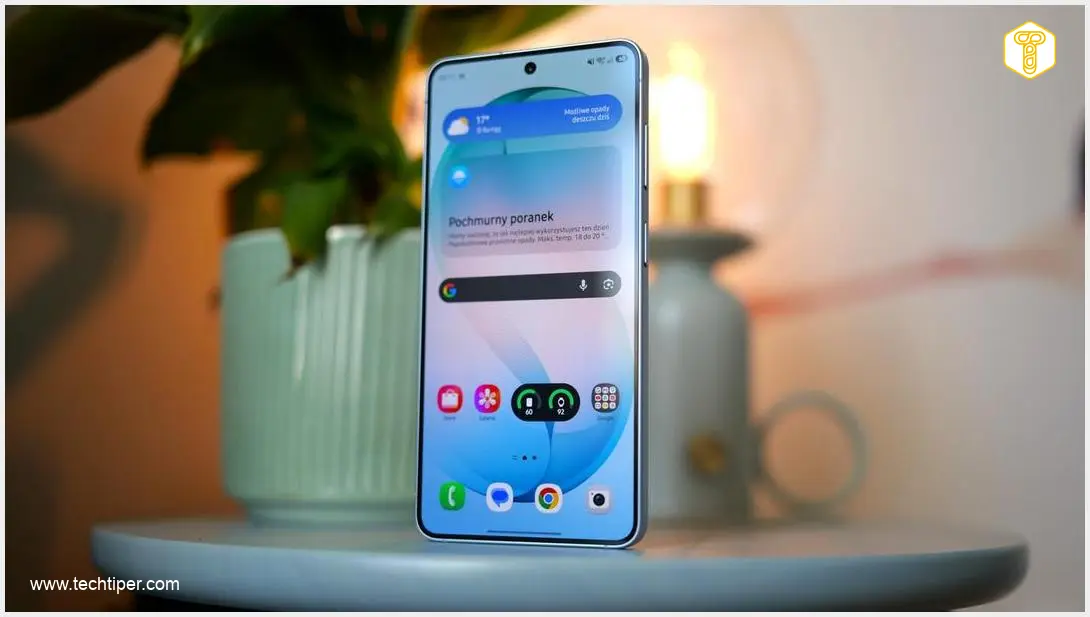
One UI 9 Review
-
Foldable Device Optimization
-
“Now Nudge” Performance
-
“Now Brief” Customization
-
Minor Tweaks & Aesthetics
-
Innovation for Traditional Devices
One UI 9: Underwhelming for Traditional Devices, Stronger for Foldables
One UI 9 brings significant enhancements primarily to foldable devices, excelling in multi-window and FlexWindow functionalities. However, for traditional smartphone users, the update offers only minor aesthetic tweaks and underperforming features like “Now Nudge,” leading to widespread disappointment due to a lack of substantial innovation.
Advantages
- Enhanced multi-window capabilities for foldable devices.
- Optimized aspect ratios and seamless content display on foldable screens.
- Improved FlexWindow functionality for Flip series, making external display more versatile.
- Redesigned Quick Settings panel with resizable music player.
- New “My FanCam” feature in the camera app.
Disadvantages
- Overwhelming focus on foldable devices, neglecting traditional smartphones.
- “Now Nudge” performs poorly, lacking promised contextual suggestions.
- “Now Brief” offers very limited customization options.
- Lack of groundbreaking innovation and substantial improvements for traditional device users.
- Minor cosmetic tweaks rather than meaningful advancements.
- Overall disappointing update for many users of non-foldable devices.
One UI 9, Samsung’s latest iteration of its Android overlay, arrived with significant expectations. As a full version number, many users, including myself, anticipated a substantial refresh and meaningful improvements to the system. However, after several days of hands-on experience, the overriding sentiment is one of disappointment.
Instead of the eagerly awaited innovation, One UI 9 largely delivers a collection of minor adjustments that fail to address core user frustrations. Many of the so-called “new features” feel more like cosmetic enhancements than genuine advancements. The interface purports to be “smarter,” yet this often rings true only on paper. Critically, the update’s primary focus appears to be almost exclusively on foldable smartphones, leaving traditional device users feeling overlooked.
Contents
One UI 9: A Disappointing Update for Many?
The Overwhelming Focus on Foldable Devices
One of the most striking aspects of One UI 9 is its clear optimization for foldable devices. Samsung has heavily promoted the system as ideal for its foldable lineup, meaning that users of traditional flagship phones, like the Galaxy S24 Ultra, may find themselves missing out on the update’s most significant advantages. The integration of enhanced multi-window capabilities and seamless cross-device interactions truly shines here. For a deeper dive into these multi-window and AI features, see our article on What’s New in One UI 9: Multi-Window, AI, Cross-Device.
This focus is most evident in how the interface adapts to the dual-screen form factor. Optimized aspect ratios ensure that brief content on outer screens and richer media on larger displays maintain visual consistency. The ability to rotate between portrait and landscape modes on the wide inner panel functions much like a tablet, without the common issue of UI elements scattering chaotically.
Multi-window in One UI 9 is notably more flexible, allowing users to effortlessly work with two or even three applications simultaneously. The freedom to easily move and rearrange these windows genuinely boosts productivity on devices like the Galaxy Z Fold. While these multi-window features are technically available on traditional smartphones, their practical utility is significantly diminished on smaller screens, often causing more frustration than benefit. Having personally used a Galaxy Z Fold, it is clear that this is where the “true freshness” of One UI 9 is genuinely felt.
Furthermore, Samsung highlights the improved FlexWindow functionality for its Flip series devices. One UI 9 finally allows for almost full utilization of the external screen, moving beyond its previous role as a mere expanded notification hub. Additional refinements include automatic wallpaper adaptation across screens, more intuitive navigation, and smoother context switching—all details that enhance the daily experience on foldables.
However, as mentioned, these advancements are primarily showcased on devices such as the latest Galaxy Z Fold series and Z Flip series. Other foldable models are expected to receive these updates soon.

Underwhelming Innovations: “Now Nudge” and “Now Brief”
Now Nudge: More Promise Than Performance
“Now Nudge” was positioned as a breakthrough feature, eagerly anticipated by many One UI enthusiasts. Unfortunately, its real-world performance, at least for many users globally, has been decidedly average, if not poor. There were initial discussions and leaks about a significant design overhaul for features like this, as explored in Samsung One UI 9 Design Overhaul Leaks.
Samsung’s press materials painted an ambitious picture:
“Now Nudge will suggest actions based on what’s on your screen. With a single tap, you can navigate from a message where a friend shares their location to a maps application with detailed information about that spot. You can also get suggestions to add dates and times of meetings mentioned in messages directly to your calendar. These suggestions can appear while using messaging and social media applications.”
However, my experience with One UI 9 revealed a different reality. After extensive use, “Now Nudge” primarily manifested as a correction tool at the top of the Samsung keyboard, facilitating quick fixes for mistyped words. I also observed its function as a form-autocompletion assistant, occasionally suggesting an email address when password managers or Samsung Pass were unresponsive. Crucially, the promised contextual suggestions in messaging apps like WhatsApp or Messenger were entirely absent. Despite deliberate attempts to trigger this functionality for this review, it simply did not appear, underscoring its current limitations.
Improved Now Brief: Limited Customization
One UI 9 also includes an enhanced “Now Brief,” which previously provided automated summaries of important information, typically in the morning and evening. This feature would aggregate weather forecasts, daily activities, upcoming events, and suggested articles, all curated by AI based on user interests and needs.
The updated “Now Brief” now allows users to manually select additional content categories. However, the current selection is quite limited, offering only Weather, Health, and Movies. Within each category, users can specify what information they wish to see and when. For instance, one could set it to provide physical activity summaries daily at 9:00 PM.
Is this a groundbreaking improvement? Decidedly not, especially in its current restricted form with only a handful of categories available for personalization.
Minor Tweaks and Aesthetic Enhancements
Beyond the primary focus areas, One UI 9 introduces a few smaller changes:
- The Quick Settings panel has received yet another refinement. Notably, it now allows for the minimization of the music player, a capability absent in the previous version despite other sections being collapsible. The music player itself also boasts a more visually appealing design with added elements.
- Certain system elements now feature blurred areas, adding a fresh and multi-dimensional aesthetic to the interface.
- The camera app gains “My FanCam,” a feature designed to record wide shots without the stress of someone falling out of frame. Users can later select the individual they wish to focus on, and the system automatically creates a smooth, “tracking shot” in chosen aspect ratios, offering post-recording editing flexibility. As someone who rarely films videos, this particular feature holds little appeal for me.
In essence, these are the only notable features worth mentioning in this review. Previous One UI versions, including One UI 8.5, often felt more ambitious and comprehensive in their scope.
Frequently Asked Questions (FAQ)
One UI 9 is largely seen as disappointing due to its limited number of significant new features for traditional smartphones. The update’s primary focus and most impactful changes are concentrated on foldable devices, leaving non-foldable users with only minor cosmetic tweaks and underperforming innovations like “Now Nudge.”
For foldable phones, One UI 9 introduces enhanced multi-window capabilities, allowing more flexible multitasking with multiple apps. It also features optimized aspect ratios for seamless content display across dual screens and improved FlexWindow functionality for the Flip series, making the external display much more versatile.
While “Now Nudge” was advertised to offer proactive, contextual suggestions in messaging and social media apps (e.g., adding events to calendars or opening maps from shared locations), many users report that its functionality is largely limited to basic keyboard corrections and autofill features. The promised deeper integration and smart suggestions in communication apps are often absent.
Significant improvements for non-foldable smartphone users in One UI 9 are scarce. Beyond minor UI refinements such as a redesigned and resizable music player in the Quick Settings panel, subtle blurred aesthetic elements, and a new “My FanCam” feature in the camera app (which caters to a niche audience), the update offers little in terms of groundbreaking features for traditional devices.
About Post Author
