

Contents
New “Drag Handwriting” Feature Revolutionizes Samsung Notes for Galaxy S Ultra Users
Samsung is rolling out a significant enhancement for its Ultra series smartphone users, focusing on the Samsung Notes application. This upcoming update is set to dramatically speed up the process of organizing and modifying handwritten notes, a long-awaited improvement for S Pen enthusiasts.
The Challenge of Managing Handwritten Notes
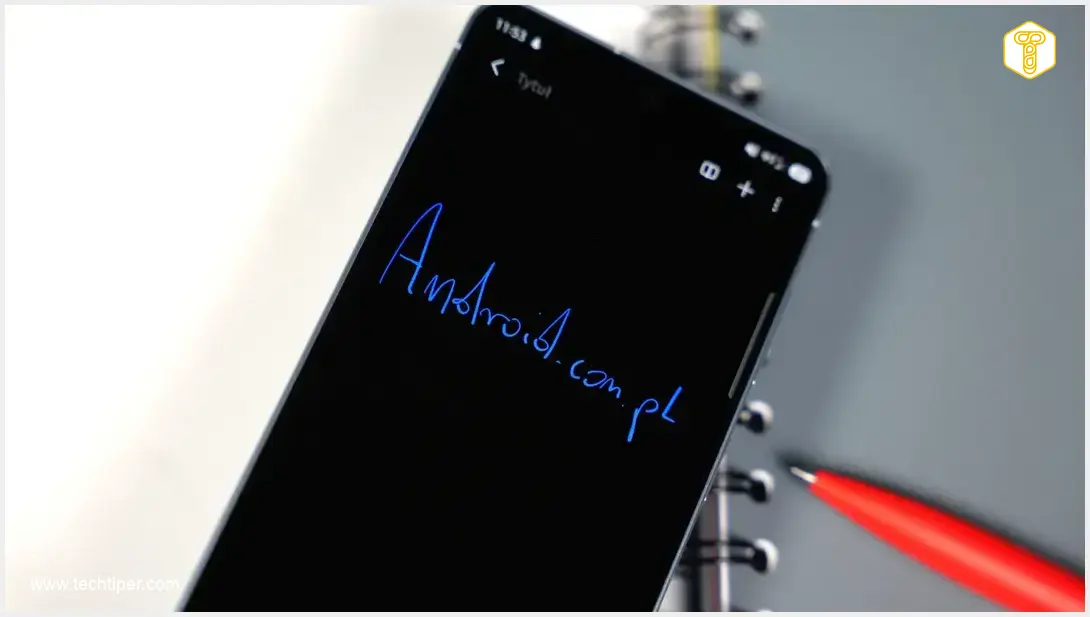
Samsung Galaxy S Ultra devices are renowned for their integrated S Pen, encouraging users to take copious handwritten notes, sketch ideas, and annotate documents directly on their screens. However, the utility of these notes was somewhat limited, as their modification and reorganization often proved to be a cumbersome task. Previously, handwritten content was primarily useful on the device itself, making fluid editing a challenge.
Introducing “Drag Handwriting”: A Game-Changer for S Pen Users
An in-depth analysis of the Samsung Notes application’s code has revealed an exciting new feature named “Drag Handwriting.” This innovation promises to transform how users interact with their digital jottings.
How it Works:
- Old Method: The traditional workflow in Samsung Notes required users to switch to the Lasso tool, meticulously outline the desired text segment, and only then could it be moved or edited. This often broke the flow of creative or organizational tasks.
- New Method: The “Drag Handwriting” mechanism significantly streamlines this process. Users will simply need to press and hold the S Pen on a specific word or phrase and then drag it directly to the desired new location.
Benefits of the New Feature:
- Effortless Organization: Rearrange notes, move bullet points, or shift entire paragraphs with unparalleled ease.
- Increased Efficiency: Drastically reduce the time spent on formatting and organizing handwritten content.
- Enhanced Productivity: Quickly adjust spacing between lines or consolidate ideas, making the note-taking process smoother and more intuitive.
This feature is particularly valuable for power users who rely on their S Pen for extensive note-taking, brainstorming sessions, and creative tasks, making the Ultra series an even more compelling choice for productivity compared to other premium smartphones like the iPhone 17 Pro Max.
When to Expect the Update
Samsung has yet to issue an official statement or specify a precise timeline for the rollout of this highly anticipated feature. However, there are a few possibilities:
- It’s possible this solution could be integrated with the next major One UI interface update. While there have been discussions around updates like Samsung One UI 8.5, specific timelines for feature inclusions often vary.
- Alternatively, Galaxy S Ultra owners should consistently keep their Samsung Notes application updated. The new functionality might also be introduced via a smaller, app-specific update separate from the broader One UI releases.
This continuous improvement highlights Samsung’s commitment to enhancing the user experience, particularly for its flagship Ultra line, by leveraging the unique capabilities of the S Pen.
Why This Feature Matters for S Pen Users
The S Pen is a hallmark of the Galaxy S Ultra series, transforming the smartphone into a powerful digital notebook and creative canvas. Streamlining the management of handwritten notes not only improves efficiency but also encourages greater adoption of the S Pen’s full capabilities. This update demonstrates Samsung’s deep understanding of its user base’s needs, particularly those who value precision, fluidity, and productivity in their digital interactions.
Frequently Asked Questions (FAQ)
“Drag Handwriting” is a new feature in Samsung Notes that allows users to easily move handwritten text within their notes. Instead of using a multi-step Lasso tool, you can simply press and hold with your S Pen on a word or phrase and drag it to a new location, making note organization much faster and more intuitive.
While Samsung has not officially specified, the feature is primarily aimed at users of Samsung Galaxy S Ultra series smartphones, as these devices are equipped with the S Pen. It is recommended to keep your Samsung Notes app updated to ensure you receive the feature.

Samsung has not yet announced an official release date for “Drag Handwriting.” It could potentially arrive with a major One UI update or through a smaller, app-specific update for Samsung Notes. Users are advised to keep their application updated to receive it as soon as it becomes available.
Source: Sammobile
Opening photo: Krzysztof Wilamowski
About Post Author
