

Samsung Bixby AI Assistant (Polish Language Support) Review
-
Device Settings Navigation
-
Scheduling & Productivity
-
Information Retrieval
-
Samsung/Google App Integration
-
Third-party App & Advanced Analysis
-
Natural Language Understanding
A Cautious Step Forward for Bixby in Poland
Samsung’s Bixby, now with Polish language support and AI enhancements, shows promising improvements in device control, basic productivity, and information retrieval. However, it still struggles with deeper third-party app integration, advanced analysis, and often requires precise commands, indicating there’s still a significant gap to close against competitors like Google Assistant.
Advantages
- Supports Polish language, enabling more natural conversations.
- Effectively controls device settings (Power Saving, NFC, Wi-Fi Hotspot, AOD).
- Competent in scheduling calendar events, sending text messages, and setting alarms.
- Good at retrieving general information (weather, sports scores).
- Can analyze and display recently opened PDF documents.
- Successfully navigates the photo gallery for specific items.
- AI-powered for improved understanding.
Disadvantages
- Requires precise commands, contradicting natural interaction.
- Poor and selective email analysis.
- Practically non-existent integration with third-party apps (e.g., Messenger, WhatsApp, OneNote).
- Often opens related apps instead of providing direct answers for some queries (e.g., Samsung Health, Google Maps for routes, file manager for storage).
- Cannot check for application updates in the Galaxy Store.
- Still perceived as lagging behind Google Assistant in overall utility and versatility.
Contents
I Was Bixby’s Biggest Critic: Testing Samsung’s AI Assistant in Polish
For years, Bixby felt like a symbol of untapped potential. I frequently criticized Samsung’s assistant for its limited capabilities, lack of broader language support, and its struggle to compete with solutions that simply performed better. So, when the company announced that the assistant had finally learned to speak Polish, my initial reaction was a healthy dose of skepticism. Nevertheless, I decided to give it one more chance and see what it could—and couldn’t—do.
My Long-Standing Criticism of Bixby
I’ve been one of Bixby’s most vocal critics for years, and I never shied away from expressing my opinion. When Samsung first introduced its assistant with the Galaxy S8, I felt the company was forcing a competitor to Google Assistant without offering a truly compelling service. As early as 2017, I wrote that Bixby was a false start. It functioned only partially, was limited to English and Korean, and the dedicated button on the smartphone’s chassis often caused more frustration than assistance.
Adding to these issues were noticeable operational delays, mediocre usability, and the pervasive feeling that Samsung was trying to convince users they needed something they didn’t. It was no accident that one of the first things I did after purchasing my Galaxy S8+ was to disable Bixby. In the years that followed, my opinion largely remained unchanged.
Of course, I observed its development, tested new features, and offered it repeated opportunities, but each time I returned to the same conclusion: Bixby offered nothing that Google Assistant couldn’t do better. Therefore, when Samsung announced a new AI-powered version of the assistant in 2024, it was no coincidence that I titled my article “This Shouldn’t Exist.” In that piece, I was quite blunt about Bixby:
Extended use was a torment, not a convenience. It’s hardly surprising that thinking about Bixby brings back negative memories, and every update elicits a smirk of pity rather than excitement.
Adam Lulek, article from November 2024
Perhaps this sentiment was primarily due to Bixby’s previous lack of Polish language support. However, even my years of testing the assistant in its English version after various updates failed to convince me of its utility. It was, without a doubt, one of the most misguided elements of the Galaxy ecosystem.
Testing Bixby in Polish: What Works and What Doesn’t
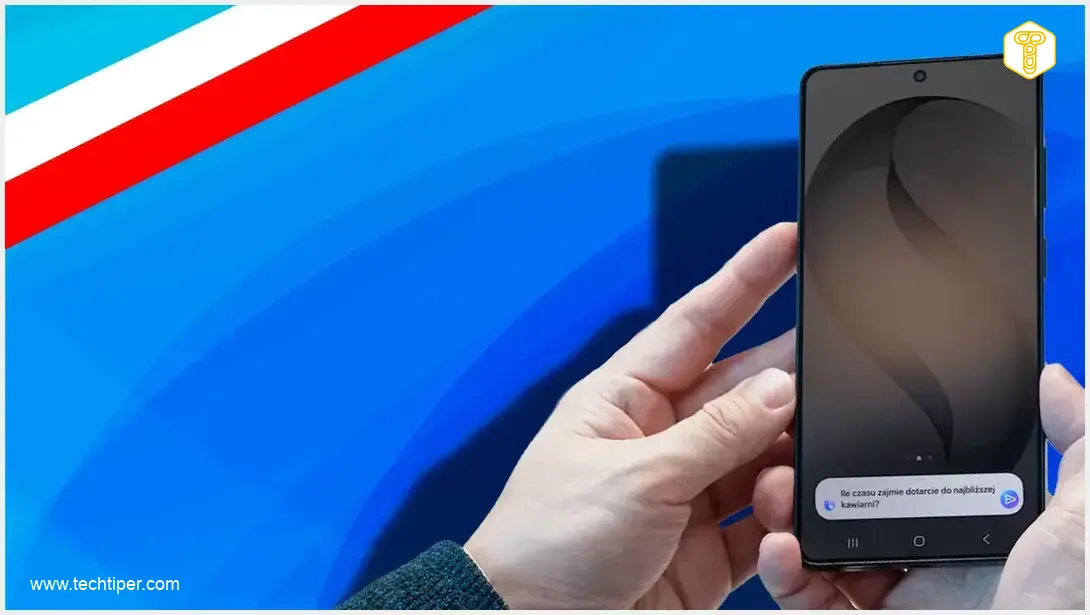
Despite my past criticisms, Bixby can finally communicate in Polish. This significant update allows for more natural, unforced conversations with the assistant. I was particularly pleased that the service is now supported by AI, which further heightened my expectations. Samsung itself now markets Bixby as an AI assistant seamlessly integrated into the entire Galaxy ecosystem, designed to understand natural commands and control your smartphone. I set out to verify these claims.
Navigating Device Settings with Ease
My first tests involved commands related to device settings. I asked Bixby to activate or change Power Saving mode, NFC, Wi-Fi Hotspot, and Always On Display. It’s important to note that commands need to be precise; when they are, Bixby either directly displays the toggle or immediately activates the function, as was the case with the Wi-Fi Hotspot. This is a considerable convenience for users who prefer not to navigate through the layers of One UI settings. For more insights into how AI is enhancing user interfaces, consider reading about what’s new in One UI 9, multi-window, AI, and cross-device functionality.

Productivity and Information Retrieval
Bixby demonstrated competence in several areas:
- Scheduling calendar events: I successfully asked it to note a doctor’s appointment.
- Sending text messages: This task includes a confirmation step for the user to approve the message content before sending.
- Setting alarms: Proved equally straightforward.
- Retrieving general information: Effortlessly provided the results of a sports match (e.g., a local derby) and weather forecasts for a chosen area.
- Analyzing documents: The assistant was able to display my recently opened PDF documents, indicating successful file analysis.
- Gallery navigation: Requests to show pictures of specific items like beaches, mountains, or trams yielded satisfactory results.
Mixed Results with App Integration
Bixby’s interaction with some Samsung or Google applications yielded mixed results:
- When asked about my most active training day or similar queries, Bixby habitually opened the Samsung Health app instead of providing a direct answer, which isn’t ideal.
- A similar situation occurred when I inquired about a route from Szczecin to Gdynia; Google Maps launched with the route pre-loaded, which is somewhat convenient, but still not a direct spoken answer.
- When asked about phone storage, the assistant simply opened the built-in file manager.
Significant Limitations Remain
On the other hand, Bixby struggles with several key functionalities:
- Email analysis: I tried several times, and the results were consistently poor, with electronic messages analyzed very selectively.
- Third-party app integration: Practically non-existent. For apps like Messenger or WhatsApp, Bixby can only open the application, not interact with content.
- Note analysis: The assistant also fails to analyze my notes in OneNote.
- App updates: Surprisingly, it couldn’t even check for application updates in Samsung’s Galaxy Store. This highlights a gap in its comprehensive ecosystem integration, a challenge that even advanced AI strategies, like Apple Siri’s AI strategy and LLM integration, aim to overcome.
Conclusion: A Cautious Outlook
Will I use this assistant? It’s hard to say definitively, but perhaps initially. I even have a widget on my main screen for Bixby activation. Samsung claims the assistant is designed for more natural conversations, but I have mixed feelings about that. Sometimes, one needs to issue incredibly precise commands to achieve the desired effect, which seems to contradict the idea of natural interaction.
Frequently Asked Questions (FAQ)
With Polish language support, Bixby excels at controlling device settings (like Wi-Fi, NFC, Power Saving), managing calendar events, sending SMS, setting alarms, retrieving general information (weather, sports scores), analyzing PDF documents, and navigating the photo gallery. It offers a more natural interaction for these specific tasks.
Bixby still shows significant limitations in advanced email analysis, comprehensive integration with many third-party applications (like Messenger, WhatsApp, OneNote), and providing direct answers instead of simply opening related apps for certain queries (e.g., health data, navigation). It also struggles with checking app updates in the Galaxy Store.
Historically, the author found Google Assistant superior, offering everything Bixby did but better. Even with recent improvements and Polish support, Bixby often requires precise commands and lacks the deep, versatile integration and direct information retrieval capabilities that Google Assistant generally provides, particularly concerning third-party services and nuanced queries.
About Post Author
