

Contents
Choosing the Best Work Laptop: A Comprehensive Guide
In today’s fast-paced professional world, your laptop is more than just a tool; it’s the core of your productivity. Choosing the right device isn’t a decision to be taken lightly, as it directly impacts your efficiency, comfort, and the quality of your daily work. Whether you’re a student, a freelancer, or a corporate professional, aligning your laptop’s capabilities with your specific tasks is crucial. This guide will walk you through the essential characteristics of an ideal work laptop, helping you make an informed decision.
How to Select the Perfect Laptop for Your Profession
Before diving into specifications, the most fundamental question to ask yourself is: What will I primarily use this laptop for?
The answer to this question will significantly narrow down your choices. For basic tasks such as email correspondence, web browsing, and creating simple text documents, a laptop with average specifications will suffice. However, if your work involves demanding software like accounting systems, graphic design applications, video editing suites, or audio production tools, you’ll require a machine with substantial processing power and robust features. Clearly defining your professional responsibilities is the first step towards finding your perfect match.
Key Specifications to Consider
Once you’ve assessed your usage needs, it’s time to delve into the technical parameters that dictate a laptop’s performance and suitability for work:
- Brand and Operating System: Many professionals develop a strong preference for a particular brand or operating system. Apple’s macOS, for instance, has a dedicated user base often drawn to its intuitive interface, robust security, and seamless ecosystem integration. Windows laptops offer unparalleled versatility, a vast software library, and a wide range of hardware options across various manufacturers, including innovative alternatives like the Huawei MateBook 14 (2024) OLED. Linux-based systems are favored by developers and tech enthusiasts for their open-source nature and customizability.
- Processor (CPU) and RAM: These are the brain and short-term memory of your laptop. For basic tasks, an Intel Core i3/i5 or AMD Ryzen 3/5 with 8GB of RAM is generally adequate. For demanding applications, you’ll need at least an Intel Core i7/i9, AMD Ryzen 7/9, or Apple’s M-series chips (M3/M4 or newer) coupled with 16GB, 32GB, or even 64GB of RAM. A powerful CPU and ample RAM ensure smooth multitasking, faster application loading, and efficient handling of complex data.
- Graphics Processing Unit (GPU): While not critical for every profession, a dedicated GPU is indispensable for tasks like video editing, 3D rendering, CAD, and graphic design. NVIDIA’s RTX series and AMD’s Radeon GPUs offer significant acceleration for creative workflows. Consider NVIDIA Studio Laptops for creative workflows and GPU acceleration if you’re in a demanding visual field.
- Battery Life: Mobility is a key factor for many remote workers and professionals on the go. Prioritize laptops that offer extended battery life, allowing you to work unplugged for several hours. This minimizes the need to constantly search for power outlets, enhancing your flexibility and productivity.
- Storage (SSD): Solid State Drives (SSDs) have become the industry standard due to their incredible speed. An NVMe SSD ensures rapid system boot-ups, quick application launches, and fast file transfers, significantly improving overall system responsiveness compared to older HDD technology. Aim for at least 256GB, with 512GB or 1TB being more suitable for professionals who handle large files.
- Display: The quality and size of your screen directly impact visual comfort and work efficiency.
- Size: 14-inch or 15-inch models are popular for their balance of portability and screen real estate. For stationary work, consider investing in an external monitor for an enhanced workspace and improved ergonomics.
- Resolution & Panel Type: Full HD (1920×1080) is a good baseline, but QHD (2560×1440) or 4K (3840×2160) displays offer sharper images and more workspace, especially beneficial for designers and editors. IPS panels provide excellent viewing angles and color accuracy, while OLED screens deliver vibrant colors and deep blacks.
- Connectivity (Ports): Evaluate the types and number of ports you’ll need. USB-C (Thunderbolt for Intel/Apple users) is versatile for charging, data transfer, and video output. HDMI is common for external displays. Ensure you have enough USB-A ports for older peripherals and potentially an SD card reader if you work with cameras.
The Allure of the MacBook Pro Series
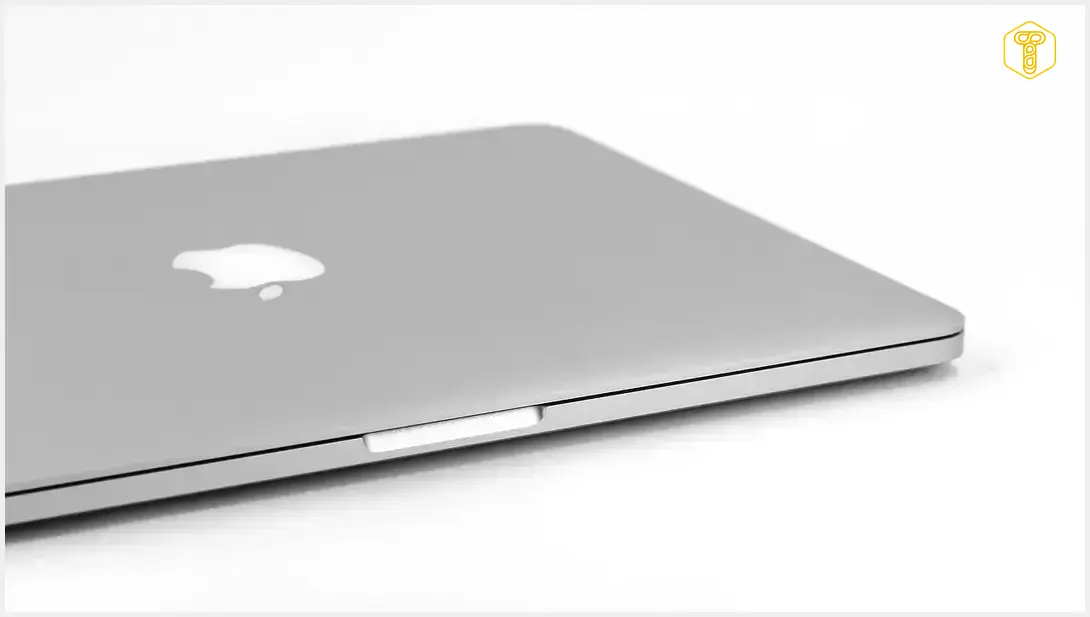
The Apple MacBook Pro line continues to captivate a growing number of professionals, and for good reason. These devices are meticulously engineered for individuals who demand uncompromising performance, premium build quality, exceptional ergonomics, and a polished user experience. MacBook Pro laptops operate on macOS, an operating system renowned for its perfect optimization, delivering outstanding performance and stability.
A standout feature is the Liquid Retina XDR display, which offers phenomenal color accuracy, deep contrasts, and high brightness levels, making them a top choice not just for general office workers but especially for graphic designers, photographers, and video editors. The seamless integration within the Apple ecosystem, allowing effortless pairing with iPhones, iPads, and other Apple accessories, further enhances their appeal for many users.
Popular MacBook Pro Models for Professionals
If the MacBook Pro series has caught your eye, selecting the right model is the next step. Apple offers several configurations to suit diverse professional needs:
- MacBook Pro 14-inch: For professionals seeking a powerful yet portable machine that can accompany them to meetings, co-working spaces, or during travel, the 14-inch MacBook Pro is an excellent choice. It combines a compact form factor with robust performance, making it ideal for a wide range of tasks without sacrificing mobility.
- MacBook Pro 16-inch (or higher-spec 14-inch with advanced M-series chips): If your work involves handling complex software, extensive video and audio editing, 3D modeling, or even some high-end gaming, consider models equipped with Apple’s latest M-series chips (e.g., M3 Pro, M3 Max, or future generations). These powerful chips feature advanced multi-core CPUs and GPUs, along with sophisticated Neural Engines, designed to effortlessly manage multiple demanding applications and large datasets simultaneously. This configuration is perfect for users who prioritize maximum computational power and a larger display for immersive work.
By carefully considering your professional requirements and the detailed specifications outlined above, you can confidently choose a laptop that will not only meet but exceed your expectations, becoming a true asset to your productivity.
Frequently Asked Questions (FAQ)
An integrated GPU shares memory with the CPU and is sufficient for basic tasks like web browsing, video streaming, and light photo editing. A dedicated GPU has its own independent memory (VRAM) and processing power, making it essential for intensive tasks such as video rendering, 3D modeling, graphic design, and gaming. If your work involves any of these demanding visual tasks, a dedicated GPU is highly recommended for smoother performance and faster processing.

For professionals who work with visuals, such as graphic designers, video editors, or photographers, an OLED display can be a significant advantage. OLED screens offer superior color accuracy, true blacks, high contrast ratios, and vibrant images, which are crucial for precise color grading and visual fidelity. While they might come at a higher price point, the benefits in terms of visual quality and detail can greatly enhance productivity and accuracy for creative tasks. For general office work, a high-quality IPS LCD panel is usually sufficient, but OLED still offers a premium viewing experience.
The amount of SSD storage you need largely depends on your profession and the types of files you work with. For general office tasks and cloud-based work, 256GB might be acceptable, but 512GB is a safer minimum to comfortably accommodate your operating system, essential software, and a decent amount of files. If you’re a creative professional dealing with large video files, high-resolution images, or extensive project folders, 1TB or even 2TB will be much more practical. Consider external storage solutions or cloud services to supplement your internal SSD if you anticipate running out of space, but always ensure your primary drive can handle your most frequently accessed data.
Source: Original article “Idealny laptop do pracy, czyli jaki?”
Opening photo: Gemini
About Post Author
