
Contents
Don’t Miss the Latest Software Update for Your Galaxy Watch9 and Ultra 2
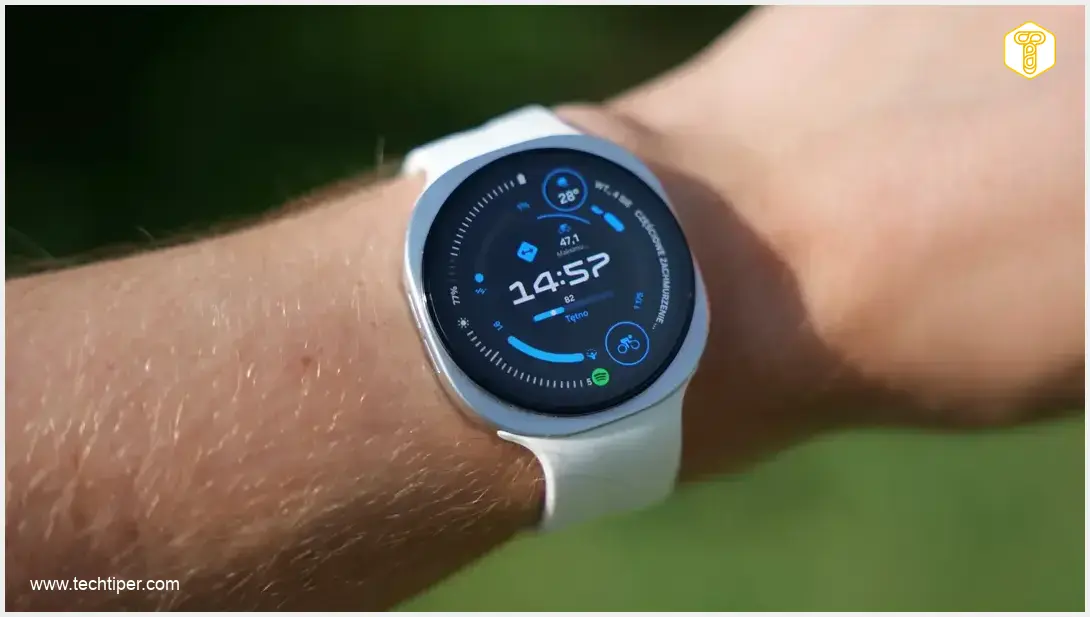
Samsung is rolling out crucial software updates for its flagship smartwatches, the Galaxy Watch9 and Galaxy Watch Ultra 2. Users of these latest models are among the first to receive this important update, which primarily focuses on security enhancements and system stability. Given the nature of these improvements, it’s highly recommended to update your device as soon as the notification appears.
What’s Included in This Galaxy Watch Update?
The South Korean tech giant continues its commitment to device longevity and security. Following a recent October patch for several Galaxy Watch models, this new update brings further refinements directly to the cutting-edge Galaxy Watch9 and Ultra 2.
This software package is specifically tailored for Samsung’s newest generation of wearables:
- For Galaxy Watch9: The update integrates with the One UI 9 Watch interface (build L350XXU1AZJ3) and is approximately 230 megabytes in size.
- For Galaxy Watch Ultra 2: This variant receives a software update with a build number ending in AZJ5.
The official changelog indicates the implementation of the October security patch. Beyond security, this new system version for the Galaxy Watch9 is also designed to enhance overall operational stability and system reliability. While users eager for new features or visual overhauls might find this update less exciting, Samsung has intentionally concentrated on critical areas:
- Eliminating potential vulnerabilities within the source code.
- Optimizing component performance for smoother operation.
These behind-the-scenes improvements are vital for maintaining a secure and reliable user experience, safeguarding your data and ensuring your watch performs optimally.
Global Rollout Commences
The deployment of this new software began in Samsung’s home market, South Korea. However, users in other regions, including major global markets, can anticipate the update becoming available on their devices in the coming days and weeks. Samsung typically stages its rollouts to ensure a smooth deployment process.
How to Update Your Samsung Galaxy Watch
Keeping your smartwatch updated is straightforward. Compatible Samsung Galaxy Watch owners can check for the new software directly from their paired smartphone:
- Open the dedicated Galaxy Wearable application on your smartphone.
- Navigate to the Watch settings section.
- Look for the Software update tab and tap on it to check for available updates.
- Follow the on-screen prompts to download and install the update. Ensure your watch is sufficiently charged or connected to a charger during the installation process.
Regular software updates are essential not just for new features, but more importantly for security patches and performance enhancements that keep your device running smoothly and protect your personal information. For more details on maintaining your Galaxy Watch, explore our guides on the Samsung Galaxy Watch 6 Classic February Security Update 2024 and the Galaxy Watch 4 Important Security Update Installation Guide.
Frequently Asked Questions (FAQ)
This update primarily focuses on enhancing security by implementing the October security patch, improving system stability, and optimizing overall performance. It does not introduce new features or visual changes.

The software package for the Galaxy Watch9 is approximately 230 megabytes. It’s recommended to have sufficient storage and battery life on your watch before initiating the download and installation.
Software rollouts are often phased, starting in specific regions and gradually expanding worldwide. If you haven’t received the notification, check for the update manually via the Galaxy Wearable app (Settings > Software update). If it’s still not available, it should reach your device in the coming days or weeks. Ensure your app and watch firmware are up to date to receive timely notifications.
Source: Sammyfans
Opening photo: Krzysztof Wilamowski / Android.com.pl (Note: Original image source included brand mention, replaced with generic credit for context)
About Post Author
