
Contents
Samsung One UI 9 Update Arrives for Older Smartwatches: Which Models First?
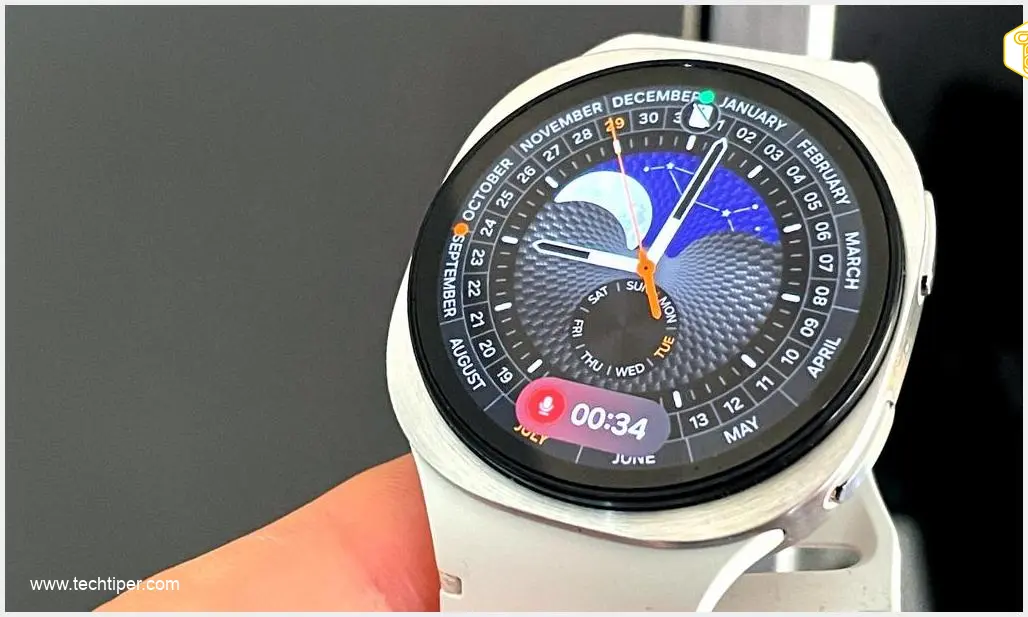
Samsung’s highly anticipated One UI 9 update for its older generation smartwatches is finally here. After approximately three months since its initial announcement, the new software, based on Google Wear OS 7, is now making its way to eligible devices, promising a host of enhancements and new features for users.
Which Samsung Smartwatches Are Receiving One UI 9?
The One UI 9 update, built upon the robust Google Wear OS 7 platform, has begun its rollout to two specific smartwatch models:
- Samsung Galaxy Watch8
- Samsung Galaxy Watch8 Classic
While the initial rollout commenced in select regions, including South Korea, a broader global distribution is expected in the coming days and weeks. Samsung typically prioritizes certain markets for early updates, and users worldwide can anticipate receiving the notification soon.
Key Features and Enhancements in One UI 9 for Smartwatches
One UI 9 brings significant improvements to the smartwatch experience, focusing on health tracking, user interface refinements, and enhanced AI integration. Let’s delve into what’s new:
Advanced Health and Wellness Tracking
A primary focus of One UI 9 is the simplification and expansion of vital sign monitoring. Within the revamped Vitals section, users will find a comprehensive overview of their health data, including:
- Heart rate during sleep
- Heart rate variability
- Blood oxygen saturation levels
- Respiratory rate
- Skin temperature
These detailed metrics offer users a deeper insight into their overall well-being, helping them track trends and make informed health decisions. This advanced health monitoring is a testament to Samsung’s commitment to user wellness, echoing the innovative features explored in leaked designs hinting at a comprehensive One UI 9 overhaul.
Streamlined User Interface and AI Integration
Beyond health features, One UI 9 introduces a more intuitive and simplified interface, making navigation and access to frequently used functions more efficient. This includes easier access to powerful AI assistants such as Google Gemini and ChatGPT, allowing users to leverage advanced AI capabilities directly from their wrist. The seamless integration of AI and cross-device functionalities are key aspects of Samsung’s latest software advancements, as discussed in detail in articles like “What’s New in One UI 9: Multi-Window, AI, Cross-Device.”
How to Update Your Samsung Smartwatch to One UI 9
To ensure a smooth update process, make sure your smartwatch has at least 30% battery life remaining. You can check for and install the update via the Galaxy Wearable application on your connected smartphone. Follow these simple steps:
- Open the Galaxy Wearable app on your paired smartphone.
- Navigate to Watch settings.
- Tap on Watch software update.
- If One UI 9 is available for your device, select Download and install.
During the update process, your smartwatch will restart and display a progress bar or a rotating animation. It’s crucial to be patient and allow the update to complete without interruption. Once finished, you’ll be able to explore all the new features and improvements One UI 9 has to offer.

Frequently Asked Questions (FAQ)
Initially, the One UI 9 update is rolling out to the Samsung Galaxy Watch8 and Galaxy Watch8 Classic models. A wider global release for these devices is anticipated soon.
One UI 9 introduces enhanced health tracking in the ‘Vitals’ section, including sleep heart rate, heart rate variability, blood oxygen, respiratory rate, and skin temperature. It also features a simplified user interface and easier access to AI assistants like Google Gemini and ChatGPT.
You can update your smartwatch through the Galaxy Wearable app on your connected smartphone. Ensure your watch has at least 30% battery, then go to Watch settings > Watch software update > Download and install.
Source: Gemini
Opening photo: Gemini
About Post Author
