
Contents
Android Auto Suddenly Malfunctions: Google Maps Disappearing for Many Users
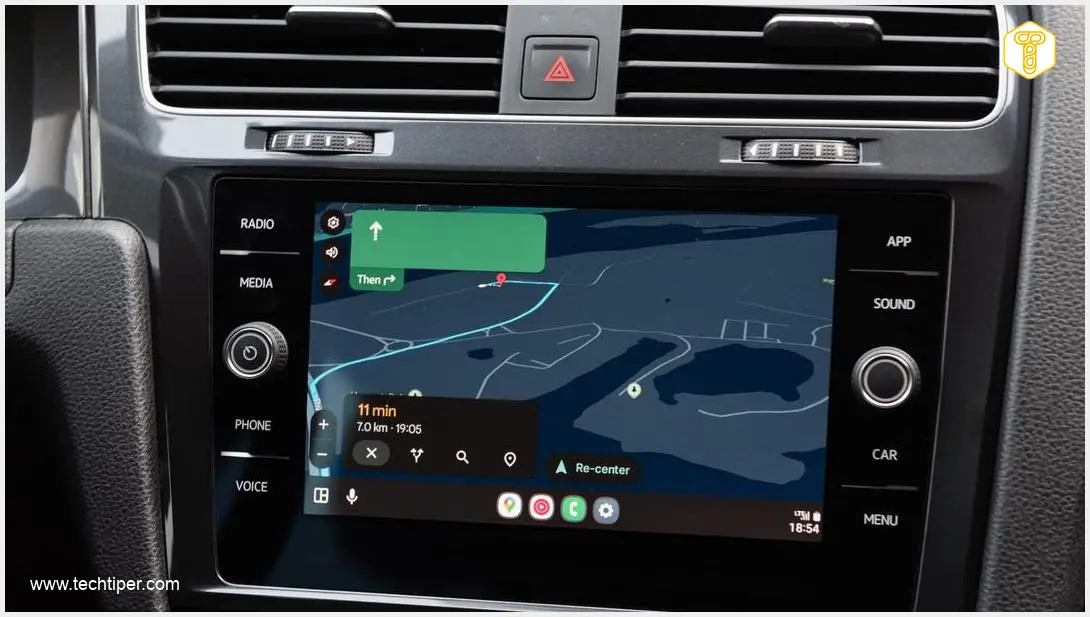
For several days, drivers relying on Android Auto have been reporting significant disruptions with Google Maps. Users are experiencing black screens, disappearing buttons, and empty map displays instead of navigation. This frustrating issue primarily affects owners of Samsung and Pixel smartphones.
Android Auto Facing New Problems
Since the beginning of the week, a growing number of Android Auto users have noticed that the Google Maps interface on their car screens is becoming unstable. Sometimes, the map fails to load entirely, leaving only a blank, black space. In other instances, the map loads partially, but crucial buttons, menus, or route information vanish. Some users even report that location lists or the option to share trip progress simply do not appear on the screen at all.
This widespread problem has been highlighted in various online forums and communities, with users sharing their experiences of the maps suddenly becoming unresponsive or displaying incorrectly.
Which Devices Are Affected?
Reports of these map malfunctions are coming from owners of both the latest Pixel phones (including models like the Pixel 9 Pro and 10 Pro) and Samsung’s flagship Galaxy S series. The issues are not constant; they tend to appear randomly, making them particularly frustrating. In some cases, a simple tap on the phone screen can temporarily resolve the problem.
A Recent Update: The Suspected Culprit
Many observations suggest that a recent Android Auto update might be the root cause of these troubles. Google recently rolled out the stable version 18.2 (the beta was available earlier), and the surge in reports about map problems coincides with this release. While there’s no official confirmation from Google yet, users are keenly observing whether the company will add this bug to its list of known issues.
Historically, Android Auto updates have sometimes introduced new bugs while fixing others. For instance, there have been past instances where Google worked to resolve persistent connectivity issues, as detailed in reports like Android Auto Finally Fixed: Google Resolves Persistent Connectivity Issue.
What Can You Do While Google Remains Silent?
For now, drivers are relying on community-driven workarounds to mitigate the problem. The most common solution involves refreshing the connection, often achieved by simply tapping the phone screen, which can sometimes bring the map back. Other users have found temporary relief by disabling “intelligent Wi-Fi” in their phone settings or by clearing the cache for the Android Auto application and reconnecting to their car system.
It’s important to note that these solutions are often temporary, and the issue might reappear.
Other Ongoing Android Auto Challenges
It’s worth remembering that Android Auto has recently faced other challenges, notably with the Gemini assistant concerning calls and voice messages. Google has acknowledged these specific glitches. However, the new map-related disruptions have not yet been officially confirmed, making it difficult to predict when a fix will be released. Users experiencing visual inconsistencies or disappearing icons might also be interested in other ongoing developments, such as those discussed in Android Auto Disappearing Signal Icon: Visual Bug Google Tests.

The best course of action is to regularly check for official Android Auto updates, as these are typically the quickest way to receive information about bug fixes and improvements.
Frequently Asked Questions (FAQ)
Users are experiencing black screens, maps failing to load, disappearing buttons, menus, and route information, and sometimes even the inability to access location lists or share trip progress.
The problem seems to predominantly affect owners of Samsung Galaxy smartphones and Google Pixel devices, including newer models.
As of now, Google has not officially acknowledged this specific map issue, and there is no official fix. Users are relying on temporary workarounds.
Common user-suggested temporary fixes include tapping your phone screen to refresh, disabling “intelligent Wi-Fi” in your phone settings, or clearing the Android Auto app’s cache and reconnecting to your car.
Source: PhoneArena, Own work. Opening photo: andrbk / Adobe Stock
About Post Author