
Contents
Budget-Friendly Smart Home Solutions: A Guide to Action’s LSC Smart Connect Devices
Many people assume that creating a smart home demands a substantial financial outlay. However, discount retailers like Action are challenging this perception. Products from Action, particularly those under the LSC Smart Connect brand, are proving to be a game-changer for individuals keen on embracing smart home technology without spending a fortune. You can embark on your home automation journey for just a few dollars or euros. But the question remains: are these budget-friendly solutions truly reliable?
My Journey into Smart Home Automation with Action Accessories
For a considerable time, I’ve been a frequent shopper at Action, acquiring a variety of electronics, some more useful than others. While some items, like my Sologic multi-charger, are in constant use, others, such as a FERM blower, serve occasional purposes. Yet, the most valuable purchases have been those that enabled me to begin constructing my own smart home ecosystem using Action’s offerings.
My foray into smart home technology began with an LSC Smart Connect indoor camera, soon followed by a Silvergear smart scale. Both devices seamlessly integrate with the Tuya ecosystem, which inspired me to explore further acquisitions within this framework.
While it’s not strictly necessary to centralize your smart home around a single ecosystem, the convenience and practicality of doing so are undeniable. Combining devices from various brands that operate on different standards can often lead to complications. Since I started with Tuya-compatible devices, I decided to stick with this unified approach.
What Smart Home Devices Can You Find at Action?
Action provides almost everything essential to kickstart your smart home setup. What’s even better is that the total cost of these smart gadgets is surprisingly low. A complete set from Action can often cost the same as a single component from another manufacturer.
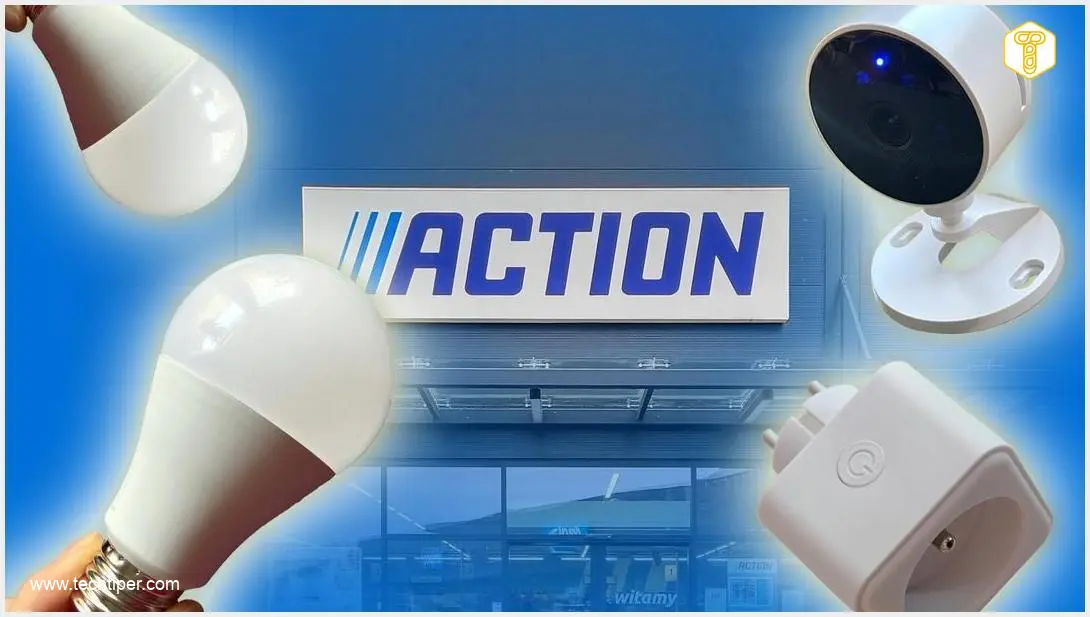
If you opt for Action’s product range, you’ll find a wide selection of LSC Smart Connect devices:
- Smart Lighting: This includes smart bulbs, LED strips and panels, ceiling lights, and spotlights, allowing you to customize your home’s ambiance.
- Smart Plugs: These are the simplest way to convert traditional appliances like an old fan or a coffee maker into ‘smart’ devices, enabling remote control and scheduling.
- Wi-Fi Cameras: Available in both indoor and outdoor models, these cameras offer live viewing directly on your smartphone, enhancing your home security.
- Other Devices: The range also includes other convenient items, such as smart doorbells with integrated cameras.
All these devices work with the LSC Smart Connect app, which is essentially a ‘skin’ or interface built on top of the Tuya application. This compatibility allows you to integrate these devices with other brands’ products within the same Tuya ecosystem application, streamlining your smart home management.
Understanding the Tuya Ecosystem
A significant advantage of these products is their reliance on the popular Tuya ecosystem. Tuya is a Chinese IoT (Internet of Things) and AIoT (Artificial Intelligence of Things) platform that offers a comprehensive, ready-made ecosystem for smart devices. This includes everything from hardware modules and cloud services to mobile applications.
Tuya enables manufacturers to quickly make their products ‘smart’ and integrate them with widely used smart home platforms such as Amazon Alexa, Google Assistant, Matter, and Apple HomeKit. From a user’s perspective, it allows you to control hundreds of compatible devices from various brands—including light bulbs, smart plugs, cameras, thermostats, and blinds—all from a single application.
Furthermore, the Tuya ecosystem typically eliminates the need for additional bridges, hubs, or gateways. The entire system operates on 2.4 GHz Wi-Fi, which can sometimes be a consideration with modern routers that feature ‘intelligent’ band steering. While it primarily provides basic automation functionalities rather than highly advanced features, users appreciate its affordability and ease of use. All you need is a home router and a smartphone with the Tuya app.
Smart Plug: A Budget-Friendly Essential
The LSC Smart Connect smart plug from Action is an affordable Wi-Fi smart plug with energy monitoring capabilities. Its purpose is to make almost any device in your home ‘smart’ and potentially help reduce electricity bills. Operating on a 2.4 GHz network, it also supports voice assistants. This makes it suitable for various appliances, from lamps to heaters or entertainment systems, provided they stay within the load limits.
Once connected to your Wi-Fi, you can control the smart plug through the free application. This allows you to create schedules, set up automation scenes, and completely power down devices rather than leaving them in standby mode. The energy monitoring feature provides insights into how much power a specific appliance consumes, which can be invaluable for identifying and managing energy-hungry devices.
The plug is relatively compact, making it easy to install in a wall outlet or power strip without obstruction. Fundamentally, it offers a simple, inexpensive, and effective way to remotely control your appliances and gain basic insights into your household’s electricity consumption.
Within the Tuya app, the smart plug appears as a single socket that can be switched on and off remotely. From the device tile on the main screen, you can manage its power, create schedules (e.g., turn on at a specific time or off after a set duration), and monitor energy usage.
Smart Light Bulbs: Illuminating Your Home Affordably
The LSC Smart Connect smart bulb set from Action consists of budget-friendly, multicolor LED bulbs with an E27 screw base and Wi-Fi connectivity. These bulbs enable you to control brightness and light color directly from an application. This is an appealing, cost-effective option that doesn’t aim to compete with premium brands like Philips Hue or WiZ.
I particularly value the incredibly easy installation process. Simply screw in the bulb, pair it with the app, and then you can start creating scenes and schedules. The accessory can be integrated with voice assistants, and it also offers remote control capabilities, even when you’re away from home.
With a brightness of 700 lumens, these bulbs are sufficient for illuminating a medium-sized room. Through the app, you can set a warm white for evening reading, a cool white for working at a desk, or vibrant color scenes for a movie night or party. You can also prepare custom scenarios (e.g., “movie,” “night light,” “morning wake-up”) and assign them to a button or voice command via Google Assistant or Alexa.
As an inexpensive addition to your home lighting, for instance, in a bedside lamp, a floor lamp, or for decorative lighting in the living room, the LSC Smart Connect series bulbs perform commendably. However, the scalability of the system is limited. For larger, more complex smart home setups, migrating to solutions with more robust support, such as Philips Hue, WiZ, or Aqara, might be a better long-term choice.
Is a Smart Home from Action Worth the Investment?
Are you curious about my overall assessment of Action’s smart home components? They offer a very straightforward, affordable, and hassle-free entry point into the world of home automation. The price point is unbeatable, and the products are widely available in numerous stores across various regions. Moreover, they leverage a popular ecosystem that is compatible with Google Home and Amazon Alexa.
Installing these devices doesn’t require extensive wall modifications or advanced technical knowledge. Therefore, they are an excellent solution for individuals who rent their homes (due to easy disassembly), as well as for budget-conscious users who want to explore smart home capabilities without overpaying for well-known brand logos.
While Action’s devices won’t allow you to build a professional, whole-building management system, they are perfectly suited for simpler tasks. These can include monitoring your home while you’re away, controlling a bedside lamp, or checking the energy consumption of specific appliances.
Frequently Asked Questions (FAQ)
How much does it cost to start a smart home with Action products?
You can begin your smart home journey with Action products, particularly those from the LSC Smart Connect brand, for as little as a few dollars or euros. Their budget-friendly pricing makes smart home automation accessible without requiring a significant initial investment.
Do Action smart home products work with Google Home or Alexa?
Yes, Action’s LSC Smart Connect products are compatible with popular voice assistants like Google Home and Amazon Alexa. This is because they operate within the widely used Tuya ecosystem, which supports integration with these smart home platforms.
What is the Tuya ecosystem and why is it important for Action’s smart devices?
The Tuya ecosystem is a comprehensive IoT (Internet of Things) platform that provides hardware modules, cloud services, and mobile applications for smart devices. For Action’s LSC Smart Connect products, Tuya compatibility is crucial as it allows them to integrate with devices from other brands and be controlled from a single app, often without the need for additional hubs or bridges.
Are Action smart home devices suitable for renters?
Absolutely. Action’s smart home devices are an excellent choice for renters because their installation typically does not require extensive modifications like drilling into walls. They are also easy to set up and disassemble, making them convenient to move if you relocate.
What are the limitations of building a smart home with budget-friendly devices from Action?
While Action’s budget-friendly devices are great for basic automation, they may not be suitable for building complex, professional-grade whole-building management systems. Their scalability can be limited compared to more premium brands, and they primarily offer fundamental automation features rather than highly advanced functionalities.
Source: Action, internal compilation.
Opening photo: Jolanta Szczepaniak, Kati Lenart / Adobe Stock, self-assembly
About Post Author
