
Contents
Android 15 Beta Unveils Exciting New Features and UI Enhancements
The highly anticipated release of Android 15 is drawing closer, with its recent beta providing an exciting sneak peek at a host of significant changes. Primarily focusing on interface refinements, the beta introduces fresh visual elements and new functionalities, including a revamped animation for the Google Gemini AI assistant.
A Fresh Visual Experience with Android 15
In mid-February, Android 15 Beta 1 made its debut, rolling out to Google’s proprietary Pixel smartphones, specifically all models from the Pixel 6 series onwards. This initial beta highlights Google’s commitment to refining the user experience through thoughtful design updates.
Key User Interface Redesigns:
- Streamlined Menus: The height of menu elements has been reduced, contributing to a more cohesive and polished visual aesthetic across the system. This change aims to optimize screen real estate and improve navigation clarity.
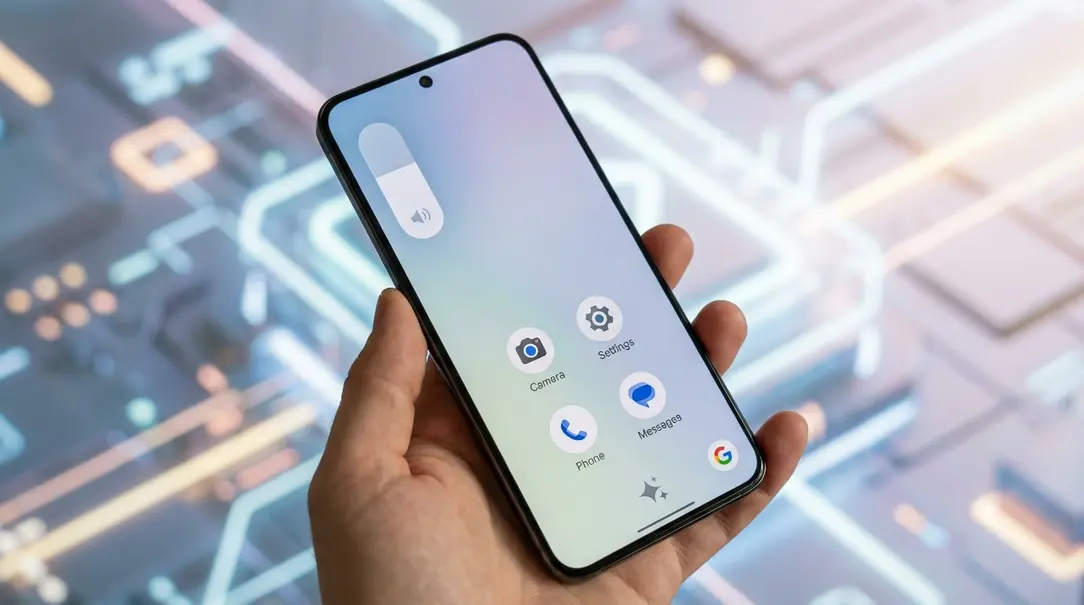
- Intuitive Volume Controls: The settings icon next to the volume slider is evolving from the previous three-dot menu to distinctive, easily recognizable slider icons, enhancing usability and offering a more direct visual cue.
- Refined Brightness Indicator: Users will notice a subtly refreshed brightness indicator, offering a cleaner and more integrated look within the notification shade.
- Subtler Location Indicator: The location indicator has been given a slightly dimmed appearance. This aims for less visual distraction while still providing essential information about active location services.
Enhanced Gemini AI Assistant Interaction
Beyond the general UI, the beta also introduces a new, fluid animation for the Gemini AI assistant. Accessing Gemini is now more intuitive, activated by simply swiping a finger to the corner of the screen. This replaces the previous method of invoking the assistant via the power button, streamlining interaction and making it quicker to engage with Google’s powerful AI.
What Else is Coming to Android 15?
The recent beta has also revealed the inclusion of two intriguing new system applications: “Now Playing” and “Handoff.” These additions promise to enhance both convenience and cross-device functionality, improving how users interact with their devices and digital content.
“Now Playing”: Your On-Device Music Identifier
First introduced in 2017 on Google Pixel smartphones, the “Now Playing” feature acts much like popular music recognition apps such as Shazam. It intelligently identifies music playing in your surroundings and displays the song’s artist and title directly on your lock screen, all without requiring an internet connection for most recognized tracks. This passive listening capability ensures you never miss out on identifying a great song.
“Handoff”: Seamless Cross-Device Continuity
The “Handoff” feature, while still somewhat shrouded in mystery, is designed to offer robust cross-device continuity. Its primary function will be to allow users to initiate an activity on one device and seamlessly transfer it to another. For example, you could start drafting an email on your smartphone and effortlessly pick up where you left off to complete it on your computer, fostering a more integrated digital workflow. This feature aims to create a truly interconnected ecosystem for your daily tasks.
Frequently Asked Questions (FAQ)
- What is the latest Android version discussed in the beta?
- The beta discussed pertains to Android 15, the upcoming major release of the Android operating system.
- Which devices are eligible for the Android 15 Beta?
- The initial Android 15 Beta 1 rolled out to Google Pixel smartphones, specifically all models from the Pixel 6 series and newer.
- What are some of the major UI changes in Android 15?
- Key UI changes include reduced menu element heights for visual consistency, new slider icons for volume settings, a refreshed brightness indicator, and a dimmed location indicator.
- How do I access the Google Gemini AI assistant in Android 15?
- In Android 15, you can access the Gemini AI assistant by swiping your finger to the corner of the screen, replacing the previous power button activation method.
- What new applications are coming with Android 15?
- Android 15 is set to introduce two new system applications: “Now Playing” for on-device music identification and “Handoff” for seamless activity transfer between devices.
About Post Author
