

Discover the Key Personalization Upgrades in Android 17 Beta 1 for Pixel Devices
Android 17 Beta 1 might not have completely revolutionized the mobile landscape, but it certainly hasn’t been met with negativity. In fact, for Google Pixel smartphone users, two specific features could be the deciding factor in installing this new operating system version sooner rather than later. These updates focus on enhancing user control and personalization, allowing for a more tailored Android experience.
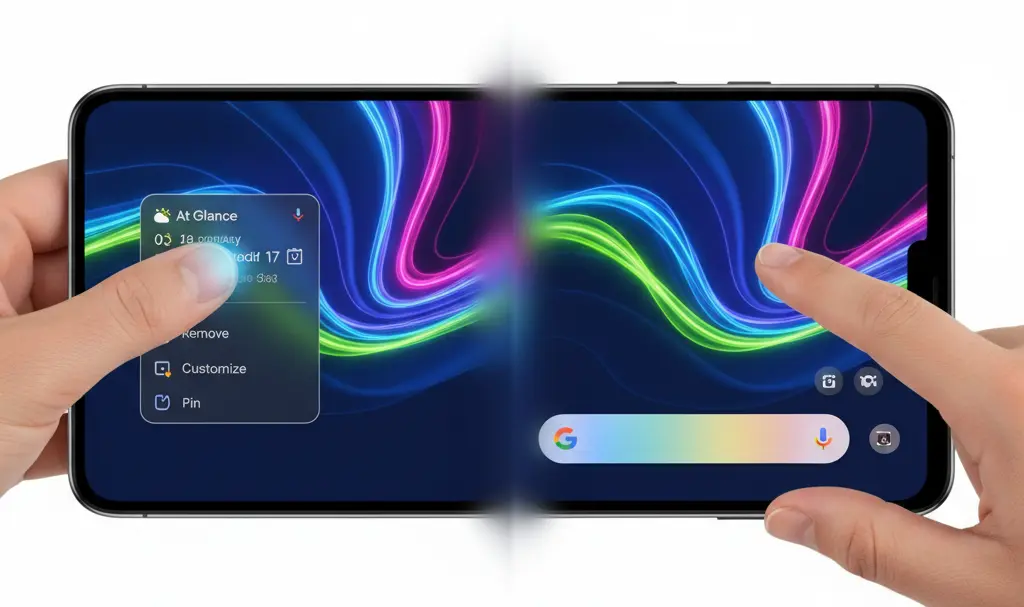
Enhanced Control: The Ability to Remove the “At a Glance” Widget
One of the more significant new additions in Android 17 Beta 1 is the long-awaited option to remove the “At a Glance” widget from your home screen. This widget is generally useful, displaying timely information such as weather updates, upcoming calendar events, active timers and stopwatches, and even travel tickets.
However, many users prefer a cleaner, minimalist home screen, featuring only their most essential applications. Every widget, including “At a Glance,” also covers a portion of the wallpaper, which can be frustrating for those who have carefully customized their background.
How to Disable the “At a Glance” Widget:
- Press and hold on the “At a Glance” widget on your home screen.
- Enter its settings menu.
- Uncheck the “Show on home screen” function.
- Exit the settings.
This simple adjustment can free up valuable screen real estate on your device’s panel once unlocked, allowing your personalized wallpaper to shine through.
More Personalization Options for the Search Bar
Android 17 Beta 1 also introduces improved customization options for the search bar, another element regularly visible on the device’s home screen.
Now, users can, for example, move the search bar to the very bottom of the screen, placing it below the four icons of the most frequently used applications (which by default include Google Phone, Google Messages, Gallery, and Google Chrome).
Android 17 finally brings custom shortcuts to the Pixel Launcher search bar
— Android Authority (@androidauthority) February 13, 2026
A useful new feature is also the ability to change the shortcut visible on the search bar, and even set a unique color for the bar itself. While these might seem like minor adjustments, for users who highly value freedom in personalizing their device, these changes could be a significant game-changer.
Compatibility and Availability
Android 17 Beta 1 remains exclusively available for smartphones in the Google Pixel family, starting from the Pixel 6a model. However, for optimal performance and the smoothest experience, it is recommended for the latest Google Pixel 10, benefiting from the device’s enhanced processing power.
Frequently Asked Questions (FAQ)
What is Android 17 Beta 1?
Android 17 Beta 1 is an early, pre-release version of the upcoming Android 17 operating system. It offers a sneak peek into new features and improvements, primarily for testing purposes on compatible Google Pixel devices before its official stable release.
Which Pixel phones are compatible with Android 17 Beta 1?
Android 17 Beta 1 is available for Google Pixel smartphones starting from the Pixel 6a model and newer. For the best performance, it’s recommended to use it on the latest Google Pixel devices, such as the Google Pixel 10.
What are the key new personalization features in Android 17 Beta 1?
The two most notable personalization features are the ability to remove the “At a Glance” widget from the home screen and enhanced customization options for the search bar, including relocating it and changing its shortcut and color.
Why would I want to remove the “At a Glance” widget?
While “At a Glance” provides useful information, many users prefer a minimalist home screen or want to fully display their custom wallpapers without widgets covering them. Removing it offers more control over your device’s aesthetic.
Source: Android Authority. Opening photo: Generated by Gemini.
About Post Author
