

Contents
Android Auto Users Face Frustrating Voice Assistant Glitch
Android Auto has become an indispensable tool for many drivers, seamlessly integrating smartphone functionalities into their vehicles. However, like any constantly evolving software, it’s not immune to bugs. Recent reports from users highlight a particularly frustrating issue: the voice assistant is failing, rendering essential voice commands inaccessible.
The Android Auto Voice Assistant Problem Explained
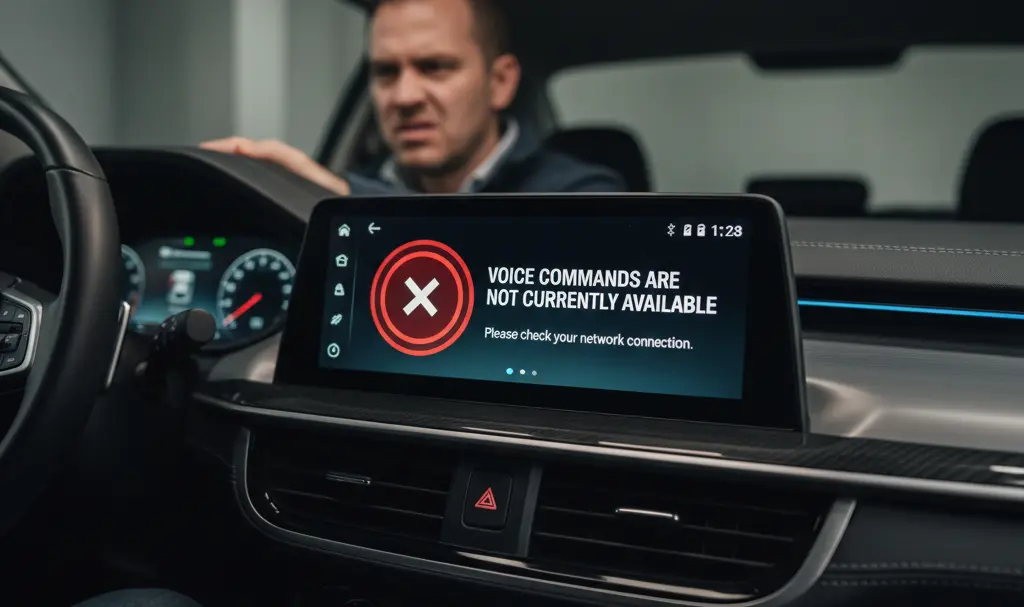
The core of the problem is straightforward: when users attempt to issue a voice command while driving, the system immediately returns an error message stating, “Voice commands are not currently available.” This abrupt failure means drivers cannot use their voice to navigate, make calls, send messages, or control media—functions critical for safe, hands-free operation.
Reports of this glitch began surfacing as early as January 2026, and despite the approaching month of March, a widespread resolution has yet to be implemented. This indicates a persistent and impactful issue affecting a significant portion of Android Auto users.
What Makes This Glitch Different?
Unlike previous incidents involving Google Assistant or Google Gemini within Android Auto, where the application might struggle to process a full command, this new problem is distinctly different. Users are reporting that the error appears instantaneously, often mid-sentence, as if a higher-level block is preventing the voice assistant from activating at all. This suggests a fundamental disruption to Android Auto 16.3’s voice command functionality, rather than a processing or interpretation error.
Community-Suggested Temporary Solutions
As is common with tech issues, the online community, particularly on platforms like Reddit, has been actively discussing potential causes and temporary workarounds:
- Google App Update: Some users speculate that a recent update to the main Google application might be the root cause. Several reports suggest that uninstalling this Google app update (reverting to an older version) temporarily restores voice command functionality within Android Auto.
- USB Cable Reconnection: Another common suggestion involves simply disconnecting and reconnecting the USB cable that links the smartphone to the car’s infotainment system. While this method can resolve various connectivity glitches, its effectiveness for this specific voice assistant bug is mixed.
It’s important to note that the efficacy of these community-suggested fixes varies widely, with many users reporting that neither method provides a consistent solution.
Google Acknowledges the Issue
Despite the lack of an immediate, universal fix, there’s good news: Google is aware of the problem. Numerous reports have flooded official Google forums, indicating that the company based in Mountain View is actively monitoring and likely working on a solution. Given that Android Auto is a free service, users will need to await an official software update to fully resolve this frustrating voice assistant malfunction.
Frequently Asked Questions (FAQ)
What is the current problem with Android Auto?
Many Android Auto users are experiencing an issue where the voice assistant immediately fails, displaying an error message: “Voice commands are not currently available.” This prevents hands-free use of navigation, calls, and other functions.
When did this Android Auto voice assistant issue start appearing?
Reports of this voice assistant glitch began surfacing in January 2026 and have continued through March 2026.
Are there any temporary solutions for the Android Auto voice assistant not working?
Some users have reported temporary success by uninstalling recent updates to the main Google app or by disconnecting and reconnecting the USB cable. However, these methods are not consistently effective for all users.
Has Google acknowledged this Android Auto problem?
Yes, Google is aware of the widespread reports regarding the Android Auto voice assistant issue. The company is likely working on an official fix.
Source: Reddit. Opening photo: Generated by Gemini
About Post Author
