
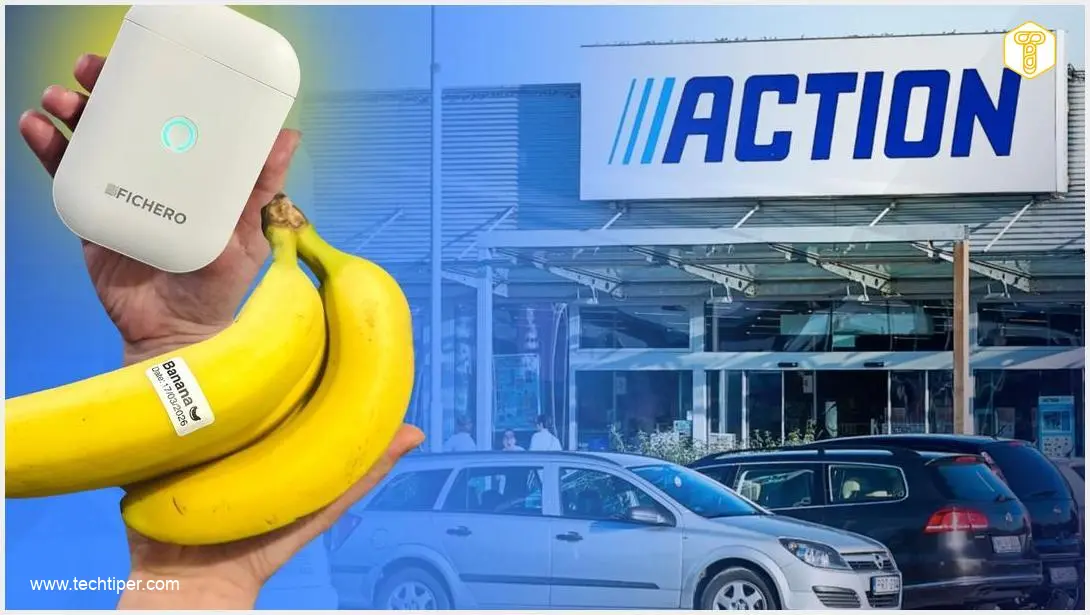
If something goes viral, it can’t be that silly, right? That’s the thinking that led me to purchase the Fichero label printer from Action, a gadget that had been consistently “trending” across social media. Little did I know, I was about to become completely hooked. Printing labels proved to be incredibly easy and satisfying, leading me to label almost every item in my home. Finally, I managed to bring order to the chaos that had been accumulating for months.
Contents
A Small Gadget from Action Transformed My Life. Literally.
The Fichero Label Printer: A Viral Sensation
It quickly became clear that I wasn’t the only one eager for this device. Just two days after it went on weekly promotion, I found empty shelves. A sales associate informed me that the last unit had sold that morning, which only intensified my desire to buy one—a classic example of Cialdini’s principle of scarcity in action. Fortunately, a colleague helped me secure one in the end.
My expectations for a printer costing under $15 (or around €14) weren’t particularly high. Yet, it turned out to offer quite a lot.

The Fichero label printer in action.
The Fichero printer operates wirelessly, connecting to your smartphone via Bluetooth. It charges conveniently via USB-C (cable included) and runs on a built-in rechargeable battery, eliminating the need for disposable batteries and allowing for repeated use.
A roll of labels comes included in the package, so you can start printing right away. Should you desire, refill rolls are readily available, even in a variety of colors.
Crucially, this is a thermal printer, functioning similarly to receipt printers found in stores. This means it requires no ink or toner, making it incredibly low maintenance. A single charge is more than sufficient for extensive labeling of household supplies. All the fun happens within its dedicated smartphone application, which I found surprisingly engaging.
App Features and Customization
The app offers a wide array of options for creating personalized labels:
- Various fonts to suit your style
- Dates and timestamps for expiry or opening dates
- Ready-to-use label templates for common items
- A selection of small icons and graphics to add visual cues
You can design your label and have a custom sticker, whether text-based, with a date, or an icon, printed in just a few seconds. To see the printer “in practice,” one of our editors even created a short video review.
Practicality and Ease of Use
Before discovering this printer, I tried to label various storage boxes around my house using self-adhesive labels sold in sheets. The recurring problem was that these labels would peel off after a short while, rendering all my efforts useless. While one could certainly use regular tape to stick paper labels, the Fichero printer offers unparalleled convenience.
The accompanying app is incredibly straightforward and intuitive. Your only task is to pair the device with your phone, which is as simple as double-pressing the printer’s button. The printer will then print a special QR code for you to scan, connecting it to your smartphone in mere seconds.

Almost anyone can navigate the app with ease.
Fichero in Action: Labeling Literally Everything!
The app provides a wealth of functions. You can simply select plain text and print a label without any additional embellishments. But if you’re looking for more creative possibilities, you’ll find numerous templates—including one for labeling a banana. Yes, you read that correctly: some people label their bananas! Out of curiosity, I decided to join their ranks.

A Fichero printer template for… labeling a banana.
Primarily, however, I used the simplest function to label all (and I mean all!) the food items in my home. This took a solid two hours (as everything needed to be transferred to containers), but with a good audiobook, the task flew by effortlessly.
I believe the result was absolutely worth it. The very first time I cooked after organizing, it saved me the stress of searching for flour among a dozen other similar packages. See for yourself:

Yes, the Action printer transformed my life. Or at least my pantry.
Following this success, I also labeled my cosmetics for an upcoming trip. Previously, I used a regular marker, but the labels would often rub off by the third day, leaving me to guess whether a container held face wash or body lotion. Now, everything is neatly categorized, solving an age-old problem.

I also made good use of the rich font selection.
Furthermore, I utilized the date function to mark when my pets were fed. With a small group of reptiles, it’s easy to lose track, so I found this method to be much simpler and more convenient.

Even the snakes benefited from the printer purchase.
More Uses and the Final Verdict
The function also came in handy for labeling a beverage bottle that couldn’t be resealed. I transferred the drink to a universal container and labeled it with the opening date.

I labeled literally every product in my home and added opening dates.
The icing on the cake was the transformation of my most chaotic drawer. I finally got around to sorting through and labeling all the cables and small electronics. Here, zip-lock bags proved exceptionally helpful, taking up much less space once organized.

The cable drawer also got its much-needed tidying.
So, was the purchase worth it? If you’re asking for my subjective opinion—absolutely! However, I suspect that this printer might be a bit like a toaster: I’ve played with it extensively for a few days, only to put it aside for an undetermined period, remembering its existence when the urge to label new items strikes again.
Nevertheless, the device is so affordable, compact, and convenient to use that I consider it a successful purchase. The stickers adhere well, the print is clear, and it offers a multitude of useful functions that allow you to label practically anything.
However, I suspect that for many, it might remain an unnecessary gadget. Ultimately, you’ll have to decide for yourself whether labeling items around your home will truly transform your life.
Frequently Asked Questions (FAQ)
What kind of labels does the Fichero printer use, and where can I buy refills?
The Fichero printer uses thermal labels, meaning it doesn’t require ink or toner. It typically comes with a starter roll, and refill rolls, often available in various colors and sizes, can be purchased from Action stores or other general merchandise retailers that stock similar label printer accessories. Always check for compatibility with thermal label printers.
How durable are the labels printed by the Fichero thermal printer?
Labels printed by the Fichero thermal printer are generally quite durable for indoor household use. They resist fading and smudging under normal conditions. As highlighted in the article, they hold up well on pantry items, cosmetics, and even pet-related labels. However, extreme conditions like prolonged exposure to direct sunlight, high heat, or constant moisture might affect their longevity and adhesive quality over time.
Is the Fichero label printer suitable for someone not very tech-savvy?
Yes, absolutely! The Fichero label printer is designed with simplicity in mind. Its wireless connection via Bluetooth to a smartphone is streamlined, often involving just scanning a QR code printed by the device itself. The accompanying app is described as “incredibly straightforward and intuitive,” offering clear options for text, dates, templates, and icons, making it accessible even for those who are not particularly tech-savvy.
Can this affordable label printer truly provide long-term organizational benefits, or is it just a temporary novelty?
While the initial excitement of labeling everything can feel like a novelty, the Fichero label printer offers genuine long-term organizational benefits, particularly for maintaining a tidy home. As the article illustrates, clearly labeled items in a pantry, sorted cables, and categorized travel essentials significantly reduce daily frustration and save time. The low cost of the device and refills, combined with its ease of use and ink-free thermal printing, make it a sustainable tool for ongoing organization. Its utility extends beyond initial setup, empowering users to easily re-label or create new labels as their needs evolve, thus preventing a return to disarray. The key is to integrate it into your routine, using it whenever a new item needs a home or a category change.
Source: Original article. Opening photo: Action / Media materials, own montage.
About Post Author
