

Contents
Warning: Latest Update Causing Bootloop Issues for Some Samsung Galaxy S22 Users
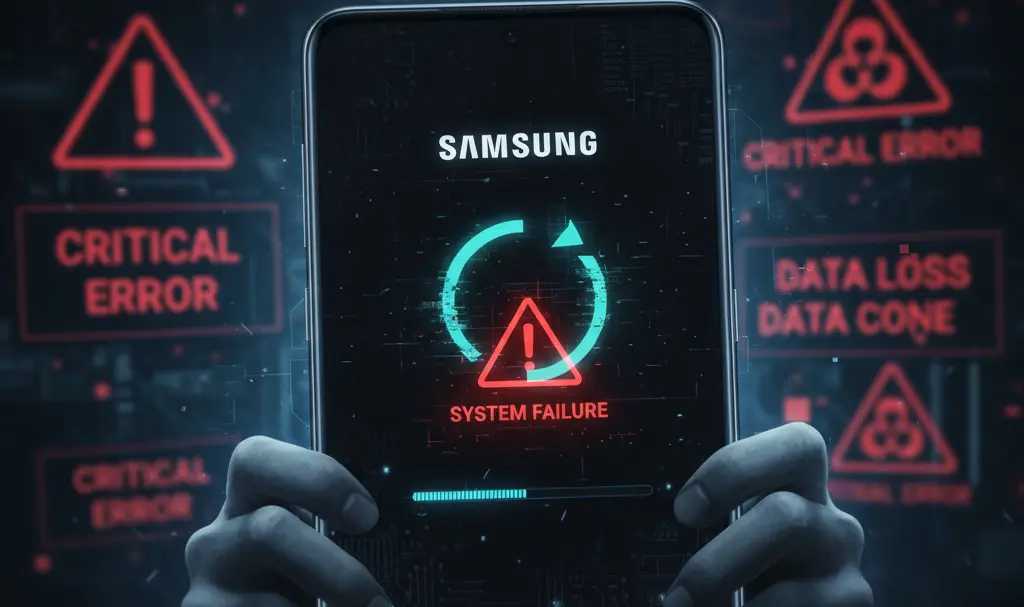
A recent software update for the Samsung Galaxy S22 series, designed to enhance system stability and security, is unfortunately causing severe problems for a segment of its users. Following the update’s installation, reports indicate that several Galaxy S22 smartphones have become stuck in a “bootloop,” an incessant cycle of restarts that renders the device unusable.
The Problem: Galaxy S22 Devices Stuck in Bootloop After Latest Update
Reports detailing this critical issue have surfaced across various online platforms, including Reddit. Users have observed that after applying the newest security patch, their Galaxy S22 smartphones—encompassing all models from the base Galaxy S22 to the Galaxy S22 Ultra—are failing to proceed past the system restart phase, trapping them in a continuous bootloop.
What is a Bootloop?
A bootloop occurs when a device attempts to power on but gets stuck in a perpetual cycle of restarting before fully loading its operating system. This typically indicates a critical software or hardware failure, preventing normal use of the phone.
Potential Causes and Temporary Solutions
While the exact cause of these bootloops remains unclear, several factors could be at play, including a fundamental software bug within the update, a corrupted installation process, or underlying hardware issues that only manifest after a system update.
Some affected users have reported limited success with the following workarounds:
- Manual Software Re-flash: A portion of users managed to revive their phones by manually reinstalling the software using a computer. This process often involves downloading the official firmware and flashing it onto the device.
- Forced Device Restart: In isolated cases, a simple forced restart of the device has helped resolve the issue.
It is crucial to understand that these are not guaranteed solutions, and their effectiveness can vary significantly depending on the specific circumstances of each device.
A Recurring Issue for Galaxy S22 Series?
Although the current bootloop issue appears to affect a relatively small group of users, it raises concerns as it’s not the first time the Galaxy S22 series has encountered serious problems with software updates. In previous instances, Samsung has temporarily halted the deployment of major One UI updates due to numerous reports of device malfunctions. For example, similar issues were noted with earlier One UI versions. This pattern suggests a potential vulnerability in the update process for this particular series.
Given that the Galaxy S22 series debuted in 2022, many devices are now outside their standard warranty period. This could place users in a difficult situation, potentially requiring them to bear the costs of repair if their phone is affected by this update.
What to Do: Recommendations for Galaxy S22 Users
Until Samsung issues an official statement or a corrective patch, it is highly advisable to proceed with caution and delay installing the latest security update for your Galaxy S22 device.
If your device has already entered a bootloop:
- Attempt a Forced Restart: This should be your first step. Procedures vary slightly by model, but typically involve holding down the Volume Down and Power buttons simultaneously for about 10-20 seconds until the Samsung logo appears.
- Consider Manual Software Reinstallation: If a forced restart doesn’t work, you might try manually re-flashing your device’s firmware using a computer. This advanced procedure should only be attempted if you are comfortable with technical instructions.
- Contact an Authorized Service Center: As a last resort, or if the previous steps fail, seek assistance from an authorized Samsung service center.
Frequently Asked Questions (FAQ)
What is a bootloop, and why is it happening to my Galaxy S22?
A bootloop is when your phone continuously restarts without fully booting up its operating system. It’s currently affecting some Galaxy S22 users after installing the latest software update, possibly due to a software bug, a corrupted update installation, or underlying hardware issues.
How can I fix my Galaxy S22 if it’s stuck in a bootloop?
First, try a forced restart (hold Volume Down + Power button for 10-20 seconds). If that doesn’t work, you might attempt a manual software reinstallation using a PC. As a last resort, contact an authorized Samsung service center.
Should I install the latest software update for my Samsung Galaxy S22?
It is currently advised to hold off on installing the latest security update for the Galaxy S22 series until Samsung provides an official statement or a fix, due to reports of bootloop issues.
Will Samsung cover the repair costs if my Galaxy S22 is out of warranty?
Since the Galaxy S22 series was released in 2022, many devices are now outside their standard warranty period. If your device is out of warranty, you may be responsible for repair costs, especially if Samsung does not officially acknowledge the issue as a widespread defect.
Source: SamMobile. Opening photo: Generated by Gemini.
About Post Author
