
Contents
Revolutionizing Image Editing: Gemini’s NanoBanana Set for Major Upgrade
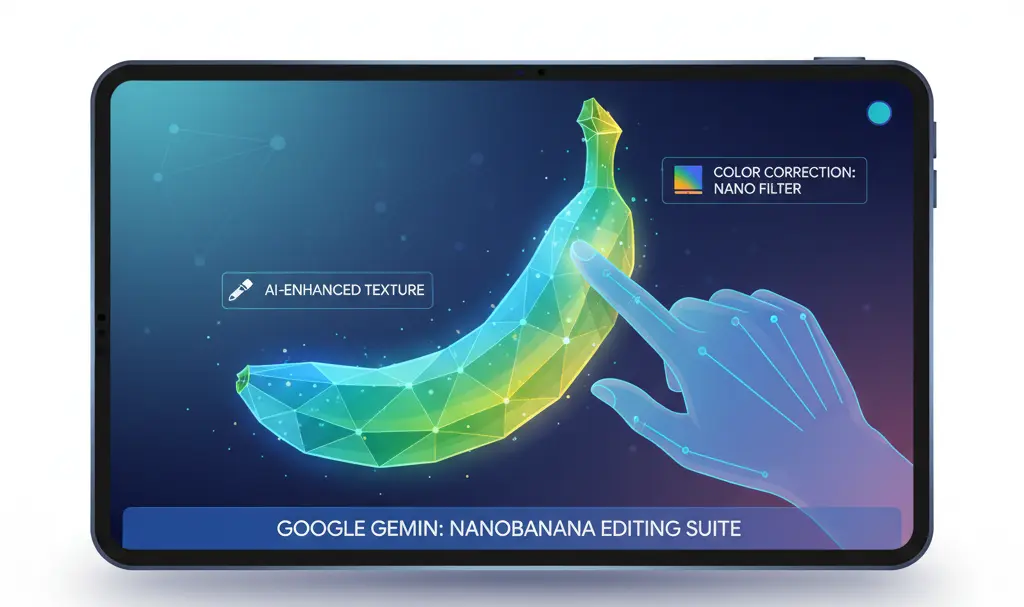
Google Gemini is on the verge of introducing a groundbreaking new feature that promises to significantly streamline the image editing process for visuals generated by its NanoBanana tool. This innovation, centered around text annotations, is designed to drastically reduce the number of steps required to implement corrections and refinements directly onto images.
Streamlined Image Editing with AI Annotations
Traditionally, editing AI-generated images involved a cumbersome workflow: users would download the image, transfer it to a separate editing application, make the necessary changes, and then re-upload it to the chatbot. This process was time-consuming and inefficient. Google’s upcoming enhancement aims to eliminate these pain points by integrating advanced annotation capabilities directly within Gemini AI.
Here’s how the new text annotation feature is expected to work in practice:
- Once an image has been generated by NanoBanana, a distinct pencil icon will appear in its upper right corner.
- Selecting this icon will reveal an annotation menu, allowing the user to precisely indicate specific areas on the image that require modification or improvement.
- After highlighting the desired region and confirming the changes by selecting “Done,” Gemini will prompt the user to enter text-based instructions detailing the desired edits.
- The AI will then process the image anew, applying the specified changes directly, thereby bypassing the need for external tools and multiple uploads.
How Google Gemini’s AI Enhances Image Creation
At the core of this innovation is Gemini AI, Google’s advanced artificial intelligence platform, which powers various functionalities, including the NanoBanana model. NanoBanana is specifically designed to transform textual descriptions into highly realistic and visually compelling images. The integration of text annotations will allow users to iterate and refine these AI-generated visuals with unprecedented ease, making the creative process more intuitive and efficient.
Introducing NanoBanana 2: A Leap in AI Image Quality
In a related development, Google recently unveiled NanoBanana 2, an updated iteration of its image generation model that sets a new benchmark for quality. Launched in late February, NanoBanana 2 is engineered to produce images of exceptionally high caliber, drawing comparisons even to the advanced NanoBanana Pro model. This significant upgrade brings several key enhancements:
- Superior Image Quality: Users can expect images that exhibit remarkable detail and realism, elevating the overall visual output.
- Enhanced Text Handling: NanoBanana 2 offers improved capabilities in integrating and rendering text within generated graphics, ensuring greater legibility and contextual accuracy.
- Improved Consistency: The model demonstrates enhanced coherence in depicting objects and characters, resulting in more unified and believable compositions.
- 4K Resolution: Breaking new ground for a free image generation tool, NanoBanana 2 is capable of producing images in stunning 4K resolution, offering unparalleled clarity.
- Blazing-Fast Generation: Despite the significant quality improvements, the model retains its ability to generate high-resolution images with remarkable speed.
What Does This Mean for Users?
The combination of Gemini’s new text annotation feature and the advanced capabilities of NanoBanana 2 represents a significant step forward in AI-powered image generation and editing. Users will benefit from a more integrated, efficient, and higher-quality creative workflow. While the text annotation feature is still under development with no specific public release date announced, its potential to revolutionize how we interact with AI-generated visuals is immense.
Frequently Asked Questions (FAQ)
What is Google Gemini’s NanoBanana?
NanoBanana is an image generation model powered by Google’s Gemini AI, designed to create realistic images from text-based descriptions. It allows users to bring their textual ideas to visual life.
How will the new text annotation feature work in Gemini?
After generating an image, users will see a pencil icon. Clicking it allows them to select specific areas of the image for modification. They can then input text instructions, and Gemini AI will reprocess the image with the requested changes, eliminating the need for external editing tools.
What are the key improvements in NanoBanana 2?
NanoBanana 2 offers superior image quality, improved handling of text within graphics, enhanced consistency of objects and characters, support for up to 4K resolution images, and maintains remarkably fast generation speeds.
When will these new features be available to the public?
As of now, the text annotation feature for Gemini is still in the development phase, and Google has not announced a specific public release date. However, NanoBanana 2 was launched in late February.
Source: Android Authority. Opening photo: Gemini
About Post Author
