
Contents
Google Fixes Android Driving Mode: Bluetooth-Only Activation Returns
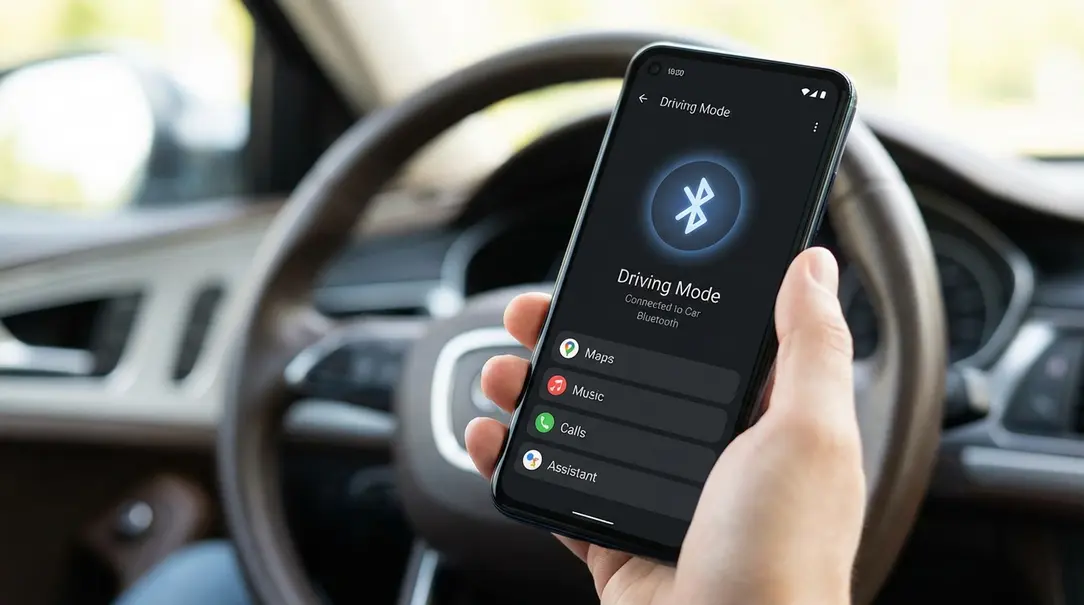
Google has implemented a significant improvement to Android’s driving mode, directly addressing one of the most common user complaints: the automatic activation of “Do Not Disturb.” Previously, the feature would often engage simply by detecting motion, causing frustration for users who were passengers and still needed to receive notifications. The good news is that driving mode can now be set to activate exclusively when your phone connects to a car via Bluetooth, restoring a much-desired option.
A Welcome Change for Android Users
For a considerable period, users of Android’s driving mode faced an inconvenient issue. The system would frequently enable “Do Not Disturb” (DND) mode based solely on vehicle movement. This meant that if you were traveling as a passenger in a car, bus, or train, your phone might mistakenly assume you were driving and silence all incoming calls and alerts. This often led to missed important communications, creating a significant pain point for many.
This latest update from Google is a direct response to user feedback, allowing greater control and preventing unwanted DND activations, thus enhancing the overall user experience.
Understanding Android’s Driving Mode and Its Evolution
Android’s various “modes” are designed to help users manage notifications and focus in specific situations, such as during work, sleep, or while driving. The driving mode, in particular, automatically mutes alerts to minimize distractions while you are behind the wheel, promoting safer driving habits.
Historically, Android offered users flexibility in how driving mode was triggered. Options included activation upon motion detection, upon Bluetooth connection to a car’s infotainment system, or a combination of both. However, in recent years, Google removed the option to link driving mode activation exclusively to a Bluetooth connection.
The removal of this specific Bluetooth-only option led to the aforementioned problem: driving mode frequently activating when the phone owner was merely a passenger. As soon as the phone’s sensors detected vehicle movement, the DND mode would kick in, resulting in missed calls and notifications even when the user wasn’t driving.
The Return of Bluetooth-Only Activation
Google has now reinstated the ability to activate driving mode solely through a Bluetooth connection to your car’s system. This means you can finally configure your phone to only engage driving mode when it genuinely connects to your vehicle’s Bluetooth, eliminating erroneous activations while you’re a passenger.
You can find this reinstated option within your phone’s “Modes and Routines” or similar settings section. It’s worth noting that the visual interface for these settings might vary slightly depending on your phone’s manufacturer. For instance, Google Pixel smartphones may utilize the newer Material 3 Expressive design, while other Android models might display a more classic interface.
How to Enable Bluetooth-Only Driving Mode:
- Navigate to your phone’s Settings.
- Look for Digital Wellbeing & parental controls or Modes and Routines (names may vary).
- Select Driving Mode.
- Within the driving mode settings, you should now find an option to choose your preferred activation method. Select the option that limits activation exclusively to a Bluetooth connection with your car.
How to Get the Update
This significant change is being rolled out as part of the Google Play Services update, specifically version 26.05.32. To ensure you have access to this new functionality, you can check for and manually update Google Play Services:
- Open the Google Play Store app on your device.
- Search for “Google Play Services” (though it’s usually updated automatically in the background).
- You can often check for updates for core system apps in your phone’s system settings under “About phone” or “Software update” depending on your device.
- If an update to version 26.05.32 or later is available, proceed with the installation.
What’s Next for Android’s Driving Features
While the reintroduction of Bluetooth-only activation is a significant step, the standard Android experience still doesn’t offer all the nuanced options found in some manufacturer overlays. For example, Samsung’s interface includes a variant that allows driving mode to activate exclusively when an active Android Auto connection is detected. In the stock Android version, the condition remains a general Bluetooth connection to the car’s system or multimedia unit.
Google is continuously working on enhancing its contextual modes. One such feature currently under development is a “commute mode.” This upcoming mode aims to automatically mitigate factors that can exacerbate motion sickness during commutes, though it has not yet been widely released to the public.
Frequently Asked Questions (FAQ)
Q: What was the main problem with Android’s driving mode before this update?
Before the update, Android’s driving mode often activated automatically based on motion detection alone. This caused issues for users who were passengers, as their phones would incorrectly enter “Do Not Disturb” mode, leading to missed calls and notifications despite not driving.
Q: How do I enable Bluetooth-only activation for driving mode?
After updating Google Play Services (version 26.05.32 or later), go to your phone’s Settings, then look for “Digital Wellbeing & parental controls” or “Modes and Routines.” Inside “Driving Mode” settings, you should now find an option to select Bluetooth connection as the sole activation method.
Q: What is Google Play Services and why is it important for this update?
Google Play Services is a background service on Android devices that enables core functionality, updates Google apps, and enhances security. This particular driving mode fix is delivered through an update to Google Play Services, meaning you need to have the latest version to access the new feature.
Q: Is there an option for Android Auto-specific activation?
Currently, in standard Android, the driving mode can be activated via a general Bluetooth connection to your car. While some manufacturer overlays, like Samsung’s, offer an option for activation only with an active Android Auto connection, this specific feature is not yet available in the stock Android version.
About Post Author
