
Contents
Google Pixel’s New Transit Mode: Smart Commutes Made Easy
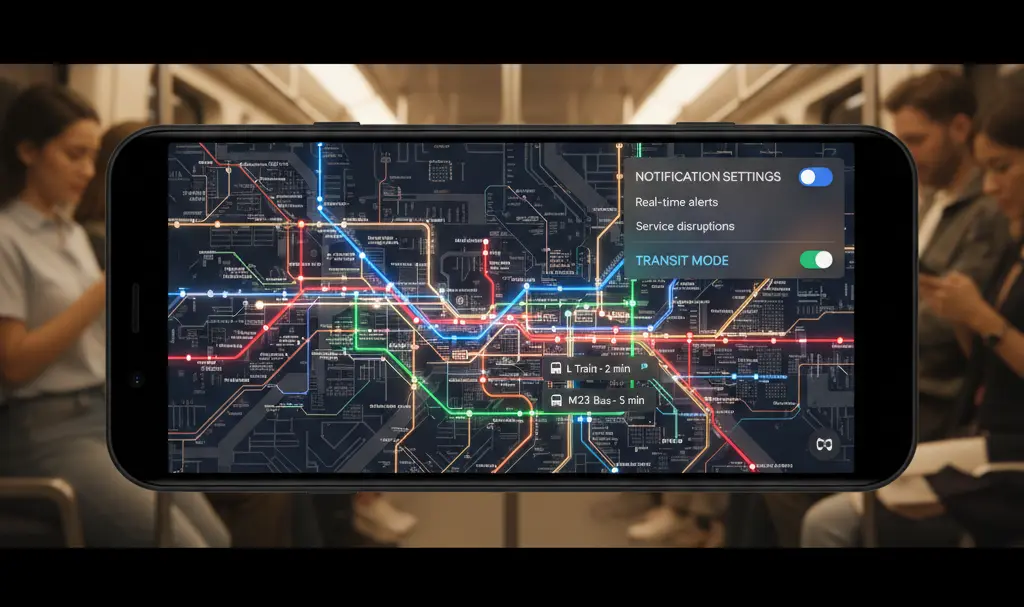
Google has introduced an innovative feature called Transit Mode to Pixel smartphones with the March 2026 Feature Drop. This mode is specifically designed to enhance the daily commuting experience for users who rely on public transportation, trains, or other forms of mass transit. Unlike traditional “Do Not Disturb” or “Car Mode,” Transit Mode is tailored for passengers, ensuring your phone adapts seamlessly to your routine while you’re not driving.
Discovering Google’s Undocumented Feature
Surprisingly, Google’s official blog post detailing the March Pixel Drop did not extensively cover this new addition. Transit Mode, a significant part of the March 2026 Feature Drop, was quietly rolled out alongside the Android 16 QPR3 update for supported Pixel devices. This strategic release allows your Pixel to automatically adjust its behavior during your commute and revert to standard settings once your journey concludes, eliminating the need for manual profile switching.
You can locate the new Transit Mode within the “Modes” section of your system settings, offering a streamlined approach to managing your phone’s behavior on the go.
How Transit Mode Works on Your Pixel
The primary advantage of Transit Mode (also referred to as Transport Mode on Google’s support pages) is its extensive personalization capabilities. This allows you to fine-tune the mode to perfectly match your specific commuting habits and preferences.
Tailoring Your Commute Experience
When configuring Transit Mode, you have complete control over how your phone behaves during transit:
- Sound and Vibration: Set your phone to emit sounds, vibrate, or remain completely silent.
- Bluetooth Connectivity: Determine if Bluetooth should stay active, which is ideal for connecting to headphones or a smartwatch.
- Notification Control: You can choose to allow all notifications, restrict them to selected contacts and applications, or even add exceptions for critical alerts. This ensures that essential “interruptions” like alarms, reminders, or safety notifications are never blocked.
By personalizing these settings, your Pixel becomes less of a distraction and more of a helpful companion, perfectly aligned with your daily commute routine.
Seamless Integration with At a Glance and Google Maps
Transit Mode doesn’t operate in isolation; Google has integrated it deeply with the powerful At a Glance widget and Google Maps. This creates a comprehensive commuting solution that keeps you informed and on schedule. The At a Glance widget, accessible from your lock screen and home screen, will feature a new transit section. This section provides real-time updates on potential delays, departure times, and even suggests alternative routes, helping you navigate your journey with ease.
Setting Up Transit Mode for Optimal Performance
To ensure Transit Mode functions correctly and provides accurate, real-time information, several important settings and permissions need to be configured:
- Home and Work Locations: These must be accurately set up within Google Maps to define your regular commute routes.
- Background Location Access: Google Maps requires “Allow all the time” access to your location, with the “Use precise location” option enabled.
- Timeline (Location History): Enabling this feature helps Transit Mode learn and adapt to your travel patterns over time.
- Web & App Activity: Activating this option allows Google services to record your activity, refining personalized updates and improving the mode’s intelligence.
It’s important to note that after initial configuration, Google Maps may require approximately two to three weeks to fully learn your specific commuting patterns before it begins delivering precise, timely alerts.
Geographic Availability and Important Considerations
While Transit Mode is a valuable addition, it’s crucial to be aware of certain regional limitations. The new transit-related features within the At a Glance service, in particular, may not be fully available to Pixel users in Europe and the United Kingdom. As stated in the March 2026 Pixel Drop blog post:
“Real-time transit info on At a Glance available only on Pixel 7 and newer excluding Pixel Tablet. Language restrictions may apply. Available globally except Europe and the UK. Connection to Google account and Google Maps required.”
This statement indicates that at least the At a Glance widget’s real-time transit information might remain inactive in these regions, a point that has already caused some frustration among users. If you own a Pixel smartphone, it’s advisable to check your device after updating to confirm the availability of these features in your specific country.
Frequently Asked Questions (FAQ)
What is Google Pixel Transit Mode?
Google Pixel Transit Mode is a new feature introduced with the March 2026 Feature Drop, designed to automatically adjust your phone’s settings and provide real-time information for users commuting via public transportation.
How is Transit Mode different from Do Not Disturb or Car Mode?
Unlike Do Not Disturb, which silences all notifications, or Car Mode, which is for drivers, Transit Mode is specifically for passengers. It offers highly customizable settings for notifications, sound, and Bluetooth, integrating with Google Maps to provide relevant commute information.
Which Pixel phones support Transit Mode?
Transit Mode is part of the March 2026 Feature Drop, delivered with Android 16 QPR3. It is supported on eligible Pixel devices that receive this update. Specifically, real-time transit info on At a Glance is available on Pixel 7 and newer, excluding Pixel Tablet.
Do I need Google Maps for Transit Mode to work?
Yes, Google Maps integration is crucial for Transit Mode’s full functionality. You need to configure your Home and Work locations, enable background location access, Location History (Timeline), and Web & App Activity within Google Maps settings to receive real-time transit updates.
Is Transit Mode available everywhere?
While Transit Mode aims for global availability, certain aspects, particularly the real-time transit information within the At a Glance widget, may not be fully functional in Europe and the United Kingdom due to specific regional restrictions.
Source: Google, AndroidHeadlines, Reddit, 9to5Google
Opening photo: Gemini
About Post Author
