

Contents
Hidden Camera in Your Room? This One Method Is Often Enough to Find It
Miniature cameras are now incredibly cheap and widely available. The simplest models can be purchased for just a few dollars, and tiny video modules can be concealed in many everyday objects. This has understandably led to fears that such devices could be used to spy on people in hotels or rental apartments. While these situations are extremely rare, it’s still wise to know how to check your room for peace of mind.
Before we dive in, it’s important to approach this topic with a sense of perspective. Although media outlets occasionally report on guests finding cameras, such incidents are the exception, not the rule. In 2024, Airbnb officially banned the use of indoor cameras in its listings worldwide, a significant step for guest privacy. If a property owner installs cameras, they are generally for security purposes and directed at the property’s exterior or common areas.
The risk of being monitored in your private room is very low, but if you have a legitimate reason to be suspicious, here are the most effective ways to check for hidden cameras.
Why Most Camera and Bug Detectors Aren’t Practical
Specialized detectors for cameras and listening devices are available, often used in professional security audits. However, they aren’t always a practical solution for the average traveler.
- False Alarms: Cheaper models often react to almost any radio signal. In a modern apartment filled with routers, smart TVs, smartphones, and wireless speakers, these detectors can sound an alarm almost constantly, making them useless.
- Limited Scope: Many cameras don’t transmit a signal at all; they simply record footage onto a local memory card. A radio frequency (RF) scanner would never find such a device.
These detectors typically use a few different techniques:
- Radio Frequency (RF) Scanning: This method doesn’t detect the camera itself but the signal it transmits, such as video streamed over Wi-Fi. It can help pinpoint devices sending data wirelessly.
- Infrared (IR) Detection: Cameras designed for night vision often use IR LEDs to illuminate a room with light that is invisible to the human eye. A detector can spot this IR radiation and lead you to its source.
- Electromagnetic Field (EMF) Detection: Every electronic device generates a small electromagnetic field. Sensitive detectors can pick up on these fields to help locate electronics, even if they aren’t transmitting a signal.
For most people, buying a specialized detector doesn’t make sense, especially for occasional travel. Fortunately, your smartphone can do a better job with the right techniques.
Be Wary of “Hidden Camera Detector” Apps
App stores are flooded with applications promising to find hidden cameras with a single tap. Unfortunately, most of them are ineffective. While apps that show devices on the local Wi-Fi network or connected via Bluetooth can be useful, features that claim to “scan the room” with your phone’s camera often produce bizarre results. Many simply use basic object recognition to flag any round or shiny object as a potential camera.
Other apps attempt to use your phone’s magnetometer (the sensor for the compass) to detect electromagnetic fields or use the camera to find IR light sources. However, their effectiveness is highly dependent on your phone’s hardware. If your smartphone lacks the right sensors or its camera filters out IR light, the app will be useless.
During testing of various apps, none proved reliable for finding a hidden camera lens by simply scanning a room. Many appeared to be simulations designed to trick users into buying a paid version.
Suspect You’re Being Watched? How to Check for Nearby Devices
While dedicated apps are often a bust, there are several simple methods that can help you identify suspicious devices using the phone you already have.
The Flashlight Method: Your Most Reliable Tool
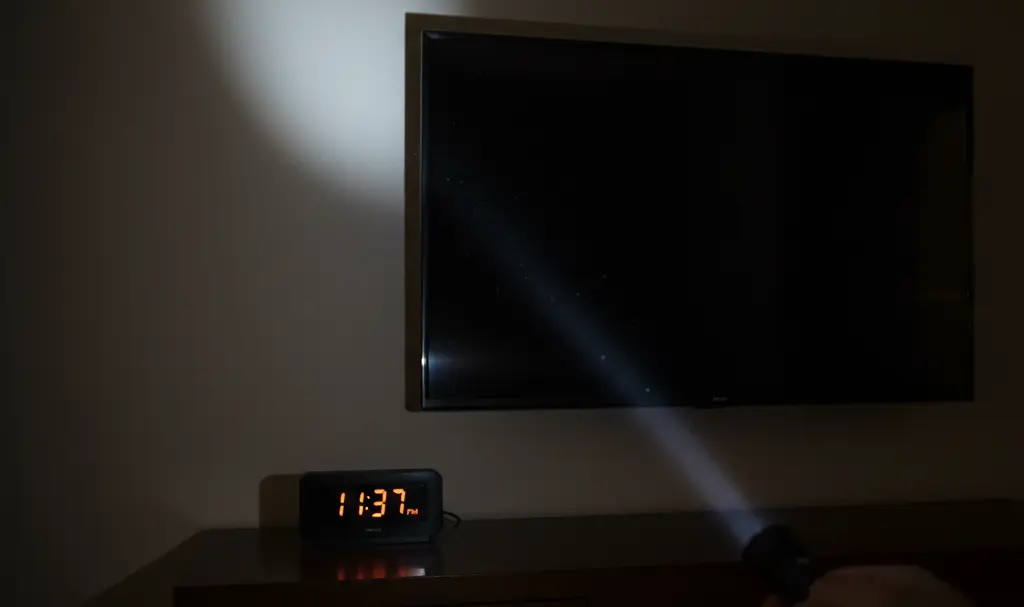
This is the simplest and most effective technique. It relies on a basic principle of optics: a camera lens, no matter how small, is made of glass and will reflect light in a distinct way. Professional detectors often use a ring of bright LEDs for this purpose, but your phone’s flashlight works just as well.
Here’s how to do it:
- Turn off all the lights in the room to make it as dark as possible.
- Turn on your smartphone’s flashlight.
- Slowly and methodically scan the room. Hold the light close to your eye and sweep it across every object and surface.
- Look for a tiny, bright glint of light reflecting back at you. A camera lens will produce a distinct pinpoint of blue or white light that is different from other reflections.
Pay close attention to places where a camera could be easily hidden while still having a clear view of the room. Common hiding spots include:
- Smoke detectors
- Power outlets and adapters
- Digital alarm clocks
- Ventilation grilles
- House plants and decorations
- Stuffed animals or picture frames
Scan for Suspicious Bluetooth Devices
Many modern cameras use Bluetooth for initial setup or for communication with a mobile app. You can scan for these signals to find unusual devices. This method is most likely to work if an amateur has used a standard consumer camera rather than a professional spy device.
Simply open your phone’s Bluetooth settings and let it search for nearby devices. You’ll likely see familiar items like TVs or speakers. However, if you see devices with strange or generic names (like a string of numbers and letters), it could be a red flag. Try walking around the room with your phone; if the signal for an unknown device gets stronger in a specific area, it’s worth investigating that spot more closely. It’s also a good idea to secure your own devices by learning about changing default Bluetooth device names for better security.
Scan the Wi-Fi Network
If you have access to the local Wi-Fi network in your rental or hotel room, you can scan it to see a list of all connected devices. Network analyzer apps can show you every device connected to the router, including TVs, computers, smartphones, and potentially, IP cameras.
However, keep in mind this method only works if the camera is connected to the same Wi-Fi network you are. A spy camera could be using a separate cellular connection or simply recording footage locally to an SD card, making it invisible to a network scan.
Ultimately, a thorough physical inspection combined with the flashlight method remains the most reliable way to ensure your privacy. And remember, your phone can be a privacy risk in other ways too; it’s always a good idea to understand how to prevent your smartphone from listening to you.
Frequently Asked Questions (FAQ)
What should I do if I find a hidden camera in my hotel or rental?
If you find a hidden camera, do not touch or move it. Document its location by taking photos and videos from multiple angles. Immediately leave the property and contact local law enforcement to file a report. You should also report the incident to the booking platform (like Airbnb or Booking.com) you used to reserve the room.
Are hidden cameras in rental properties legal?
Laws vary significantly by country and state, but generally, it is illegal to place hidden cameras in private spaces where a person has a reasonable expectation of privacy, such as bedrooms and bathrooms. Platforms like Airbnb have banned all indoor cameras, regardless of their location or disclosure. Cameras in common areas or outside the property may be legal if disclosed to guests beforehand.
Can a hidden camera work without a Wi-Fi connection?
Yes. Many spy cameras do not require Wi-Fi. They can record video directly onto an internal memory card (like a microSD card) for the owner to retrieve later. These types of cameras are impossible to detect using Wi-Fi or Bluetooth scanning methods, which is why a physical inspection with a flashlight is the most reliable detection technique.
Source: Own work based on the provided article.
Opening photo: Gemini
About Post Author
