
Contents
Build a Smart Home on a Budget with Action’s LSC Smart Connect
Many believe that creating an intelligent home requires a significant financial investment, often hundreds or thousands of dollars. However, popular discount retailers like Action are proving that this doesn’t have to be the case. Products from Action—specifically those under the LSC Smart Connect brand—are an absolute game-changer for individuals seeking a smart home without spending a fortune. With just a small initial investment, you can begin your journey into home automation. But is it truly worth trusting these budget-friendly solutions?
My Smart Home Journey with Action Accessories
For quite some time, I’ve been a regular shopper at Action, picking up a variety of electronics, both essential and novelty. Some items, like my Sologic mega charger, are in constant use, while others, such as the FERM blower, serve me periodically when specific situations arise. However, the purchases I value most are those that have allowed me to gradually build my Action-powered smart home.
My smart home adventure began with an LSC Smart Connect indoor camera, soon followed by a Silvergear smart scale. Both devices seamlessly integrate with the Tuya ecosystem, which encouraged me to explore further purchases within this connected world. While it’s not strictly necessary to organize your entire smart home around a single ecosystem, the convenience and practicality of doing so—rather than juggling devices from different brands that operate on varying standards—are undeniable. Since I started with Tuya, I decided to stick with it.
What Does Action Offer for Your Smart Home?
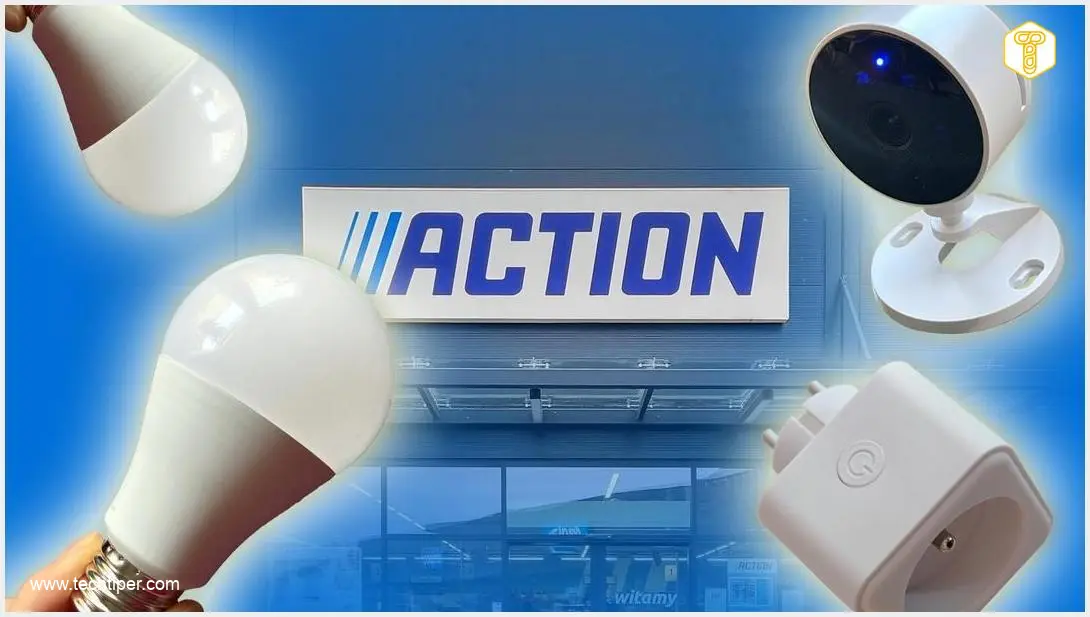
Action provides nearly everything you need to kickstart your smart home setup. What’s more, the total cost of these smart gadgets will certainly not overwhelm your budget. A complete starter kit from Action could cost as little as a single component from another manufacturer’s system. If you choose to equip your home with products from Action’s LSC Smart Connect range, you’ll find a wide selection of devices:
- Smart Lighting: This includes a variety of bulbs, LED strips and panels, ceiling lights (plafonds), and spot lights, all designed to transform your home’s ambiance.
- Smart Plugs (Smart Plugs): These are the simplest way to convert traditional appliances, like an old fan or a coffee maker, into “smart” devices that can be controlled remotely.
- Wi-Fi Cameras: Available in both indoor and outdoor models, these cameras offer live viewing directly on your smartphone, providing peace of mind.
- Other Devices: The range also extends to other useful gadgets, such as a smart doorbell equipped with a camera, enhancing your home security and convenience.
All these devices work in harmony with the LSC Smart Connect application, which is essentially a user-friendly interface or “skin” for the broader Tuya application. This compatibility allows you to integrate these devices with smart home products from other brands that also operate within the expansive Tuya ecosystem, all managed from one central app.
Understanding the Tuya Ecosystem
A significant advantage of these products is their reliance on the popular Tuya ecosystem. Tuya is a leading Chinese IoT (Internet of Things) and AIoT (Artificial Intelligence of Things) platform that offers a comprehensive “ready ecosystem” for smart devices. This encompasses everything from hardware modules and cloud services to mobile applications.
Tuya allows manufacturers to quickly “smartify” their products and integrate them with widely used smart home platforms such as Amazon Alexa, Google Assistant, Matter, and Apple HomeKit. For the end-user, this means the ability to control hundreds of compatible devices from various brands—including smart bulbs, sockets, cameras, thermostats, and blinds—all from a single application.
Furthermore, the system typically doesn’t require additional hubs, central controllers, or gateways. It primarily operates on a 2.4 GHz Wi-Fi network, which can sometimes be a consideration for modern routers with “intelligent” band steering. While it may not offer the most advanced, complex automation functions, it provides essential automations, and users highly appreciate its affordability and ease of use. All you need is a standard home Wi-Fi router and a smartphone with the Tuya app to get started.
LSC Smart Connect Smart Plug
The LSC Smart Connect smart plug from Action is an affordable Wi-Fi enabled smart plug that includes energy monitoring capabilities. Its primary purpose is to make virtually any household appliance “smart” and potentially help reduce electricity bills. Operating on a 2.4 GHz network, it integrates with popular voice assistants, making it suitable for a wide range of devices, from lamps and heaters to various electronics, provided the load limits are respected.
Once connected to your Wi-Fi, you can control the smart plug through the free application. This allows you to create schedules, set up automation scenes, and completely power off devices, preventing them from drawing power in standby mode. The energy monitoring feature is particularly useful, enabling you to track how much power a specific appliance consumes. This insight can be invaluable for identifying and managing your most power-hungry devices.
The plug itself is relatively compact, ensuring it fits comfortably into wall sockets or power strips without obstructing adjacent outlets. Fundamentally, it offers a simple, cost-effective, and efficient way to remotely control your appliances and gain basic insights into your home’s energy consumption.
Within the Tuya application, the plug appears as a single socket that you can remotely switch on or off. From the device tile on the main screen of the app, you can manage its power, set up schedules (e.g., turn on at a specific time or turn off after a set duration), and monitor its energy usage, giving you greater control over your home’s power consumption.
LSC Smart Connect Smart Bulbs
The LSC Smart Connect smart bulbs from Action offer a budget-friendly solution for smart lighting. These multicolor LED bulbs feature an E27 screw base and Wi-Fi connectivity, allowing you to control brightness and color temperature directly from an app. They present an appealing, cost-effective alternative that isn’t designed to compete with premium brands like Philips Hue or WiZ, but rather to offer accessible smart lighting to everyone.
I particularly appreciate their incredibly easy installation. Simply screw in the bulb, pair it with the app, and then you’re ready to create custom scenes and schedules. These accessories can be integrated with voice assistants, and remote control capabilities mean you can manage your lighting even when you’re away from home.
With a brightness of 700 lumens, these bulbs are sufficient to illuminate a medium-sized room. Through the app, you can adjust the lighting to a warm white for evening reading, a cool white for focused desk work, or vibrant colored scenes to enhance a movie night or a party. You can also prepare predefined scenarios (e.g., “cinema mode,” “night light,” “morning wake-up”) and assign them to a button or a voice command via Google Assistant or Alexa.
As an inexpensive addition to your home lighting—perhaps for a bedside lamp, a floor lamp, or decorative lighting in the living room—the LSC Smart Connect series bulbs are a sensible choice. However, the scalability of this system is somewhat limited. For larger, more complex smart home setups, you might find more robust solutions with extensive support, such as Philips Hue, WiZ, or Aqara, to be a better long-term investment.
Conclusion: Is Investing in an Action Smart Home Worth It?
So, what’s my take on Action’s smart home components? They offer a remarkably simple, affordable, and hassle-free entry point into the world of home automation. The price point is unbeatable, and the products are widely available in numerous stores. Furthermore, they leverage a popular ecosystem that seamlessly integrates with Google Home and Amazon Alexa, enhancing their utility.
Installation is straightforward, requiring no complex wall modifications or advanced technical expertise. This makes them an excellent choice for individuals renting an apartment (due to easy disassembly and relocation) or for budget-conscious users who want to experiment with smart home concepts without overpaying for well-known brand logos.
While you won’t be building a professional, whole-building management system with Action’s equipment, these devices excel at simpler tasks. They are perfect for activities such as monitoring your home while you’re away, controlling a bedside lamp, or checking the energy consumption of specific appliances. For accessible and practical home automation, Action’s LSC Smart Connect range truly delivers value.
Frequently Asked Questions (FAQ)
Are budget smart home devices, like those from Action, reliable and secure for long-term use?
Budget-friendly smart home devices, including Action’s LSC Smart Connect products, can be quite reliable for their intended basic functions. They typically use established platforms like Tuya, which handle the core functionality and security updates. However, users should always ensure they use strong, unique passwords for their accounts and keep their device firmware updated. While they might not offer the advanced encryption or robust privacy features of premium brands, for simple tasks like lighting and appliance control, they generally provide satisfactory performance and an acceptable level of security for the average user.
Can LSC Smart Connect products from Action be integrated with existing smart home setups from other brands?
Yes, a major advantage of LSC Smart Connect products is their reliance on the Tuya ecosystem. This means they are designed to be compatible with other smart devices that also operate within the Tuya framework, regardless of their specific brand. Additionally, Tuya is widely integrated with major smart home platforms such as Google Assistant and Amazon Alexa, allowing you to control LSC Smart Connect devices alongside other brands through these central voice assistants or apps. This flexibility makes them a good choice for expanding or starting a multi-brand smart home system.
What are the main limitations of a Wi-Fi-based smart home system like the one offered by Tuya/Action, especially compared to Zigbee or Z-Wave?
While Wi-Fi-based smart home systems offer easy setup without a dedicated hub, they do have certain limitations compared to mesh network protocols like Zigbee or Z-Wave. Wi-Fi devices can sometimes strain your home network, especially if you have many of them, potentially leading to congestion. They typically consume more power than Zigbee/Z-Wave devices, which can be a factor for battery-operated sensors (though less so for wired plugs and bulbs). Furthermore, Wi-Fi devices often require a stable 2.4 GHz network, and modern routers with “smart steering” can sometimes cause connectivity hiccups. For very large or complex smart home installations, a mesh network may offer greater reliability, scalability, and reduced network traffic.
If I start with Action’s budget smart home products, can I easily upgrade or expand to a more advanced system later?
Yes, starting with Action’s budget smart home products is an excellent way to dip your toes into home automation. Since many of these devices operate within the common Tuya ecosystem, and integrate with Google Assistant and Alexa, any automations or routines you create with them will likely transfer or be easily recreated if you later decide to invest in more advanced Tuya-compatible devices from other brands. While the devices themselves might have limited advanced features, the knowledge and experience gained from using them will be valuable if you choose to transition to more sophisticated systems like Philips Hue, WiZ, or Aqara, which might offer richer feature sets, better long-term support, and different communication protocols.
Source: Action, Author’s Own Research. Opening Photo: Jolanta Szczepaniak, Kati Lenart / Adobe Stock, Author’s Montage.
About Post Author
