

Contents
Lenovo Yoga Pro 27UD-10 Review: The Ultimate All-in-One Monitor for Creators
The Lenovo Yoga Pro 27UD-10 heralds a new class of all-in-one monitors, setting a high bar for digital creators and professionals. This premium device aims to declutter your workspace by integrating a high-quality display, powerful speakers, and a tiltable 4K camera into a single, cohesive unit. But does this comprehensive Lenovo solution truly deliver in practice? This in-depth review of the Lenovo Yoga Pro 27UD-10 provides the answers.
A New Era of All-in-One Monitors
Unveiled at CES 2026, the Yoga Pro 27UD-10 is positioned as a premium monitor specifically crafted for content creation. It competes with top-tier 27- to 32-inch OLED monitors from brands like ASUS, Dell, and LG, but differentiates itself with an outstanding 4K camera and a remarkably good audio system for a monitor. This makes it an intriguing option for online creators seeking to consolidate their setup without compromising on quality.
Key Advantages of the Lenovo Yoga Pro 27UD-10
- Elegant design, robust stand, extensive ergonomics, and smart cable management.
- Stunning 4K 120 Hz OLED panel with Dolby Vision and True Black, delivering exceptional visuals for both work and entertainment.
- Fast response time and outstanding image clarity.
- Smooth motion with a 120 Hz refresh rate.
- Integrated 4K HDR camera featuring a DeskView mode and four microphones.
- Advanced audio system with Dolby Atmos, far superior to typical monitor speakers.
- Wide viewing angles with no noticeable color shift when viewed off-axis.
- USB4 with up to 140W Power Delivery, allowing a single cable for laptop power, video, and data.
- Easy expansion with additional monitors via DisplayPort Daisy Chain.
- Factory color calibration for out-of-the-box accuracy.
Potential Drawbacks
- High price point.
- The high 4K resolution on a 27-inch screen often requires significant system scaling.
- Lacks pivot (portrait mode) and swivel functionality.
- Comes with a remarkably large power adapter.
- High power consumption (Energy Class F).
Unboxing and Accessories
The monitor arrives in a surprisingly large box for a 27-inch display. Lenovo has opted for an innovative “pizza box” style packaging instead of traditional polystyrene layers. This design allows you to lay the box flat on the floor and open it completely, providing easy access to the contents. Notably, the monitor comes pre-assembled with its stand, simplifying the setup process.
In addition to the monitor, the package includes a power cable with a rather large charger, an HDMI cable, a USB4 cable, a VESA mounting bracket, and a sleek, cylindrical 4K camera. The documentation consists of a factory calibration report, a quick setup guide, and warranty information. Drivers and further documentation are available for download online.
Design, Build Quality, and Ergonomics
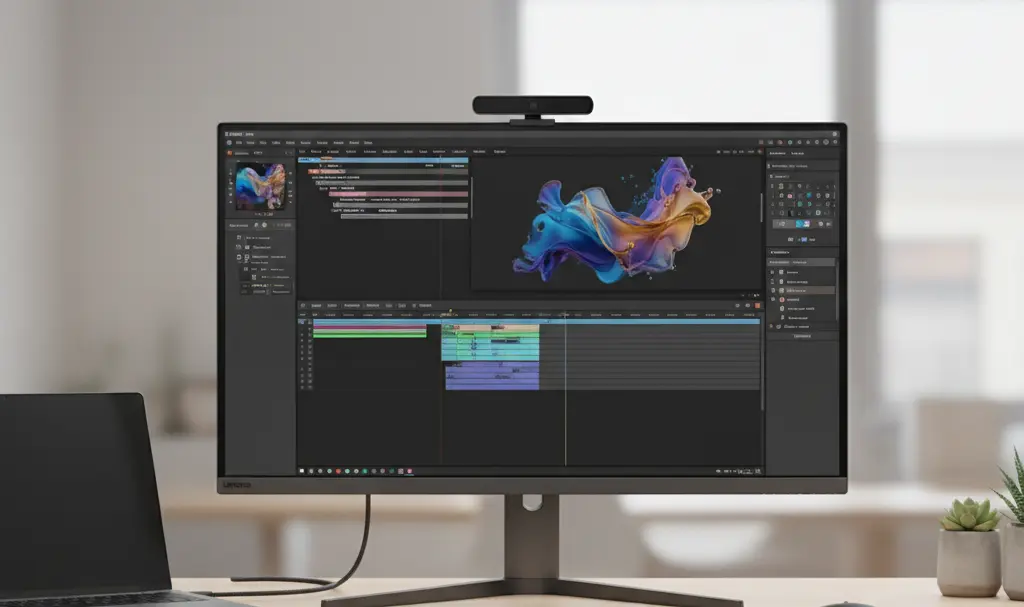
Visually, the Yoga Pro 27UD-10 exudes the professionalism expected of a creative workstation. It features an excellent 27-inch 4K OLED panel framed by ultra-narrow bezels, contributing to its slender profile. The thoughtful and stable base ensures it looks at home in both a professional studio and a home office, prioritizing minimalism and elegance over flashy RGB aesthetics.
A defining visual element is the prominently mounted 4K camera on the top edge, featuring a magnetic privacy cover. Beyond its neat integration, the monitor also discreetly houses a robust speaker system. Lenovo emphasizes the monitor’s ergonomics, with a sturdy, flat base that allows for effective use of the space beneath the screen. It offers smooth height and tilt adjustments, making it easy to align with a laptop positioned alongside or beneath it. The only notable omissions are pivot (for portrait orientation) and swivel functionalities, which can be attributed to the modular 4K camera designed for top-edge mounting.
Connectivity: A Creator’s Hub
The rear panel hosts a comprehensive array of ports, a major advantage for many users. Lenovo clearly designed this monitor as a central hub for laptop-based workstations. Alongside HDMI and DisplayPort, it features a USB4 / USB-C port with DisplayPort Alt Mode and Power Delivery 3.1, supplying up to 140W. This means a single cable can power most laptops while simultaneously transmitting video and data.
Furthermore, it includes a hub with multiple USB-C and USB-A ports, allowing you to connect peripherals like a mouse, keyboard, or external drive directly to the monitor, which your laptop can then access via that single USB4 cable. The Daisy Chain function also enables you to extend your display to a second monitor, further simplifying a digital creator’s ideal setup.
Stunning Image Quality
The Yoga Pro 27UD-10 is built around a third-generation QD-OLED panel (marketed by Lenovo as PureSight Pro OLED) with a 4K resolution and a 120 Hz refresh rate. Its key strengths lie in its deep blacks and exceptionally high contrast, making it ideal for HDR video editing and advanced photo manipulation.

The 4K resolution on a nearly 27-inch screen results in a very high pixel density (~166 PPI), which can necessitate aggressive image scaling in Windows. While this can be an advantage for creators (crisp UI elements, fonts, thumbnails), incorrect scaling settings might cause issues with some applications. Despite this, the panel offers an excellent visual experience.
Color reproduction is outstanding, delivering vibrant yet well-controlled hues. Factory calibration ensures a low DeltaE, signifying high accuracy out of the box. The sophisticated HDR support, including True Black 400 and Dolby Vision, particularly shines in dark film scenes—a feature video professionals working with DaVinci Resolve or Premiere Pro will undoubtedly appreciate.
The monitor also exhibits excellent tonal characteristics, with a measured gamma of 2.1 (slightly below the reference 2.2), which is a very good result. Images appear natural, neither artificially desaturated nor overly dark, preserving details in shadows. The smooth gamma curve indicates seamless color transitions without sudden brightness shifts.
The Yoga Pro 27UD-10 achieves a typical brightness of around 250 nits for a full white field, with peak brightness reaching 1000 nits at APL 3% (meaning only 3% of the screen area is fully illuminated). While not a dedicated gaming monitor, its 120 Hz refresh rate offers a good compromise between interface fluidity, work comfort, and power consumption. Viewing angles are exceptionally wide, with no color degradation when viewed from the side.
The Exceptional 4K Camera
While many monitors feature integrated cameras, they often fall short in quality. The Lenovo Yoga Pro 27UD-10 is a stark exception, featuring a modular 4K camera equipped with a Sony IMX678 CMOS sensor and a comprehensive microphone array. This elevates video calls, streaming, and content recording to a professional level.
The camera captures 4K video at 30 FPS with automatic autofocus. Anyone accustomed to standard laptop webcams will immediately notice the significant leap in quality this monitor offers. Furthermore, the camera can be tilted, and its unique DeskView mode allows users to show and record their desk area without needing additional mounts. This is an invaluable feature for tasks like unboxing videos, product reviews, or demonstrations requiring both hands. DeskView activates automatically when the tilt angle exceeds 55 degrees, simply by angling the camera downwards.
Complementing this is a 4-channel microphone system with background noise reduction and voice optimization features. This entire setup is designed to replace separate audio and video equipment for streamers and videoconference participants.
Immersive Audio System with Dolby Atmos
The internal speakers of the Lenovo monitor are as impressive as its camera. The system comprises four 7W woofers and two 3W tweeters, delivering a combined rated power of 34W. It also boasts audio features enhanced by Dolby Atmos and Waves MaxxAudio technologies (Dolby Atmos requires a Windows 11 PC connection).
This multi-speaker audio system, with its configurable settings and spatial effects, makes the Yoga Pro 27UD-10 one of the most acoustically advanced monitors on the market. In practice, this means you can often forgo external speakers or a soundbar, as the monitor can create an immersive atmosphere for movies or games, especially when seated close to the screen. Of course, dedicated large speakers will offer a fuller sound and deeper bass, and professional audio work will still necessitate studio monitors or high-quality headphones. However, for most users, the integrated speakers in the Lenovo monitor will be more than sufficient.
Gaming Performance
While primarily positioned for creators, the Lenovo Yoga Pro 27UD-10’s specifications make it highly capable for gaming, even with AAA titles that leverage HDR. The OLED panel’s quality and low pixel response time eliminate ghosting, while Dolby Vision and True Black enhance the visual impact in atmospheric and graphically intensive games. The Yoga Pro 27UD-10 also supports AMD FreeSync Premium Pro and NVIDIA G-SYNC for tear-free gaming.
For competitive esports, dedicated gaming monitors with higher refresh rates, Variable Refresh Rate (VRR) features, and gaming-specific OSDs (with predefined modes, crosshairs, etc.) might be a better choice. Consequently, the Yoga Pro is best suited for users who consider gaming an addition to their work rather than the primary focus of their setup.
Monitor Settings and Configuration
Like most modern computer monitors, the Lenovo Yoga Pro 27UD-10 uses physical buttons on the rear panel to access and navigate its On-Screen Display (OSD) menu.
The OSD menu is available in English (and other languages, though Polish is not among them) and provides a wide range of configuration options, including:
- Display Settings: Brightness, contrast, HDR, Dolby Vision, sharpness, relative gamma, ambient light sensor, DP energy-saving mode, etc.
- Color Settings: Color mode, saturation, sync.
- Multimedia Settings: Volume, microphone, illumination mode.
- Connectivity Settings: Input signal, USB, DP selection, DP daisy chain, mirrored power button.
- Menu Settings: Information, language, OSD timeout, menu position, button repeat rate, transparency, DDC/CI, factory reset.
- OLED Care: Pixel shifting, panel protection, screen protection notification, static image detection, multiple logo detection, taskbar detection, border detection, low power level, thermal modulation.
Thankfully, users aren’t limited to the OSD. The Yoga Pro 27UD-10 can be much more conveniently configured using the Lenovo Accessories and Display Manager application, available from sources like the Microsoft Store. The Lenovo Display Control Center, another proprietary application, offers identical options.
The extensive “OLED Care” suite is particularly commendable, designed to mitigate the risk of burn-in. It includes advanced brightness control, pixel shifting, and features to limit static elements on the screen. An ambient light sensor automatically adjusts screen brightness, proving invaluable during long work sessions.
Lenovo Yoga Pro 27UD-10: Detailed Specifications
| DETAIL | SPECIFICATION |
|---|---|
| Screen | 26.5-inch PureSight Pro OLED, 3840 × 2160 (4K UHD), 16:9, approx. 166 PPI |
| Colors | 99% sRGB, 99% DCI-P3, 96% Adobe RGB, factory calibrated, Lenovo Color Sync (for Yoga Pro 9i laptops) |
| Brightness | Typical: 250 nits (APL 100%), Peak: 400 nits (APL 10%), Maximum: 1000 nits (APL 3%) |
| Response Time | 0.03 ms (GTG) |
| Contrast Ratio | 1,500,000:1 |
| OLED Protection | Natural Low Blue Light, Eyesafe 2.0 Certified, ambient light sensor, “OLED Care” suite (burn-in mitigation) |
| Refresh Rate | 120 Hz |
| Viewing Angle | 178° / 178° |
| Stand | 110 mm lift, -5° to 22° tilt |
| HDR | Dolby Vision, DisplayHDR True Black 400 |
| Ports & Connectors | 1x USB-C (USB4 40Gbps, PD3.1 up to 140W, DP1.4 Alt Mode HBR3, USB Upstream) 3x USB-C (USB 3.2 Gen 2 10Gbps, USB downstream) 2x USB-A (USB 3.2 Gen 2 10Gbps, USB downstream) 1x HDMI 2.1 FRL (supports FRL 48 Gbps, up to 3840×2160 120 Hz) 1x DisplayPort 1.4 (HBR3) 1x DisplayPort 1.4 Output (daisy-chain) |
| Camera | Detachable 4K camera with Sony IMX678 CMOS sensor, tiltable with DeskView function, four microphones with noise reduction |
| Speakers | Advanced 34W speaker system, Dolby Atmos support, Waves MaxxAudio tuning, Audio Sync, 4 microphones |
| Mount | VESA 100 × 100 mm |
| Power Consumption | Normal operation: < 310 W (max); < 80 W (typical) Standby/Sleep mode: < 0.5 W Off: < 0.3 W DP (DisplayPort) Power Saving mode with Panel Replay technology |
| Dimensions | 184.3 × 574.2 × 611 mm |
| Weight | 4.5 kg (without stand) 6.7 kg (with stand) |
Pricing and Value Proposition
The Lenovo Yoga Pro 27UD-10 is clearly designed with creators in mind, a fact reinforced by its comprehensive specifications and feature set. While it will undoubtedly appeal to those not engaged in recording or editing content for platforms like YouTube or TikTok, it is, at its core, a well-thought-out, solidly built, and effective all-in-one solution for a digital studio. Its modular camera, microphones, powerful speakers, and carefully selected ports give it virtually no direct competition.
However, this premium package comes at a premium price. The Lenovo Yoga Pro 27UD-10 is priced at approximately $1,999 USD.
If your primary focus is gaming, or if you already own a full suite of high-quality audio and video accessories for your home studio, you might find other monitors (including some from Lenovo’s lineup) that are either better suited for gaming or available at a lower price due to the absence of a high-end camera and robust audio system.
Conclusion: Our Verdict on the Lenovo Yoga Pro 27UD-10
The Lenovo Yoga Pro 27UD-10 is an exceptionally well-conceived monitor for the actual demands of modern creators. It excels in video editing, streaming, design, and seamlessly integrating with a laptop via a single cable. Its superb 4K OLED panel with Dolby Vision, integrated 4K HDR camera, advanced audio system with Dolby Atmos, and rich connectivity options make the Yoga Pro 27UD-10 one of the most compelling and complete solutions in its category.
Frequently Asked Questions (FAQ)
Is the Lenovo Yoga Pro 27UD-10 suitable for gaming?
While primarily designed for creators, its 4K OLED panel, 120Hz refresh rate, 0.03ms response time, and support for AMD FreeSync Premium Pro and NVIDIA G-SYNC make it very capable for immersive gaming, especially with HDR titles. For competitive esports, monitors with even higher refresh rates might be preferred.
What makes the camera and audio system special?
The monitor features a detachable 4K HDR camera with a Sony IMX678 sensor and a unique DeskView mode for capturing your workspace. Its 34W speaker system with Dolby Atmos and Waves MaxxAudio provides exceptional audio quality for a monitor, often eliminating the need for external speakers.
Can I connect my laptop with a single cable?
Yes, the Yoga Pro 27UD-10 includes a USB4 / USB-C port with Power Delivery 3.1, supplying up to 140W. This allows a single cable to handle power delivery to your laptop, video signal transmission, and data transfer for connected peripherals.
Is the 4K resolution on a 27-inch screen an issue?
The 4K resolution on a 27-inch screen results in a very high pixel density, making text and UI elements incredibly sharp. While it often requires careful scaling in the operating system to prevent elements from appearing too small, this high density is generally considered a benefit for detailed creative work.
Does the monitor have burn-in protection for its OLED panel?
Yes, Lenovo has implemented a comprehensive “OLED Care” suite. This includes features like pixel shifting, static image detection, taskbar detection, and other panel protection mechanisms designed to minimize the risk of OLED burn-in over time.
Source: Internal. Opening photo: Generated by Gemini.
About Post Author
