

Contents

Google’s New ‘Pixel Glow’ Feature Brings Back Retro LED Notifications
What is Google Pixel Glow? Pixel Glow is a rumored upcoming feature for Google hardware that introduces a customizable, colorful LED light on the back of the device. Designed to alert users to specific notifications even when the screen is facing down, the feature takes inspiration from classic mobile phone aesthetics while bringing modern functionality to the Android ecosystem.

According to recent code teardowns associated with the Android 17 beta cycle, Google is actively developing a mysterious feature known as “Pixel Glow.” While the tech giant is also reportedly working on a brand-new laptop, the most exciting discoveries center around how this glowing notification system will be integrated into future smartphones. Naturally, these innovations will debut on devices bearing the Google logo.
A Nod to the Iconic Nokia 3510i
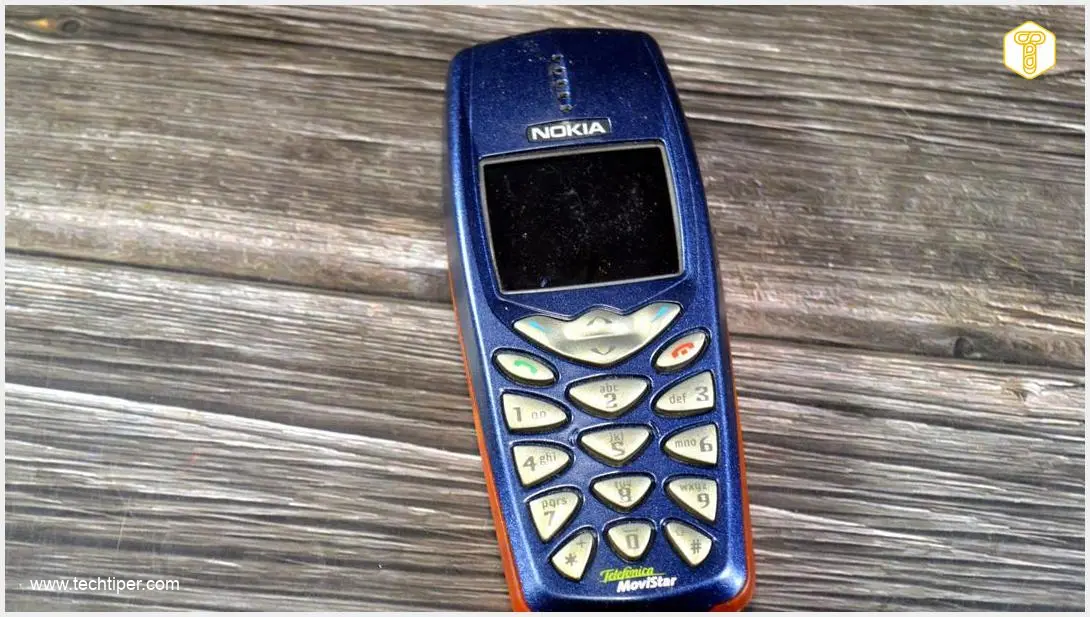
There is no denying that this upcoming feature brings a heavy wave of nostalgia. It bears a striking resemblance to the golden era of mobile phones, specifically the iconic Nokia 3510i. Back then, third-party accessories like flashing, glowing stickers would light up to signal an incoming call or text message. Google appears to be modernizing this very concept.
How Will Pixel Glow Work on Google Devices?
Is it too late to alter the hardware design of upcoming smartphones? Google clearly believes there is always room for innovation. The Pixel Glow feature is designed as a subtle, colorful LED light integrated into the back panel of the device. Its primary purpose is to keep users informed about important alerts without them needing to look at the screen.
Here is what users can expect from Pixel Glow:
- Face-Down Notifications: You will receive visual alerts even when your phone is resting screen-down on a desk.
- Color Customization: Users can assign specific colors to different apps or contacts.
- Visual Prioritization: For example, a purple light could indicate an urgent call from a family member, while a red light could represent a new banking transaction.
Will the Feature Debut on the Next Pixel?
The exact rollout timeline remains unconfirmed. It is currently unclear if this illuminating feature will be ready in time for the Google Pixel 11. Recent renders and design leaks of the upcoming flagship have not explicitly shown an additional LED lamp. However, industry experts suggest the light could be seamlessly integrated around the camera visor or directly into the Google logo positioned in the center of the device.
The Mysterious AluminiumOS Laptop
Beyond smartphones, the rumor mill has also shed light on an upcoming Google laptop. As previously reported earlier this year, the company is quietly working on a dedicated desktop version of the Android operating system, internally dubbed “AluminiumOS.”
Current expectations suggest that this new hardware will also utilize the Pixel Glow feature. Implementing this on a laptop makes perfect sense for two main reasons:
- It provides a highly visible and intuitive way to manage incoming notifications while working.
- It adds a sleek, modern, and visually appealing aesthetic to the laptop’s chassis.
Frequently Asked Questions (FAQ)
Will the Pixel Glow feature drain my smartphone’s battery quickly?
Modern LED technology is highly energy-efficient. While keeping a light continuously on would use some power, Pixel Glow is designed to pulse or flash only when specific notifications arrive. This targeted use means the impact on your overall battery life should be minimal, especially compared to waking up the entire display.
How does Google Pixel Glow compare to the Nothing Phone Glyph Interface?
While both concepts rely on rear-facing lights for notifications, the Nothing Phone’s Glyph Interface uses a large, intricate pattern of white LEDs across the entire back panel. In contrast, Google’s Pixel Glow is rumored to be a much more subtle, single-point or logo-based RGB light that focuses heavily on multi-color customization for different alerts.
Can I disable Pixel Glow if I do not want my phone to light up?
Yes. Just like any accessibility or notification feature within the Android operating system, users will have full control over Pixel Glow. You will be able to toggle the feature completely off, set it to “Do Not Disturb” schedules, or limit it to only specific high-priority applications.
Source: 9 to 5 Google & Opening photo: Tada Images / Adobe Stock
About Post Author
