

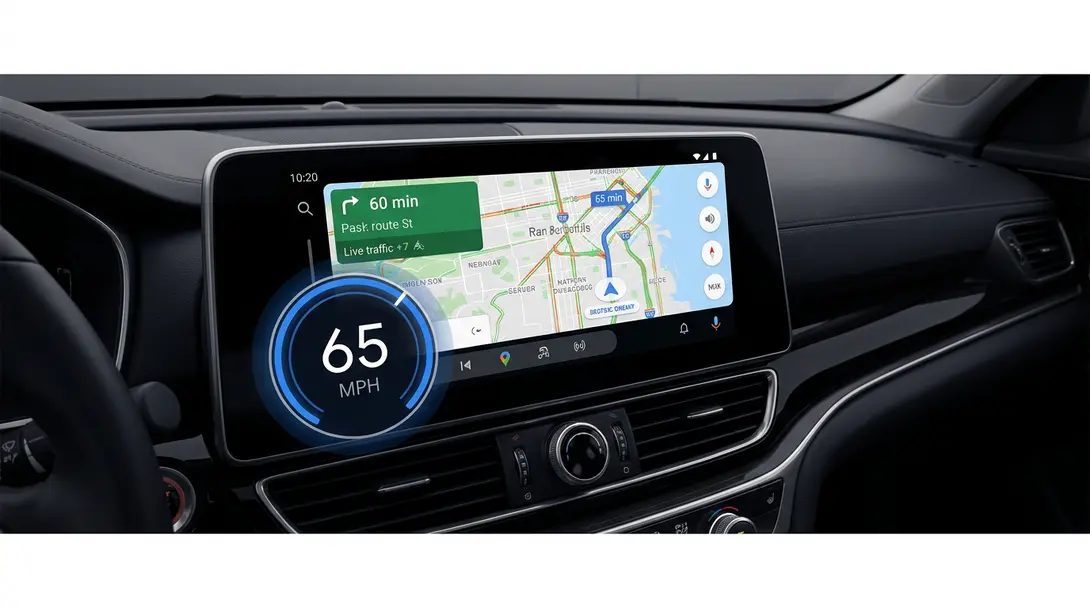
It’s hard to believe that Android Auto didn’t have this essential feature earlier, but it’s true! While the speedometer has been available in the smartphone version of the Google Maps application for some time, a similar solution is only now appearing in the car’s interface. Notably, users of the program are the first to report this significant new addition.
Contents
Google Maps in Android Auto Finally Gets a Speedometer Feature
Drivers using Android Auto have been eagerly anticipating a built-in speedometer within Google Maps. This crucial update is now rolling out, bringing real-time speed information directly to your car’s infotainment screen. This feature, which has long been a staple of the standalone Google Maps mobile app, enhances driving awareness and convenience, making navigation safer and more intuitive.
The Long-Awaited Speedometer Arrives
For years, Google Maps users on smartphones have benefited from a digital speedometer displayed prominently during navigation. This feature, which shows your current driving speed, is a simple yet powerful tool for staying within speed limits and maintaining awareness. Its absence from Android Auto has been a frequent point of discussion among users, making its arrival a welcome development.
Early reports from users across various regions confirm the speedometer’s integration. This suggests a broader rollout is underway, allowing more drivers to access this valuable tool directly within their car’s interface, reducing the need to glance at the car’s physical speedometer or a separate app.
How the Speedometer Enhances Your Drive
The speedometer in Google Maps for Android Auto appears seamlessly within the navigation view, offering a clear and immediate display of your current speed. This functionality brings several key benefits:
- Enhanced Safety: By providing real-time speed data directly within your line of sight on the navigation screen, it helps drivers monitor their speed more effectively, contributing to safer driving habits.
- Speed Limit Awareness: While not directly displaying speed limits (a separate feature in Google Maps), having your current speed clearly visible can help you more easily compare it against posted limits.
- Improved User Experience: It streamlines the driving experience, as vital information is centralized on one screen, reducing distractions.
This feature complements other advanced navigation tools, such as the Android Auto EV route planning, by providing a more comprehensive and informed driving environment.
Understanding the Rollout: Beta and Server-Side Updates
This new feature is being gradually rolled out, primarily through server-side updates, which means not all users will see it simultaneously, even if they have the latest app version. However, early adopters have already spotted it, particularly in the beta version of Google Maps.
- The speedometer was initially noticed in beta version 26.29.02.946673643 of Google Maps.
- Early sightings were reported in regions like Canada and India, indicating a potentially rapid and widespread global rollout.
How to Potentially Get the Speedometer Sooner
While Google controls server-side rollouts, you can increase your chances of accessing new features like the speedometer earlier by joining the Google Maps beta program:
- On your smartphone, open the Google Play Store.
- Search for “Google Maps.”
- Scroll down the app page until you find the “Join the beta program” panel.
- Tap “Join.”
- After a few minutes, the Google Maps app on your phone might update, potentially activating the speedometer feature in Android Auto during your next drive.
Remember that joining the beta program doesn’t guarantee immediate access, as the feature is still subject to server-side activation.

The Future of Android Auto and Google Maps
The addition of the speedometer reflects Google’s continuous commitment to enhancing the driving experience within Android Auto. These incremental updates, alongside major advancements like new Google Maps AI Immersive View updates, demonstrate Google’s efforts to provide more intelligent, helpful, and integrated navigation solutions for drivers worldwide.
Keep an eye on your Android Auto display during your next trip to see if this handy speedometer has made its way to your vehicle. This small but impactful feature is set to make a big difference in how drivers interact with their navigation systems.
Frequently Asked Questions (FAQ)
Google Maps in Android Auto is now rolling out a built-in digital speedometer, displaying your real-time driving speed directly on the navigation screen.
The feature is rolling out via server-side updates. To potentially get it sooner, you can join the Google Maps beta program through the Google Play Store on your smartphone. Search for “Google Maps,” scroll to “Join the beta program,” and tap “Join.”
The Google Maps speedometer uses GPS data, which is generally accurate. However, it’s always recommended to cross-reference with your vehicle’s physical speedometer and posted speed limits for the most reliable information. It should be used as a helpful guide rather than a definitive legal speed indicator.
While Google hasn’t provided an official reason, the development and integration of features into complex car infotainment systems like Android Auto can be a lengthy process, often involving extensive testing and phased rollouts to ensure stability and compatibility across a wide range of vehicles.
Source: 9to5Google. Opening photo: Gemini
About Post Author
