

Contents
What Most Attenuates Wi-Fi Signal: Invisible Obstacles for Your Router
Poor home Wi-Fi performance often stems from surprising sources that aren’t immediately obvious. It’s not just thick or reinforced walls that weaken your signal. Radio waves in the 2.4 GHz, 5 GHz, and even 6 GHz bands interact differently with their environment. By understanding these interactions and making minor adjustments to your router’s location, you can achieve a more stable and faster connection without investing in expensive new equipment.
How Wi-Fi Works: Radio Waves in Your Home
Wi-Fi operates on unlicensed radio bands, primarily 2.4 GHz and 5 GHz, with newer standards also utilizing 6 GHz. While these waves travel exceptionally well through the air, they behave very differently when encountering physical obstacles. As a form of electromagnetic radiation, Wi-Fi signals can be absorbed, reflected, or scattered by various materials found in homes – from concrete and glass to water and metal.
The rate at which a signal loses strength is often measured in decibels (dB). For instance, a standard, thin plasterboard wall can reduce a signal by a few decibels, while a monolithic reinforced concrete slab might attenuate it by over 20 dB. In practical terms, this can shrink the effective range of your Wi-Fi signal to just a fraction of what it would be in open space. Consequently, even a high-quality router placed in an unfavorable spot might underperform compared to a cheaper device with better signal propagation conditions.
Microwave Conflict in the 2.4 GHz Band
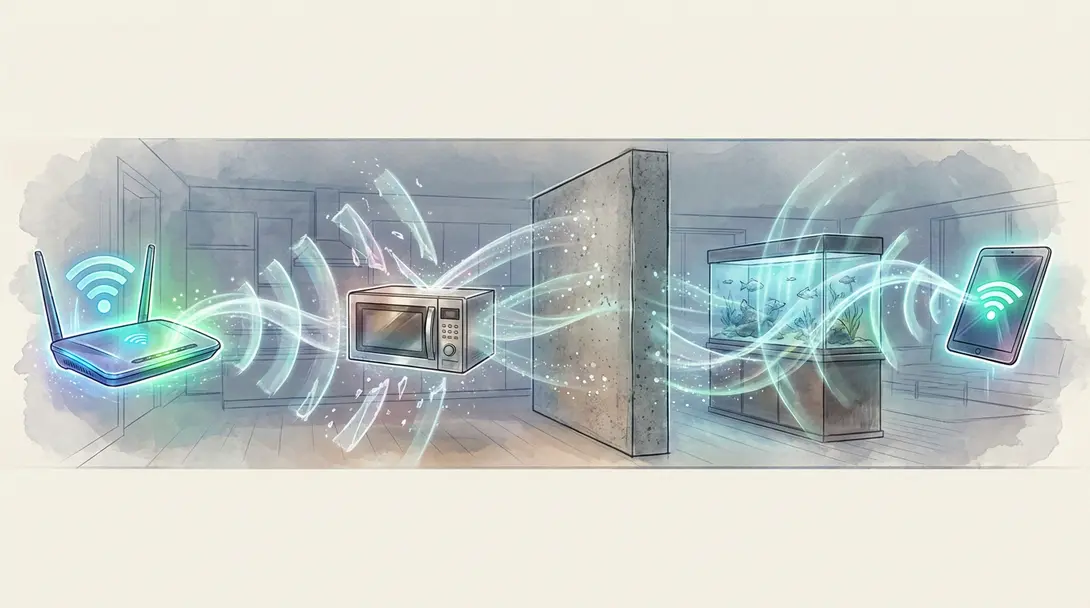
Kitchen microwave ovens heat food by emitting waves at approximately 2.45 GHz – a frequency very close to that used by classic 2.4 GHz Wi-Fi. Although the oven’s metal chamber is designed to contain these emissions, even minor leaks of radio radiation, which are safe for humans, can significantly degrade network throughput. This can manifest as slow webpage loading or temporary disconnections.
Studies and measurements indicate that within a few feet of an active microwave, Wi-Fi throughput can drop by as much as 90%. This effect can still be felt several meters away, particularly when using higher channels in the 2.4 GHz band. Solutions include moving your router as far away from the kitchen as possible, changing your Wi-Fi broadcast channel, or switching to the 5 GHz band, which does not overlap with microwave operating frequencies.
Aquariums: Where Your Signal “Drowns”
Water is one of the most effective absorbers of 2.4 GHz radio waves. Water molecules readily “capture” the energy of these waves and convert it into heat. Experiments with 2.4 GHz transmission in fresh water show that attenuation increases rapidly with distance, with the signal losing most of its power within just a few meters.
In practice, a large aquarium positioned between your router and a device like a laptop acts as a significant barrier. The signal is attenuated, creating a “radio shadow” – a dead zone with noticeably poorer connection quality. Similar, though usually weaker, effects can be caused by other massive objects containing water, or even the presence of many people in a single room, as the human body is largely composed of water.
Mirrors, Metal, and Signal Reflections
Radio is a form of “invisible light.” Just as light reflects off mirrors and metal surfaces, Wi-Fi waves can bounce off them or be partially absorbed. Large mirrors with metallic backing, thick steel doors, or sheet metal structures can create areas where the signal reflects in unpredictable ways, leading to interference and sometimes creating “dead spots” in coverage.
Conversely, aluminum or other metallic elements can be utilized strategically. Researchers at Dartmouth demonstrated that a properly shaped reflector covered with aluminum foil can “redirect” Wi-Fi in a desired direction, improving coverage in a specific room. This concept can even be explored for boosting Wi-Fi signals using creative DIY solutions.

Walls Are Not Created Equal
The most obvious enemies of Wi-Fi in homes are walls and ceilings. Different materials have varying degrees of “transparency” to radio waves. Lightweight wooden partitions or thin plasterboard walls weaken the signal moderately, while massive load-bearing walls, reinforced concrete, and thick floors can dramatically reduce range.
Typical Obstacles and Signal Attenuation
Understanding how common building materials impact your Wi-Fi signal is crucial for optimal placement. Here’s a general guide to signal attenuation (loss in dB) for 2.4 GHz and 5 GHz bands:
- Standard Brick Wall (120mm): 2.4 GHz: ~10 dB, 5 GHz: ~15 dB
- Thick Brick Wall (240mm): 2.4 GHz: ~15 dB, 5 GHz: ~25 dB
- Concrete (240mm): 2.4 GHz: ~25 dB, 5 GHz: ~30 dB
- Plasterboard (8mm): 2.4 GHz: ~3 dB, 5 GHz: ~4 dB
- Foam Materials (8mm): 2.4 GHz: ~3 dB, 5 GHz: ~4 dB
- Hollow Wood (20mm): 2.4 GHz: ~2 dB, 5 GHz: ~3 dB
- Standard Wooden Door (40mm): 2.4 GHz: ~3 dB, 5 GHz: ~4 dB
- Solid Wood Door (40mm): 2.4 GHz: ~10 dB, 5 GHz: ~15 dB
- Common Glass (8mm): 2.4 GHz: ~4 dB, 5 GHz: ~7 dB
- Thick Glass (12mm): 2.4 GHz: ~8 dB, 5 GHz: ~10 dB
- Armored Glass (30mm): 2.4 GHz: ~25 dB, 5 GHz: ~35 dB
- Load-Bearing Column (500mm): 2.4 GHz: ~25 dB, 5 GHz: ~30 dB
- Louvered Doors (10mm): 2.4 GHz: ~10 dB, 5 GHz: ~15 dB
- Steel-Clad Sandwich Panel (80mm): 2.4 GHz: ~30 dB, 5 GHz: ~35 dB
- Elevator Shaft (80mm): 2.4 GHz: ~30 dB, 5 GHz: ~35 dB
- Shelf (80mm): 2.4 GHz: ~15 dB, 5 GHz: ~20 dB
- Insulation Barrier (simulating signal isolation – 1000mm): 2.4 GHz: ~100 dB, 5 GHz: ~100 dB
While lightweight plasterboard and aerated concrete pose minor challenges for Wi-Fi, old massive solid brick walls or reinforced concrete load-bearing walls are significant signal killers.
Additional structural elements, such as rebar in concrete, vapor barriers, shielding paints, or plastering meshes, can dramatically alter Wi-Fi propagation. They both attenuate and reflect waves, generating a complex pattern of reflections and interference. This often leads to typical “holes” in coverage where the signal suddenly disappears in a specific corner of an apartment. This explains why in buildings with heavy concrete construction, additional access points or mesh systems are often required to provide uniform signal coverage in all rooms.
How to Position Your Router to Avoid Problems
Optimizing your router’s position to shorten the signal path to your devices and minimize obstacles is a highly effective way to improve your Wi-Fi. Ideally, place your router centrally within your living space, as high as possible, and away from kitchens, large aquariums, massive load-bearing walls, and reflective surfaces like mirrors.
In larger homes and buildings, signal boosters or Wi-Fi mesh systems are highly recommended. These systems distribute network traffic across multiple access points, helping to “bypass” problematic structural elements and ensure consistent coverage. Additionally, switching some devices to the 5 GHz or 6 GHz band (with Wi-Fi 6E) can reduce interference from microwaves and other 2.4 GHz devices. Be aware, however, that these higher frequencies typically offer a slightly smaller range compared to 2.4 GHz.
Frequently Asked Questions (FAQ)
Microwave ovens operate at a frequency very close to the 2.4 GHz Wi-Fi band (around 2.45 GHz). Even with the oven’s shielding, minor radio wave leaks can cause significant interference, leading to slower speeds or temporary disconnections on your 2.4 GHz Wi-Fi network. Switching to the 5 GHz band or moving your router away from the kitchen can help mitigate this.
Yes, water is a highly effective absorber of 2.4 GHz radio waves. Large bodies of water, such as those found in aquariums or even large water heaters, can significantly attenuate your Wi-Fi signal, creating “dead zones” or areas of very poor connectivity. It’s best to keep your router away from such objects to ensure optimal signal propagation.
Router placement can make a substantial difference, often more significant than upgrading hardware, especially in challenging environments. A powerful router placed poorly (e.g., behind thick concrete walls, near interference sources) will still struggle. Conversely, a well-placed, even moderately powerful router, positioned centrally and clear of major obstacles, can provide a much more stable and faster connection by minimizing signal attenuation and interference. Optimizing placement is a cost-effective first step before considering new equipment.
Source: Various industry reports and networking resources. Opening photo: Gemini
About Post Author
