

Contents
Experience Real-Time Timers: Google Clock App Gets a Major Visual Refresh
The Google Clock application has recently received a significant update, subtly transforming how active timers are displayed across your smartphone’s interface. This change, rolling out from Mountain View, focuses on enhancing user interaction and visual feedback for ongoing timers.
What’s New: Live Updates for Google Clock Timers
The latest iteration of the Google Clock app now fully supports Live Updates, a system-level feature available on devices running Android 16 and later. This functionality is designed to deliver more dynamic and interactive notifications and icons, particularly at the top of your screen.
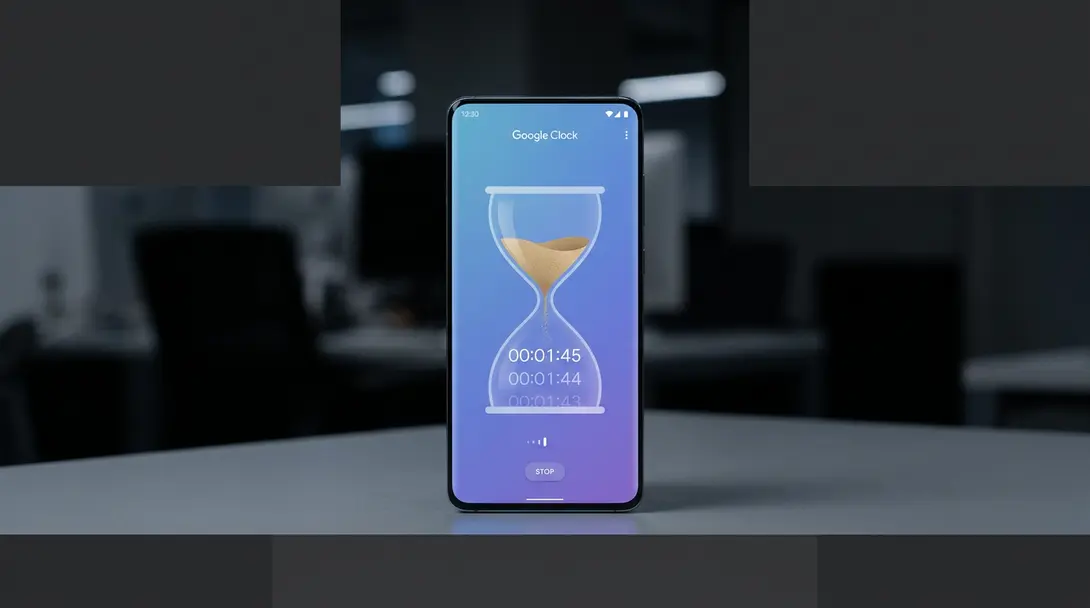
Previously, users would typically see a static hourglass icon in the notification panel when a timer was active. With Live Updates, this has evolved significantly:
- Dynamic Hourglass Icon: Instead of a static image, you’ll now observe a live hourglass icon with the elapsed time actively updating alongside it in your notification panel.
- Interactive Timer Panel: Tapping on this dynamic hourglass icon will now expand a dedicated panel at the top of your screen. This expanded view provides clear visibility of the remaining time and offers quick controls to either loop the timer (for a stopwatch function) or add more time (for a countdown timer).
This enhanced visual feedback ensures you’re always aware of your timer’s progress at a glance, making it more convenient and user-friendly. For more on advanced Android features, check out how Google Pixel Transit Mode is shaping up in Android 16.
Seamless Integration with Always-On Display
Beyond the home screen and notification panel, this update also brings real-time timer progression to your Always-On Display (AOD). This means that even when your phone screen is technically “off,” you’ll see the timer actively counting down or up, rather than just a frozen timestamp. This continuous update on the AOD is a subtle yet powerful improvement for users who rely on timers throughout their day.
Interestingly, this significant enhancement is being implemented as a server-side rollout. This means you won’t need to manually update your Google Clock application through the Play Store. The new features will simply become available on your device as Google pushes them out. This seamless update process ensures that all eligible users can benefit from the new functionality without any effort.
Keep an eye out for other innovative features like Android 17’s priority charging, as Android continues to evolve its user experience.
Frequently Asked Questions (FAQ)
Live Updates are a new system feature, primarily for Android 16 and later, that allows app icons and notifications to display real-time, dynamic information. For the Google Clock app, this means timers will show active progress on the home screen, notification panel, and Always-On Display, rather than just static information.
No, you do not. This update is being rolled out server-side by Google. This means the new features will automatically appear on your device when they are made available to your region, without requiring you to download a new version of the Google Clock app from the Play Store.

The “Live Updates” feature, which powers these new dynamic timer visuals, is a system feature supported on Android 16 and newer versions. Therefore, your device will need to be running Android 16 or a later version to fully experience these enhancements in the Google Clock app.
Source: Android Authority
Opening photo: Jolanta Szczepaniak
About Post Author
