

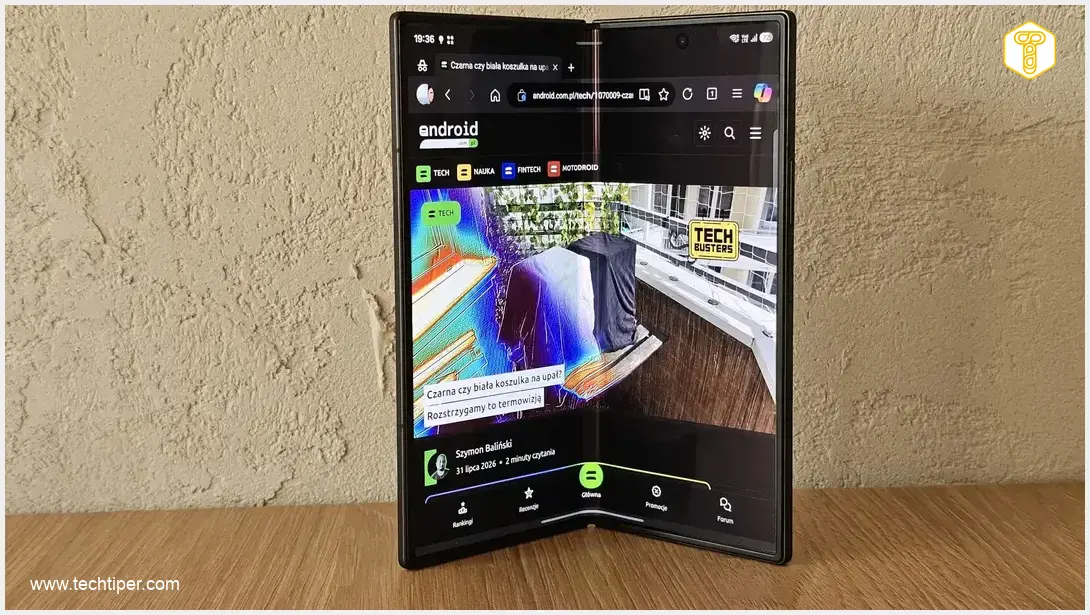
Samsung Galaxy Z Fold8 Ultra Review
-
Multitasking Capabilities
-
Workflow Efficiency
-
One UI 9 Optimization
-
Leisure & Content Consumption
-
Adaptability & Freedom
Redefining Productivity and Flexibility
The Samsung Galaxy Z Fold8 Ultra transforms the smartphone into a powerful, portable computer. Its expansive screen, advanced multitasking capabilities, and optimized One UI 9 enable unprecedented workflow efficiency and immersive content consumption. It offers unparalleled adaptability, seamlessly transitioning between work and leisure, making it an indispensable tool for a demanding daily routine.
Advantages
- Expansive workspace and large screen for enhanced productivity
- Seamless multitasking with up to three applications simultaneously
- Acts as a compact, portable computer, reducing reliance on laptops
- Highly efficient for professional tasks like email, Excel, and data analysis
- One UI 9 meticulously designed for foldable devices, offering a modular and refined interface
- Desktop-like taskbar and intuitive window management
- Immersive content consumption experience for social media, videos, and articles
- Enhanced readability for comfortable news browsing and long-form articles
- Excellent for mobile gaming, with clearer visuals and simultaneous communication
- Unparalleled adaptability with Flex Mode and various usage configurations
- Robust mobile equivalent of Excel, genuinely usable for serious work
Disadvantages
- May not fully replace a dedicated laptop for all intensive computing or complex software tasks
Contents
Unleashing Productivity: Why the Samsung Galaxy Z Fold8 Ultra Redefines My Workflow
The Samsung Galaxy Z Fold8 Ultra is more than just a smartphone; it’s a device that fundamentally shifts from being a mere phone to functioning like a compact, portable computer. Its expansive workspace delivers a level of productivity and flexibility that I never experienced with my previous devices, including the Galaxy S23 Ultra, and certainly wouldn’t anticipate from a future Galaxy S26 Ultra. In my demanding, multi-threaded, and often chaotic daily routine, the Fold8 Ultra not only keeps pace but actually provides a sense of relief, making it significantly easier to consume and manage all types of content.
The Galaxy Z Fold8 Ultra: Perfectly Tailored to My Demands
Multitasking Finally Makes Sense
One of the primary areas where the Galaxy Z Fold8 Ultra truly excels is multitasking. When opened, its large screen acts as a natural extension of my laptop. I can simultaneously engage in a chat conversation, analyze a PDF document, and keep an eye on a data spreadsheet without feeling cramped, uncomfortable, or forced into an awkward layout. This seamless experience is a stark contrast to traditional smartphones.
The ability to drag and drop windows, rapidly split the screen, work across three applications at once, and switch between them in an instant makes this phone feel akin to a desktop operating system like Windows 11. It’s no longer just “multitasking on a phone”; it’s a full-fledged, multi-window work environment that was once exclusively the domain of laptops. This capability also proves invaluable during gaming sessions, such as playing Teamfight Tactics (TFT), where I can keep communication apps open on the side and respond to friends without missing any in-game action. This integration showcases a new era for mobile device capabilities. For more insights into foldable technology, you might find this article interesting: Galaxy Z Fold8 Specifications Leak: Samsung Prepares Response to Foldable iPhone.
Workflow on Steroids
Multitasking is intrinsically linked to my workflow. For professional use, the Galaxy Z Fold8 Ultra becomes an indispensable tool that keeps me current and connected, even when I’m away from my desk. My workflow, which often revolves around emails, Excel spreadsheets, and data analysis, operates with surprising fluidity on this device. There have been numerous occasions when I’ve received an urgent email on the go, requiring a quick review of an Excel file. On a standard smartphone screen, this can be a truly painful experience, especially with complex tables.
It gets even worse when I need to make urgent corrections! This is precisely where the internal screen comes to the rescue, rendering everything perfectly visible. The large screen is also incredibly useful for technical analysis, where I can clearly see every line, Japanese candlestick, or indicator without having to strain or manipulate a smaller display.
Furthermore, the aforementioned multitasking features significantly streamline my work organization. I can read an email, compose a reply, and simultaneously view an attached spreadsheet—all without the infuriating cycle of constantly minimizing and maximizing applications.
On the Fold, Excel isn’t a mere approximation of its desktop counterpart; it’s a robust mobile equivalent that is genuinely usable for serious work. I no longer need to pack my laptop for weekend trips, worrying about making quick changes in Microsoft 365. The Galaxy Z Fold8 Ultra truly is an excellent “computer” for travel.

One UI 9 Unleashes Its Power on the Galaxy Z Fold8 Ultra
A massive role in this entire experience is played by One UI 9, which has been meticulously designed with foldable devices in mind. On the Fold’s expansive screen, the user interface reaches an entirely new level. The interface isn’t merely enlarged; it’s thoughtfully designed, modular, and refined to fully leverage the large working area. Applications behave like true windows, dynamically adapting their elements to the screen’s size, and multitasking gestures operate with intuitive precision. For a deeper dive into the software innovations, explore What is New in One UI 9: Multi-Window AI Cross-Device.
This environment doesn’t try to mimic a tablet UI; instead, it forges its own category—a hybrid of a phone, tablet, and computer, where everything is at your fingertips without feeling overwhelming. One UI 9 on the Fold is a prime example of how software should be developed for foldable devices.
For instance, I must commend the taskbar at the bottom of the screen, which strongly reminds me of those found on desktop operating systems (like macOS or Windows 11). Opening additional windows is intuitive and fluid: simply drag an application to the appropriate edge or corner of the screen. What’s more, frequently used application combinations can even be saved with a star icon for quick access. All icons are intuitively designed, making navigation through the interface effortlessly smooth.
Leisure Time: Immersive Content Consumption
It’s important to note that the Galaxy Z Fold8 Ultra isn’t solely a workhorse. During my downtime, I transition to consuming content, and that’s when the unfolded screen truly shines. Social media feeds look dramatically different here—photos are larger, videos are more engaging, and scrolling becomes an enjoyable experience that doesn’t cause eye strain.
Technology websites, news portals, and long-form articles all benefit significantly from the enhanced readability. Text and images are given ample space, making even casual news browsing more comfortable. Applications that feel cramped on a classic smartphone feel much more expansive and complete on the Fold’s display.
Gaming is also transformed. My favorite game, Teamfight Tactics, looks and feels like playing on a tablet. Characters are clearer, and battles are visually more pleasing. As mentioned in the multitasking section, I can even perform other activities simultaneously while gaming, adding another layer of convenience.
Complete Freedom and Adaptability
The final aspect I appreciate most is the unparalleled mobile freedom it offers. The Galaxy Z Fold8 Ultra is a device that adapts to my needs. I can fold it for a classic phone experience, unfold it when I need to work, prop it up in Flex Mode for watching videos, or even use it like a miniature laptop for a quick work session (though I’m considering adding a foldable physical keyboard for this!).
This device doesn’t dictate how I should use it; instead, it grants me complete autonomy. In a world where technology often demands that I adjust to its limitations, the Galaxy Z Fold8 Ultra does the opposite—it adapts to my specific requirements.
Frequently Asked Questions (FAQ)
While the Galaxy Z Fold8 Ultra offers significant productivity enhancements, especially with its robust multitasking and optimized One UI 9, it is best described as an excellent portable companion for many professional tasks rather than a full laptop replacement. It excels at on-the-go email management, spreadsheet review, and document analysis, but for intensive computing or complex software, a dedicated laptop might still be preferred. However, for many users, it can significantly reduce the need to carry a laptop for everyday work tasks.
One UI 9 on the Galaxy Z Fold8 Ultra is designed from the ground up for foldable screens, moving beyond just enlarging a standard tablet interface. It provides a modular and adaptive environment where applications behave like true windows, optimizing their elements for the large display. Key improvements include intuitive multitasking gestures, a desktop-like taskbar, fluid window management (like dragging apps to screen edges to split), and the ability to save application combinations, all contributing to a seamless and highly productive user experience unique to foldable form factors.
The Galaxy Z Fold8 Ultra offers a remarkably balanced experience. While its productivity features are a major highlight, transforming it into a “portable computer” for work, it equally excels in leisure and content consumption. The large inner screen enhances social media browsing, makes videos more engaging, improves the readability of articles, and significantly upgrades the mobile gaming experience, making it a versatile device for both professional and personal use.
Source: Original work. Opening photo: Adam Lulek
About Post Author
