

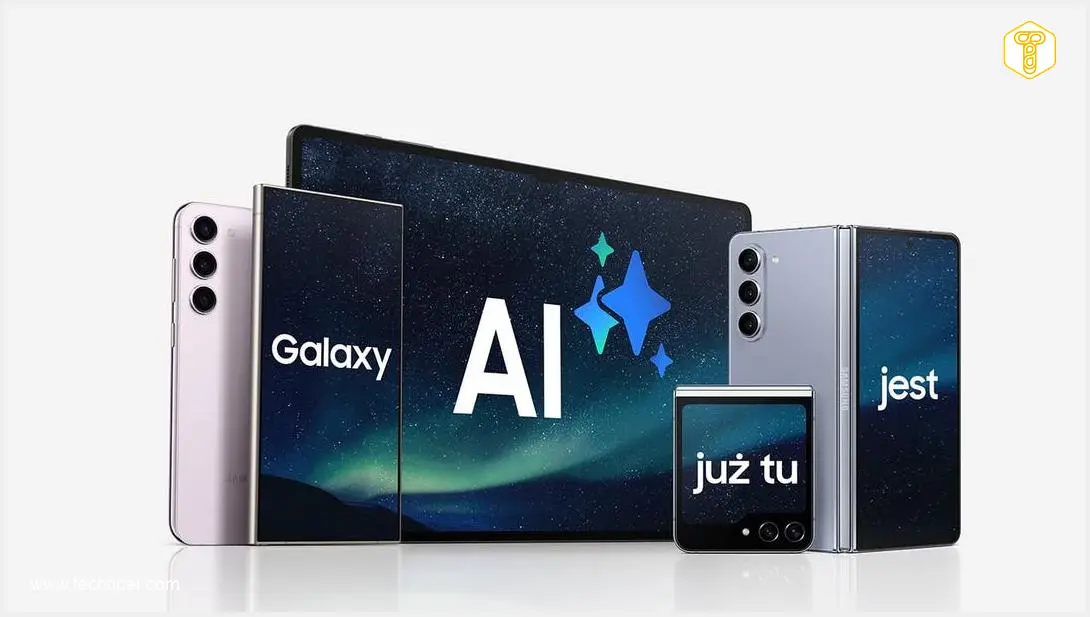
Galaxy AI in One UI 9 Review
-
Overall AI Effectiveness
-
Photo Assistant Utility
-
Now Brief Organization
-
Now Nudge Functionality
-
Application Assistants Relevance
-
Call & Writing Assistants Necessity
Galaxy AI in One UI 9: More Hype Than Help
Galaxy AI in One UI 9, despite Samsung’s promises, largely falls short of delivering practical, integrated enhancements. Many features feel like marketing gimmicks or bloatware, lack refinement, or address problems the user doesn’t have, making the overall experience disappointing and more about unfulfilled potential than actual utility.
Advantages
- Some features (Now Brief, Now Nudge) show genuine potential for future improvement.
- The concept of contextual AI (Now Nudge) is promising for streamlining workflows.
- Photo Assistant offers visually impressive tricks (though limited practical use for reviewer).
Disadvantages
- Many features are marketing-driven rather than addressing real user needs.
- AI largely resides in settings, not autonomously assisting in the background.
- Photo Assistant is a novelty, quickly forgotten, and functions like a basic filter.
- Now Brief is chaotic, inconsistent, unprioritized, and often repetitive.
- Now Nudge is largely non-functional in many regions and didn’t live up to expectations.
- Application Assistants don’t integrate with established user workflows (e.g., preference for Microsoft OneNote/Edge).
- Call and Writing Assistants are perceived as solutions to problems the reviewer doesn’t have.
- Many remaining features feel like bloatware or unnecessary clutter.
- Overall Galaxy AI requires significant refinement and improvement.
Contents
Galaxy AI in One UI 9: Still More Hype Than Help
One UI 9 was anticipated to be the pivotal moment when Galaxy AI would transcend beyond a mere slogan, evolving into a genuinely useful tool. Samsung had promised that these features were no longer just “showy presentation trinkets” but a comprehensive suite of enhancements designed to seamlessly integrate into users’ lives and fundamentally change how they interact with their smartphones. However, after two weeks of extensively using the Galaxy Z Fold8 Ultra with One UI 9, my experience suggests the opposite.
Galaxy AI: Marketing Over Functionality
Time and again, with nearly every One UI update, new functionalities are added to the Galaxy AI suite. Yet, as I review them, I genuinely question their practical relevance in my daily routine. It consistently feels as though these features are designed primarily for marketing appeal rather than addressing real user needs.
Theoretically, One UI 9 is packed with Galaxy AI capabilities. However, in my observation, artificial intelligence predominantly resides within the settings menus, rather than autonomously working in the background to assist me. While Samsung endeavors to convince users that this represents the future of mobile technology, I still perceive it more as a showcase of technological prowess than a collection of tools that genuinely enhance my day-to-day smartphone experience. For more on general One UI 9 features, you might want to check out what’s new in One UI 9, including multi-window and cross-device AI capabilities.
Photo Assistant: A Novelty, Not a Necessity
The Photo Assistant stands out as a prime example. It was introduced as Samsung’s answer to the escalating expectations for mobile photography, at least in theory. I also get the impression that this feature has been heavily promoted by Samsung across several updates. In practice, however, it functions more like a collection of additional, seemingly impressive tricks.
Features such as object removal, re-positioning elements within a frame, or generating missing parts of an image look spectacular in promotional materials. Yet, in everyday use, it feels akin to applying a filter in a photo editing application. I might open it once out of curiosity to see how it works, but then I quickly forget it exists.
In my personal photography workflow, the Galaxy Z Fold 8 Ultra continues to impress with its natural image quality and stability without needing these AI enhancements. The ability to “draw in” a missing section of a sidewalk after the fact holds little appeal for me.
Now Brief: Potential Drowned in Disorganization
Another “loudly” advertised Galaxy AI feature is Now Brief, which aims to summarize your day or inform you about upcoming plans. Here, I see genuine potential — but it’s potential currently obscured by layers of informational clutter.

While the briefing can display genuinely useful information, it does so in a chaotic, inconsistent, and unprioritized manner. For instance, I frequently receive two summaries of my daily activity, often due to having a custom tile enabled while the automatic one also appears — a situation I find rather absurd.
Samsung attempts to create an intelligent panel that supposedly understands my daily rhythm. However, as it stands, it feels more like a repetitive stream of the same data (a collection of photos, activity summaries, weather forecasts) rather than a thoughtfully curated narrative. I genuinely believe in the direction this feature is heading, but One UI 9 clearly indicates that this is merely the beginning of its journey, not a fully refined tool.
Now Nudge: A Promising Concept, Limited Execution
When I first encountered the announcements for Now Nudge, my immediate thought was, “This is going to be fantastic!” Unfortunately, Now Nudge is currently a Galaxy AI feature that is largely non-functional in many regions, making it difficult to assess its true value.
In theory, it’s designed to be an intelligent, context-aware assistant that responds to user actions and suggests subsequent steps. In practice, it remains more of a promise that Samsung has yet to fully deliver upon. Promotional materials depict a device that understands user intentions and helps them act more quickly. However, over two weeks of usage, I managed to activate this feature a maximum of five times, and only then when filling out forms.
This has been an absolute disappointment, as it didn’t live up to expectations. Despite this, I still see immense potential here, as well-designed contextual prompts could genuinely streamline workflows and enhance user productivity. Another interesting development that could improve cross-device interaction is the Samsung One UI 9 NameDrop feature, inspired by Android 17 capabilities.
Application Assistants: A Niche Integration
The next set of features includes Note Assistant and Browsing Assistant, integrated into Samsung Notes and its default internet browser. The South Korean tech giant promotes these as essential tools for productive users. The core issue for me, however, is that I do not use the applications they support, as my workflow has been established differently for years. I prefer Microsoft OneNote for note-taking, which I consider a superior program for such tasks, and I use Microsoft Edge for web browsing.
This isn’t a critique of their functionality; it’s simply that they are not integrated into the ecosystem I have long used and intend to continue using. Therefore, these assistants, while potentially useful for others, do not serve my specific needs.
Call and Writing Assistants: Solutions Without Problems
A similar situation arises with the Call Assistant and Writing Assistant. Samsung seems to presume that I desire AI to essentially answer my calls or suggest how I should compose messages. However, I have no need for my phone to interfere in any way during my conversations. If I don’t wish to speak, I simply don’t answer the phone. And when I write a message, I do so consciously and deliberately, as communication is integral to my work. Furthermore, I don’t require live translation capabilities as I don’t frequently communicate with non-English speaking contacts.
Consequently, the Call Assistant and Writing Assistant strike me as tools designed to solve problems that I simply do not have.
The Remaining Galaxy AI Features: Unnecessary Clutter
To be frank, the majority of the remaining Galaxy AI features feel like bloatware or unnecessary clutter on the device. Take, for instance, My FanCam, which focuses on recording videos of a single person, or the noise reduction feature for videos. As someone who isn’t keen on recording videos, these features offer no practical value to me. Similarly, I don’t utilize notification sorting, primarily because I don’t receive hundreds of messages from various communication apps daily.
The weather wallpaper, another feature, might evoke nostalgia for users of older HTC smartphones (though I, having owned an HTC Sensation, certainly don’t miss it). Thus, at present, Galaxy AI largely presents itself as a collection of marginally useful bloatware that requires years of refinement. Someone needs to challenge Samsung on this front. Despite the fact that the Korean manufacturer produces excellent One UI software, in my opinion, their implementation of artificial intelligence still has significant room for improvement.
Frequently Asked Questions (FAQ)
Galaxy AI refers to a suite of artificial intelligence features integrated into Samsung’s One UI operating system, with One UI 9 being a specific iteration. These features are designed to enhance various aspects of smartphone usage, from photography and communication to daily organization and productivity.
Many users, including the author of this review, find Galaxy AI in One UI 9 disappointing because many of its features are perceived as more marketing-driven than genuinely useful. Issues include features that are niche, don’t integrate well with existing user workflows, are buggy (like Now Nudge in some regions), or solve problems that the user doesn’t have, leading them to feel like bloatware rather than essential tools.
Yes, some features like Now Brief and Now Nudge (in concept) are acknowledged to have significant potential. If refined to be more consistent, less chaotic, and fully functional across all regions, these AI tools could genuinely improve daily smartphone interaction and productivity. However, in One UI 9, they are seen as early-stage developments rather than fully realized solutions.
Absolutely. Many users, like the reviewer, prefer third-party applications for specific tasks. For example, instead of Samsung Notes, some opt for Microsoft OneNote for its robust features and cross-platform compatibility. Similarly, users might choose Google Chrome, Microsoft Edge, or other browsers over Samsung’s default internet browser. The effectiveness of built-in AI features often depends on a user’s established ecosystem and preferences.
Source: Self-developed. Opening photo: Samsung / press materials
About Post Author
