

Contents

iOS 27 and macOS 27 Unveiled: Apple Accelerates Performance and Refines Liquid Glass
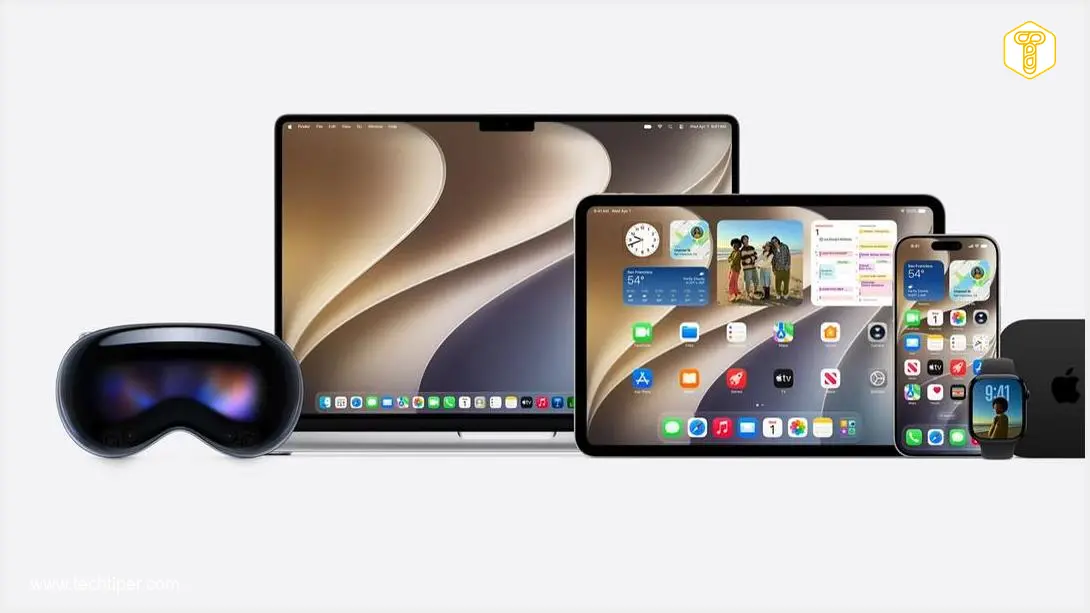
At WWDC 2026, Apple pulled back the curtain on its latest operating systems, iOS 27 and macOS 27 Golden Gate – yes, that’s the official system name. Unlike previous years that often focused on flashy new features, these updates prioritize fundamental improvements: significant acceleration of device performance and meticulous refinement of the often-debated Liquid Glass interface.

Apple’s strategy this year places a strong emphasis on “polishing” its existing systems rather than introducing dozens of new functionalities. This dedication extends to the core foundations of both operating systems, from CPU management to interface rendering, all aimed at enhancing the responsiveness and overall usability of iOS and macOS for a smoother, more intuitive user experience.
Refinements to the Liquid Glass Interface
Apple has significantly focused on improving the legibility and ergonomics of the Liquid Glass interface. This interface, which received mixed reactions in its previous iteration (as discussed in detail in reports like Apple Liquid Glass Accessibility Issues in iOS 26), has undergone a thorough overhaul based on extensive user feedback.
Key areas of improvement include the handling of transparencies, shadows, and how the signature “glass effect” behaves across various elements of the user interface. Apple has meticulously re-evaluated these aspects to ensure a more coherent and visually pleasing experience.
Further enhancements include:
- New sidebars in applications now extend gracefully to the edges of the window.
- The Liquid Glass refraction effect seamlessly “flows” beneath these sidebars, intelligently preserving the vibrancy of colorful icons.
- Users are now empowered with a new slider, offering granular control over transparency levels – from a nearly opaque appearance to fully transparent.
Building on efforts from the previous year, Apple continues to unify app icons. With macOS 27, this initiative goes a step further, integrating additional layers of Liquid Glass directly into the icon artwork. This ensures a more cohesive and consistent visual identity across all Apple platforms.
Under-the-Hood Performance and Optimization
Apple’s firm stance on “polish over features” translates into significant optimizations across CPU, memory, rendering, and network performance. These aren’t just minor tweaks; they represent fundamental improvements designed to make every interaction faster and more fluid.
Among the notable changes are:
- Smarter switching capabilities between Wi-Fi and cellular networks, ensuring more reliable and seamless connectivity.
- Key improvements to iMessage: large photo transfers should no longer block entire conversations, even if the upload is slow or fails.
A major common denominator across both platforms is a completely rebuilt search experience. Apple states that a new resource indexing infrastructure dramatically speeds up and unifies search results across Spotlight, the Photos app, and Mail. This enhanced intelligence is a testament to broader advancements, including those seen in Apple’s WWDC 2026 AI Breakthroughs, making content discovery more efficient than ever.
Faster File Management on iPad
Among the “smaller, yet significant” new features is dramatically faster browsing and transfer of files from the Files app on iPad to external drives. This operation is now reportedly up to five times faster, bringing its performance closer to that of Finder on a Mac.
Cross-Platform Collaboration
Apple has also introduced several new features designed to improve interoperability with other platforms. These include:
- The ability for friends using Android and Windows devices to participate in shared photo albums, with full-resolution image support.
- New options within the Health app, fostering a more connected health ecosystem.
Enhanced Parental Controls for the Digital Age
Apple is significantly evolving its Child Account concept, making it applicable not just for creating new profiles but also for converting existing user accounts into child accounts. This eliminates the need for parents to configure everything from scratch, simplifying the setup process.
Building upon the Child Account framework, Apple is introducing a comprehensive suite of tools designed to address parents’ most common concerns:
- What content their children see.
- With whom their children interact.
- When their children can access devices.
Apple aims to provide step-by-step guidance for parents navigating the digital world, incorporating recommendations from experts such as the American Academy of Pediatrics.
New options empower parents to:
- Set time limits for categories like games, entertainment, and social media.
- Create customized schedules for app availability (e.g., different rules during school hours versus evenings).
- Add trusted adults, such as grandparents, to the care system, allowing them to participate in managing child device usage.
The “Ask to Buy” mechanisms are also being expanded to include “Ask to Browse Website.” This feature allows a child to request parental permission to access a specific website directly through Messages. Furthermore, content filtering is being broadened beyond just nudity to include protection against violence, offering a more comprehensive safeguard for younger users.
iOS 27 Compatibility: Which iPhones are Supported?
Apple proudly states that iOS 27 launches applications up to 30% faster, encompassing both system-level apps and third-party programs. New photos now appear in the library up to 70% quicker, and AirDrop transfers are set to accelerate by as much as 80%.
Crucially for users with older models, iOS 27 supports precisely the same devices as iOS 26, including the venerable iPhone 11. Apple emphasizes that it has “tightened up” CPU process planning to improve responsiveness even on older Systems-on-a-Chip (SoCs). This means users can expect a noticeable speed boost without needing to upgrade their phones.
A beta version of iOS 27 is expected to be available in July, with the final release anticipated in the autumn.
Frequently Asked Questions (FAQ)
Apple’s iOS 27 and macOS 27 Golden Gate primarily focus on significant performance accelerations across devices and a comprehensive refinement of the Liquid Glass user interface, rather than introducing a multitude of new features. The goal is to enhance responsiveness and overall usability.
The Liquid Glass interface has been refined based on user feedback to improve legibility and ergonomics. This includes better handling of transparencies, shadows, and the glass effect. New features allow sidebars to extend to window edges, seamless refraction effects, and a user-controlled transparency slider. App icons are also being unified with integrated Liquid Glass layers for consistency.
Yes, iOS 27 is designed to support the exact same devices as iOS 26, including models as old as the iPhone 11. Apple has optimized CPU process planning to ensure noticeable speed improvements and enhanced responsiveness even on older hardware, allowing users to experience performance benefits without upgrading their phone.
Parental controls have been significantly enhanced, allowing for the conversion of existing user accounts into child accounts. New tools address concerns about content visibility, contacts, and device access times. Features include setting time limits for app categories, creating app availability schedules, adding trusted adults to the care system, and expanding “Ask to Buy” to “Ask to Browse Website,” along with broader content filtering for violence.
Source: Apple; Opening photo: Apple / YouTube, screenshot
About Post Author
