

Contents
We Tested 4 Crazy Ways to Get Faster Internet. One of Them Is an Absolute Hit
In our continuous quest for better home internet performance, we’ve explored various innovative solutions. Recently, we demonstrated that a simple aluminum foil shield could noticeably improve Wi-Fi signals. This discovery sparked a wave of fascinating suggestions from our community, prompting us to put more unconventional methods to the test. Which of these ingenious (or seemingly outlandish) ideas truly make a difference?
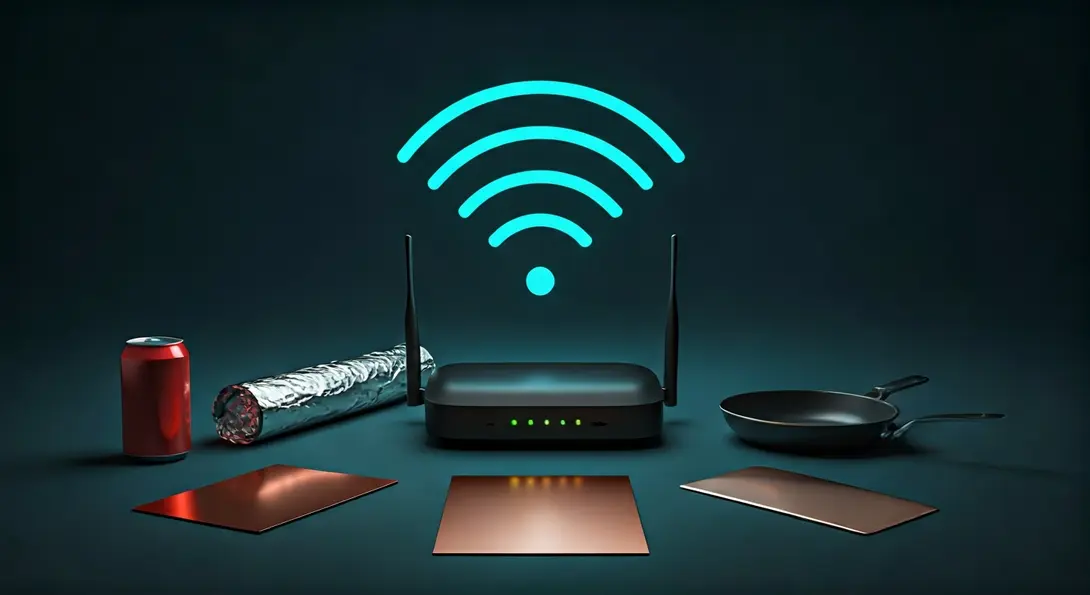
We delve into several popular “life hacks” aimed at boosting internet speed. Building on our previous success with the aluminum foil shield, we gathered your most intriguing suggestions to rigorously verify their effectiveness. From household metals to common kitchenware, no idea was too wild for our experiment.
The Quest for Faster Wi-Fi: Community Suggestions Tested
Test 1: Copper Shield Reflection
Our first experiment mirrored the concept of our successful aluminum foil shield, but with a twist: this time, we used a copper sheet. Copper is known for its excellent electrical conductivity, making it a promising candidate for reflecting and directing Wi-Fi signals. The results were quite positive:
- We observed a significant acceleration of the network signal.
- In peak conditions, speeds increased by as much as 30 megabits per second (Mb/s).
This suggests that using a well-positioned copper reflector can be an effective way to enhance your Wi-Fi coverage and speed, particularly in a specific direction.
Test 2: The Beverage Can Enclosure
Next, we tackled a more eccentric suggestion: constructing a special enclosure for the router using an empty beverage can. The idea was to perhaps create a directional antenna or shield. While the concept sounded intriguing, the practical outcome was a complete letdown:
- Far from boosting speeds, the internet connection significantly slowed down.
- The metal can likely acted as a Faraday cage, blocking or severely attenuating the Wi-Fi signals instead of enhancing them.
This experiment serves as a clear reminder that not all DIY solutions are beneficial; some can even be detrimental.
Test 3: The Aluminum Foil “Corridor”
Revisiting aluminum foil, another community member proposed creating a ‘corridor’ around the router to funnel the signal. The theory was to guide the Wi-Fi waves more effectively. While this method did show a slight improvement in network speed, the difference was barely perceptible.
Moreover, enclosing a router, especially in a material like aluminum foil, carries the risk of:
- Potential equipment overheating due to reduced ventilation.
- Minimal, if any, practical gain in speed.
Given the negligible benefits and potential risks, this method is not recommended. For more practical ways to optimize your network, consider how to turn an old phone into a Wi-Fi hotspot extender.

Test 4: The Unbelievable Frying Pan
Just when we thought we’d seen it all, an internet user suggested using a frying pan as a signal reflector. Our tester, initially skeptical of such a wild idea, couldn’t resist putting it to the test. The results were truly astonishing:
- The frying pan proved to be, by far, the most effective Wi-Fi signal booster in our comparison.
- Speed measurements showed an incredible increase of up to 100 Mb/s.
The success of the frying pan can be attributed to its parabolic shape. Much like a satellite dish, a parabolic surface is excellent at focusing incoming waves (in this case, Wi-Fi signals) into a concentrated beam, or conversely, collecting diffuse signals and reflecting them towards a specific point. The reflective metal surface further enhances this effect.
Understanding Wi-Fi Signal Reflection
The varying results from our experiments highlight the complex nature of radio wave propagation. Materials like copper and the parabolic shape of a frying pan can effectively reflect and direct Wi-Fi signals, concentrating them in desired areas. Conversely, a fully enclosed metal container, like a beverage can, can act as a barrier, disrupting signal transmission. Understanding these principles is crucial when attempting to optimize your home network. Sometimes, the most unexpected solutions yield the best results!
For more unconventional tech solutions, explore our ranking of technology gadgets that sound like a joke but are real.
Frequently Asked Questions (FAQ)
Wi-Fi signals can be degraded by several factors including physical obstructions (walls, furniture), distance from the router, interference from other electronic devices (microwaves, cordless phones), and the density of other Wi-Fi networks in the area. The materials used in home construction (e.g., concrete, metal) also play a significant role in signal absorption and reflection.
Yes, some DIY methods carry risks. Enclosing a router with materials like aluminum foil can impede proper airflow, leading to overheating and potential damage to the device. Improperly designed reflectors might also concentrate signals in unintended directions or create dead zones elsewhere. Always prioritize router ventilation and consider potential fire hazards when using conductive materials.
Beyond these experimental hacks, practical solutions include placing your router in a central, elevated location, updating router firmware, using a Wi-Fi extender or mesh system, upgrading to a newer router that supports Wi-Fi 6 or 6E, optimizing your router’s channel settings to avoid interference, and regularly rebooting your router. Consider using an Ethernet cable for stationary devices for the most stable connection.
The frying pan’s success is primarily due to its parabolic shape, which acts like a dish antenna to efficiently collect and focus Wi-Fi signals into a specific direction. Its reflective metal surface enhances this focusing effect. In contrast, the beverage can, being a cylindrical metal enclosure, likely created a Faraday cage effect, trapping or blocking the Wi-Fi signals inside, preventing them from propagating effectively and leading to a decrease in signal strength. The key difference lies in the shape and how radio waves interact with these geometries.
Source: Own research. Opening photo: Gemini
About Post Author
