
Contents
Gemini’s Voice Feature Gets a Major Overhaul: A Game Changer for Voice Messaging
Voice messages, often called “voice notes” or “audio messages,” have become an incredibly popular way to communicate online. They offer a convenient method for senders to convey information quickly without typing. However, they can sometimes be burdensome for recipients who may not always have the opportunity or privacy to listen. Google Gemini, the advanced AI assistant, is rolling out a significant update to its voice interaction capabilities that aims to address these challenges, potentially making this message format even more widespread and user-friendly.
The Evolution of Voice Interaction with Google Gemini
Previously, interacting vocally with Google Gemini felt somewhat cumbersome. When users spoke a query, the application would display a live transcription of their words directly on the smartphone screen. While functional, this method often felt more like dictation rather than natural conversation, lacking the fluid experience found in popular messaging apps.
Inspired by Popular Messenger Apps
This is now changing. Google Gemini is adopting a design philosophy akin to voice messages in widely used communication platforms like WhatsApp or Messenger. The goal is to make voice input feel more intuitive, personal, and less like a command prompt.
A More Natural and Intuitive Voice Input
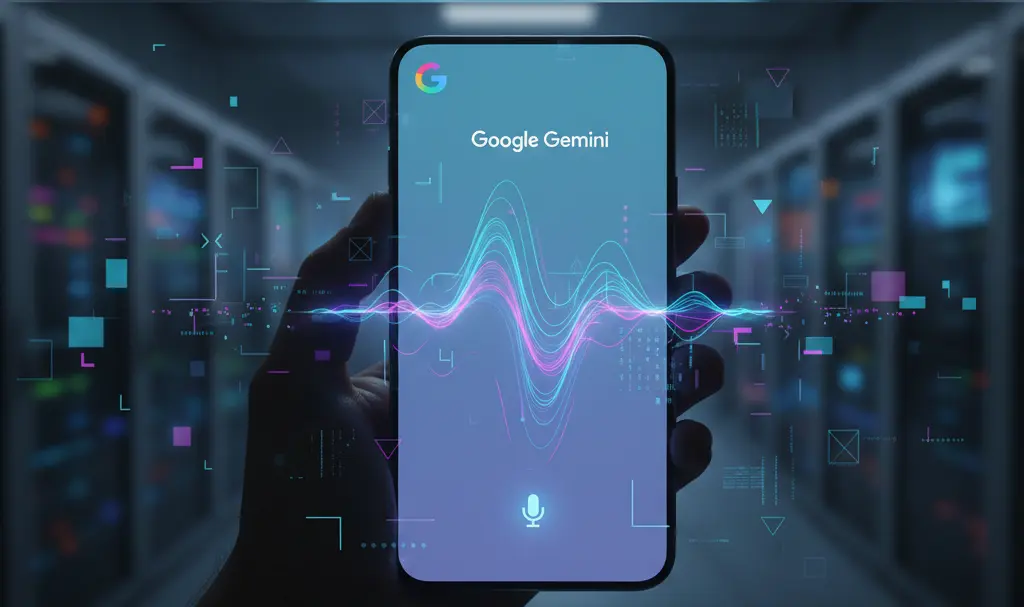
- Visualizing Sound: Instead of immediate text, tapping the microphone icon in Google Gemini will now display dynamic sound waves. These visual cues symbolize that the application is actively listening and recording your voice, providing instant feedback without the distraction of live text.
- User-Controlled Sending: A crucial enhancement is that Gemini will continue to record ambient sound until the ‘Send’ button is explicitly pressed. This gives users greater control over their voice messages, allowing them to formulate their thoughts completely and review what has been recorded before dispatching it. This also helps prevent accidental recording of unwanted background noise or private conversations.
This redesign aims to make voice communication with Gemini feel more like sending a personal audio message to a friend, fostering a more engaging and natural interaction.
Benefits and Accessibility
- Enhanced User Experience: By mimicking the familiar interface of voice notes from messaging apps, Gemini makes voice interaction more approachable and less intimidating for new users, while providing a more comfortable experience for seasoned voice message enthusiasts.
- Free and Accessible: This updated voice input feature is available to all Google Gemini users. It does not require any paid subscriptions, premium AI packages, or additional costs, ensuring broad accessibility for everyone.
- Global Availability: The rollout of this feature is international. Users worldwide are encouraged to check for updates to their Google Gemini application to experience these improvements firsthand.
Frequently Asked Questions (FAQ)
What exactly is a voice message (or voice note)?
A voice message, often interchangeably called a voice note or audio message, is a short audio recording sent as a message, typically through an instant messaging application or an AI assistant like Google Gemini. It allows users to communicate verbally without the need to type, offering a quick and often more personal way to convey information.
How does Google Gemini’s new voice feature compare to traditional voice dictation?
Traditional voice dictation often focuses on transcribing spoken words into text in real-time. Google Gemini’s new feature, however, shifts towards a more “voice message” paradigm. Instead of instantly showing text, it displays sound waves, providing a visual cue of active recording. The key difference is the user-controlled ‘Send’ button, allowing for a complete thought or message to be recorded and then sent, rather than continuous, real-time text conversion.
Is the new voice input feature available globally?
Yes, this updated voice input feature for Google Gemini is rolling out internationally. Users across different regions should check for the latest updates to their Google Gemini application to access and utilize this enhanced functionality.
How can I ensure privacy when using Gemini’s new voice recording feature?
With Gemini’s updated feature, the application continues to record until you explicitly press the ‘Send’ button. To maintain privacy, always be mindful of your surroundings before initiating a recording. Additionally, after you’ve finished speaking, ensure you press ‘Send’ promptly to finalize the message and stop the recording, preventing any unintended capture of sensitive information or background conversations. You have full control over when the recording stops and the message is finalized.
Source: 9to5Google
Opening photo: Krakenimages.com / Adobe Stock
About Post Author
