
Contents
Google Maps vs. Waze: The Ultimate Navigation App Showdown
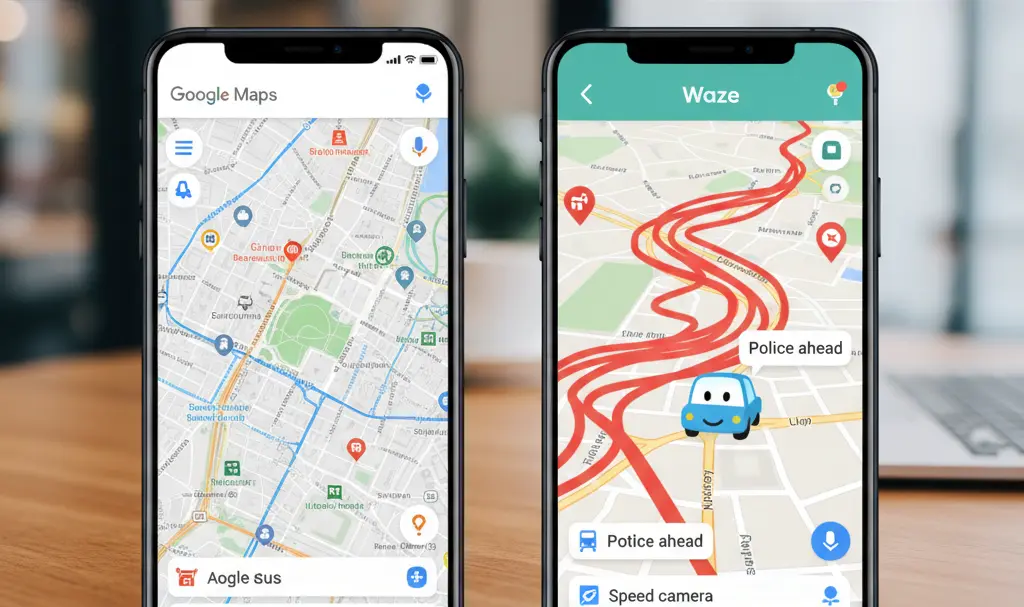
When searching for a reliable car navigation app, you’ll quickly encounter two of the most popular choices: Google Maps and Waze. Both applications are developed by Google, assist drivers in reaching their destinations, and leverage real-time traffic data. Despite these similarities, they operate with slightly different philosophies and cater to distinct user needs.
Google Maps vs. Waze: Key Differences
The simplest way to distinguish between Google Maps and Waze is that Google Maps is a more universal tool, while Waze is predominantly designed for drivers. This fundamental difference is crucial to understanding their respective strengths.
Google Maps: The All-in-One Navigator
Google Maps offers a comprehensive suite of features beyond just car navigation, making it a versatile application for various travel needs:
- Car navigation with turn-by-turn directions
- Extensive maps for locations and addresses
- Search functionality for businesses and services
- Reviews and photos of establishments
- Planning routes for walking
- Public transportation options
- Bicycle routes and other modes of transport
This makes Google Maps an excellent choice if you’re looking for a single app that can handle all your navigational requirements, whether you’re driving, walking, or using public transport. For advanced features in electric vehicle route planning, consider exploring options like EV route planning in Google Maps.
Waze: The Driver-Centric Community App
In contrast, Waze focuses almost exclusively on car travel and real-time road conditions. Its strength lies in its community-driven approach, relying heavily on user-generated reports from drivers in real time. This means Waze is less of a “world map” and more of a dynamic tool designed for efficient car journeys. If your primary goal is driving and proactively avoiding traffic disruptions, Waze often proves to be more useful.
Navigation Style: Google Maps vs. Waze
From a pure driving perspective, both apps excel, but they offer distinct navigation experiences.
Waze: Dynamic and Route-Optimized
Waze is highly responsive to real-time road conditions, frequently suggesting:
- Detours around obstacles
- Mid-journey route changes
- Less obvious shortcuts
- Faster alternatives during sudden disruptions
This dynamic approach is a significant advantage for commuters and urban drivers who prioritize reaching their destination as quickly as possible, even if it means navigating through less conventional streets. Waze’s community-driven updates ensure you’re always aware of the fastest route available.
Google Maps: Predictable and Comfortable
Google Maps, on the other hand, typically offers a more predictable navigation experience. It often selects routes that are:
- More logical and straightforward
- Less aggressive in rerouting
- More comfortable for longer journeys
- Smoother, with fewer abrupt changes in direction
Many users find Google Maps to be a more comfortable and intuitive app, while Waze is often perceived as more “advanced” due to its aggressive optimization. If you prefer a navigation app that guides you calmly and logically, Google Maps will likely be your preference. However, if you want an app that constantly strives to shave off every possible minute from your travel time, Waze typically has the edge. For a visually rich experience in Google Maps, check out the new AI-powered Immersive View update.
City Driving: Which App Excels?
For urban driving, Waze often comes out ahead, though it’s not always the best fit for everyone.
When Waze Shines in the City:
Waze is exceptionally effective for city driving if you:
- Commute daily and frequently encounter traffic
- Prioritize avoiding congestion and jams
- Need quick reactions to changing road conditions
- Drive in busy districts or on bypasses
Waze possesses a keen understanding of “city life” and often navigates dynamic urban traffic conditions more effectively, thanks to its community updates.
When Google Maps is Better for City Use:
Google Maps proves more beneficial in urban environments if you:
- Often search for places to visit in addition to driving
- Need to quickly locate parking, shops, restaurants, or services
- Travel not only by car but also on foot or by public transport
- Prefer a more organized and predictable interface
Traffic Avoidance: The Ultimate Showdown
This is arguably one of the most critical questions in any navigation app comparison, and it’s where Waze frequently takes the lead. Waze was built on the principle of drivers mutually assisting each other in real time. This community-driven approach allows Waze to excel at:
- Detecting traffic slowdowns and congestion
- Proactively avoiding traffic jams
- Reacting quickly to sudden road impediments (accidents, road closures)
- Providing real-time route updates
Waze relies not only on system data but also on its highly active community of drivers. When a traffic jam, bottleneck, accident, or lane closure occurs, the app can rapidly alter your route and suggest efficient detours. This crowd-sourced information often gives Waze an edge in providing the most up-to-the-minute traffic solutions.
Google Maps also provides excellent traffic information and can route you around congestion. In many situations, it performs admirably. However, Google Maps is generally less aggressive in “scheming” alternative routes. This can sometimes be an advantage for drivers who prefer a less disruptive journey, but it can be a disadvantage for those who want to save every possible minute. If you consistently battle urban traffic congestion, Waze often provides a greater sense of immediacy and quicker response to changing conditions.
Google Maps vs. Waze: The Verdict
To summarize, Waze often wins when it comes to daily car commuting and real-time traffic avoidance, while Google Maps generally prevails as the more versatile “all-in-one” application. Waze excels in managing traffic, providing timely alerts, and suggesting swift detours. Conversely, Google Maps offers more convenient place searching, more universal route planning, and a broader context for your journeys. The optimal choice, therefore, depends not on the app’s popularity, but on whether you primarily need smart, driver-focused navigation or a comprehensive mapping solution for all your daily travel needs.
Frequently Asked Questions (FAQ)
Is Waze only for drivers?
Yes, Waze is primarily designed for car navigation and real-time driving conditions. Unlike Google Maps, it does not offer extensive features for walking, cycling, or public transportation. Its strength lies in optimizing car journeys based on community-reported traffic and road hazards.
Can Google Maps also avoid traffic?
Absolutely. Google Maps incorporates real-time traffic data and is very effective at routing drivers around congestion. While it might be less aggressive in suggesting unconventional detours compared to Waze, it still provides excellent traffic avoidance capabilities and estimated travel times.
Which app is better for long trips?
For long trips, Google Maps is often preferred for its more predictable and less “aggressive” routing. It tends to stick to major highways and logical paths, offering a smoother, less disruptive navigation experience. Waze, with its frequent rerouting based on micro-traffic events, might feel more “jerky” on extended journeys.
Does Waze use more mobile data than Google Maps?
Due to its reliance on constant real-time updates from its community and its dynamic rerouting, Waze can potentially use more mobile data than Google Maps, especially in areas with frequently changing traffic conditions. Google Maps allows for downloading offline maps, which can significantly reduce data usage, a feature less emphasized in Waze’s core functionality.
Source: Internal Research. Opening photo: Gemini
About Post Author
