

Contents
Google Pixel Watch Gets Smarter: New Weather Complications Arrive
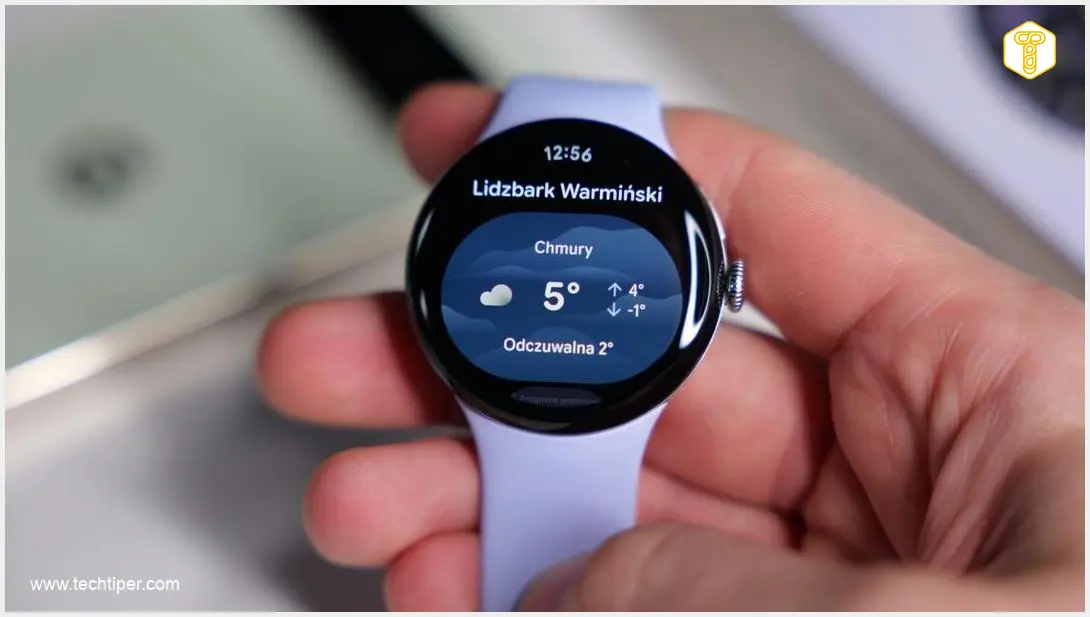
Google is significantly enhancing the utility of the Pixel Watch, making vital weather information even more accessible. A new update for the Pixel Watch weather application introduces three additional indicators directly to your watch face: air quality, pollen levels, and precipitation forecasts. This means you can now get crucial environmental data at a glance, without needing to open the app on your smartwatch or reach for your phone.
Expanded Weather Insights for Pixel Watch Owners
Previously, Pixel Watch users could customize their watch faces with useful complications such as the UV index, sunrise and sunset times, and basic weather conditions. With this latest update, the range of available information expands significantly to include:
- Air Quality Index (AQI): Provides an immediate overview of local air quality.
- Pollen Levels: Offers current and forecast pollen counts, particularly beneficial for allergy sufferers.
- Precipitation: Shows upcoming rain or snow forecasts, helping you decide if you need an umbrella before heading out.
One of the most practical additions is undoubtedly the Air Quality Index. This indicator allows users to quickly check current air conditions, proving especially useful during periods of elevated smog or pollution, ensuring you’re always aware of your environment without a second thought. Similarly, the pollen complication offers essential data for individuals managing allergies, helping them prepare for their day.
The precipitation forecast, while seemingly simple, can be a game-changer for daily planning. A quick glance at your watch can inform your decision on whether to grab an umbrella or raincoat before leaving your home, adding a layer of convenience to your routine.
Gradual Rollout: What to Expect
While Google has not yet made an official announcement regarding these new features, many Pixel Watch owners are already starting to see them appear. These enhancements are part of the Pixel Weather app, specifically in version 1.0.0.94. The changes are integrated seamlessly, appearing both as new complications on the watch faces and within the weather application itself.
It’s important to note that the distribution of this update appears to be gradual. This means that the new features might not be immediately available on all devices simultaneously. Google typically rolls out updates in phases to ensure stability and address any unforeseen issues.
Regarding device compatibility, an official list of supported models has not been released. However, since these new capabilities primarily involve interface enhancements and the Pixel Weather application rather than requiring additional watch sensors, it is highly probable that a wide range of Pixel Watch devices will receive these updates. Despite this, some users, even those with newer models like the Pixel Watch 3, have yet to receive the update, indicating that a full rollout may take some additional time.
Related Google Features and Fixes
As Google continues to refine its ecosystem, staying informed about all updates is key. For those interested in troubleshooting common issues, learn how to fix Pixel Watch overcounting steps. Additionally, to understand Google’s advancements in AI, explore the Google Gemini Memory Import feature explained, which showcases how intelligent features are being integrated across Google services.
Frequently Asked Questions (FAQ)
The latest update for the Google Pixel Watch weather app introduces three new complications to the watch face: Air Quality Index (AQI), Pollen Levels, and Precipitation forecasts.

These new indicators allow users to quickly check vital environmental information like air quality during smog, pollen levels for allergy management, and precipitation forecasts for daily planning, all directly from their watch face without opening an app.
The update is rolling out gradually. While it’s expected to reach a wide range of Pixel Watch devices, it might not be immediately available to all users, including those with newer models, as the distribution is phased.
Google commonly employs a gradual, phased rollout strategy for major updates. This approach helps ensure stability across diverse devices and allows the company to monitor performance and address any issues that may arise during the initial deployment before a wider release.
Source: Phone Arena & Opening photo: Krzysztof Wilamowski
About Post Author
