

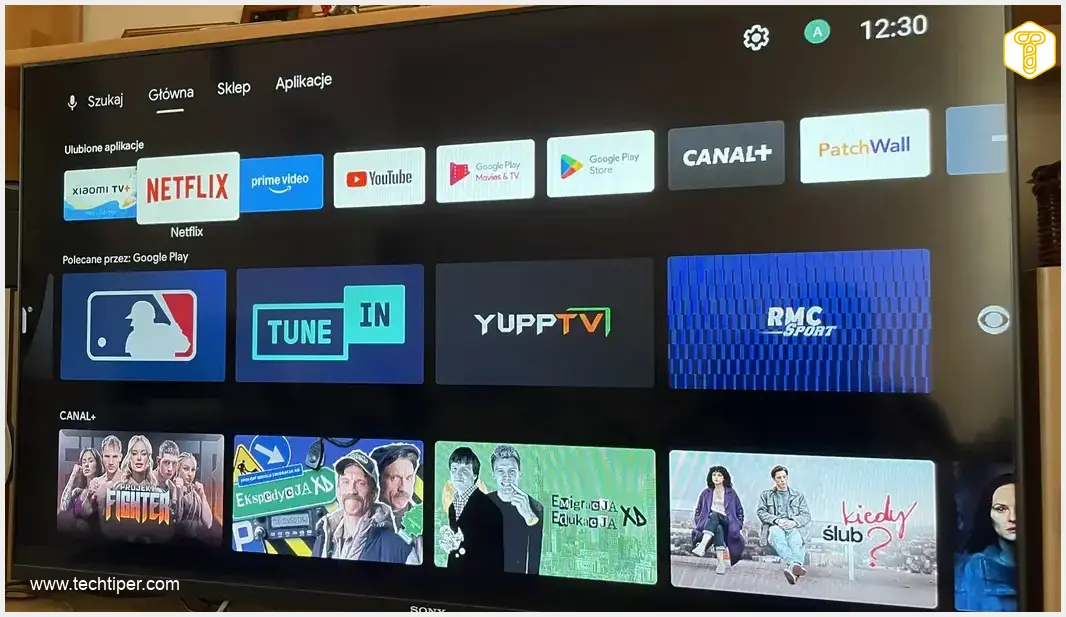
Xiaomi Mi TV Stick (MDZ-24-AA) Review
-
Installation Ease
-
App Launching (Initial)
-
General Performance & Responsiveness
-
Streaming Stability (YouTube/Live TV)
-
App Availability (Google Play Store)
Performance Woes Mar Budget Appeal
The Xiaomi Mi TV Stick offers straightforward installation and access to a wide array of apps via the Google Play Store. However, its outdated hardware, particularly the 1GB RAM, leads to significant performance issues, including persistent lag, freezes, and a generally diminished user experience, especially with demanding applications and live streaming. While budget-friendly, its limitations severely impact usability.
Advantages
- Affordable price point for smart TV functionality.
- Easy and straightforward installation (plug and play).
- Access to popular streaming services (Netflix, Amazon Prime Video, Canal+, YouTube).
- Google Play Store allows downloading additional apps (Spotify, WP Pilot, Megogo).
- Option to purchase/rent movies from Google.
Disadvantages
- Significant performance lag and diminished system responsiveness.
- Frequent freezes, especially with YouTube.
- Poor experience for live sports streaming (persistent lag).
- Outdated hardware (1GB RAM) causing performance bottlenecks.
- Aging technology (launched 2020) quickly becoming obsolete in fast-paced tech world.
- Google Assistant (included) is being phased out.
- Risk of overheating if placed in enclosed spaces.
Contents
Unlocking Smart TV on an Older Set: A Budget Stick’s Reality Check
For many, Smart TV sticks, often priced around $50, are the sole gateway to modern streaming features without the significant expense of a new television. Faced with an aging TV, I also decided to explore this budget-friendly option. The outcome? Unfortunately, it fell considerably short of my expectations.
The Performance of a Budget Smart TV Stick
The Xiaomi Mi TV Stick (MDZ-24-AA), originally launched in 2020, is frequently hailed as a compelling alternative to devices like Chromecast. I decided to purchase this Smart TV stick for a television in my family’s living room a while back. Why? Allow me to provide a brief backstory.
Some time ago, I set out to evaluate how a 2014 Smart TV would fare in today’s digital landscape. Regrettably, SonyOS, the proprietary operating system from the renowned Japanese manufacturer, had effectively become obsolete over a decade ago. The lack of updates, a limited application library, and severe operational issues with the vast majority of its apps compelled me to invest in Xiaomi’s stick. This device promised access to the most popular streaming services currently available, including Netflix, Amazon Prime Video, Canal+, and YouTube.
Installation and Initial Impressions
Installation was straightforward: simply plug the stick into an HDMI port, and it’s ready to go. So, how did it perform? While the applications themselves launched without major hitches on my TV, subtle but noticeable lag was present from the outset, significantly diminishing system responsiveness.
Using the YouTube application, I frequently encountered irritating freezes. These might be forgivable for podcasts, where audio is paramount. However, the problem escalated when I attempted to watch a live sports broadcast via the Canal+ application.
The experience was far from enjoyable, with persistent lag making comfortable viewing impossible. I ultimately resorted to watching the broadcast on my laptop screen. Though perhaps less convenient, at least everything functioned as it should have.
Exploring Other Affordable Smart TV Options
The Xiaomi Smart TV stick also presented several other features I was eager to try. Among these was the option to purchase or rent movies directly from Google. The catalog offered a decent selection, including some relatively new film releases.

As mentioned earlier, the selection of pre-installed applications is not extensive. Fortunately, this can be easily remedied thanks to the presence of the familiar Google Play Store. From there, you can download any missing streaming applications, such as Spotify, or tools for internet TV, including WP Pilot and Megogo. You might also consider exploring alternative streaming devices like the Thomson Box 245 4K for broader compatibility.
Given its age, the Xiaomi device naturally includes Google Assistant. This solution, which for years served as the primary AI-driven tool in Google’s portfolio, is nearing the end of its operational life. Soon, starting in early September, it will be phased out from Android smartphones, tablets, and Wear OS smartwatches, with Google TV potentially next in line. Google Assistant is being replaced by the widely recognized Gemini. For those looking at newer, more robust streaming options, keeping an eye on deals on the Google Streamer 4K could be beneficial.
Understanding Performance Limitations: Possible Causes
As noted, the Xiaomi Mi TV Stick frequently lagged on my television, often with frustrating regularity. In an attempt to uncover the root cause, I scoured the internet and quickly identified several potential reasons.
Firstly, it’s crucial to remember that the Smart TV stick I own debuted back in 2020. While this may not seem like a long time ago, in the fast-paced world of technology, it’s practically ancient history.
This age translates directly into certain technical shortcomings. The device, for instance, comes equipped with only 1 GB of RAM. In today’s technological landscape, this amount of memory is often insufficient. Another potential issue (though not necessarily the case here) could be the placement of the Smart TV stick in an enclosed space behind the TV, which can lead to overheating.
Fortunately, the market offers numerous compelling alternatives, even within the product catalog of popular Chinese electronics manufacturers. For example, the Xiaomi TV Box S, which boasts 2 GB of RAM, is expected to deliver a much smoother experience. A better specification naturally comes with a higher price tag, but in this instance, the upgrade would only cost approximately an additional $25. This is a small investment compared to the potential performance benefits and still a significantly lower amount than purchasing a brand-new television.
Frequently Asked Questions (FAQ)
Older Smart TV sticks, like the Xiaomi Mi TV Stick reviewed, often have limited RAM (e.g., 1GB) and older processors. Modern streaming applications are designed for more powerful hardware, leading to lag, buffering, and slow responsiveness on older devices. Additionally, software updates for these older sticks may become less frequent, exacerbating compatibility and performance issues.
When buying a new Smart TV stick, prioritize devices with at least 2GB of RAM (preferably 4GB for future-proofing), a modern quad-core or octa-core processor, and support for the latest Wi-Fi standards (Wi-Fi 5 or Wi-Fi 6). Also, ensure it runs a recent version of an operating system like Android TV or Google TV, and supports 4K HDR playback if your TV is capable.
Yes, overheating can significantly impact a Smart TV stick’s performance. When a device gets too hot, its processor may throttle its speed to prevent damage, leading to noticeable slowdowns, freezes, and even crashes. Placing the stick in a well-ventilated area, avoiding enclosed spaces behind the TV, and ensuring proper airflow can help prevent overheating issues.
Source: Original content. Opening photo: Marcin Ziółkowski
About Post Author
