
Contents
Understanding Windows 11’s New Secure Boot Security Prompts
In an upcoming update, Windows 11 will introduce a brand-new type of security prompt designed to enhance the protection of your computer. If you encounter this notification, it’s crucial to take immediate action to restore the correct status of the feature being highlighted by Microsoft’s system. This proactive approach ensures your PC remains secure against potential threats.
At the heart of this new system is Windows 11’s ability to inform you about an improper Secure Boot status. Secure Boot is a fundamental Unified Extensible Firmware Interface (UEFI) feature that is a mandatory requirement for installing Windows 11. Its primary role is to prevent malicious software from loading during the computer’s startup process, acting as a critical barrier against boot-time malware and rootkits.
What to Expect: Secure Boot Status Indicators
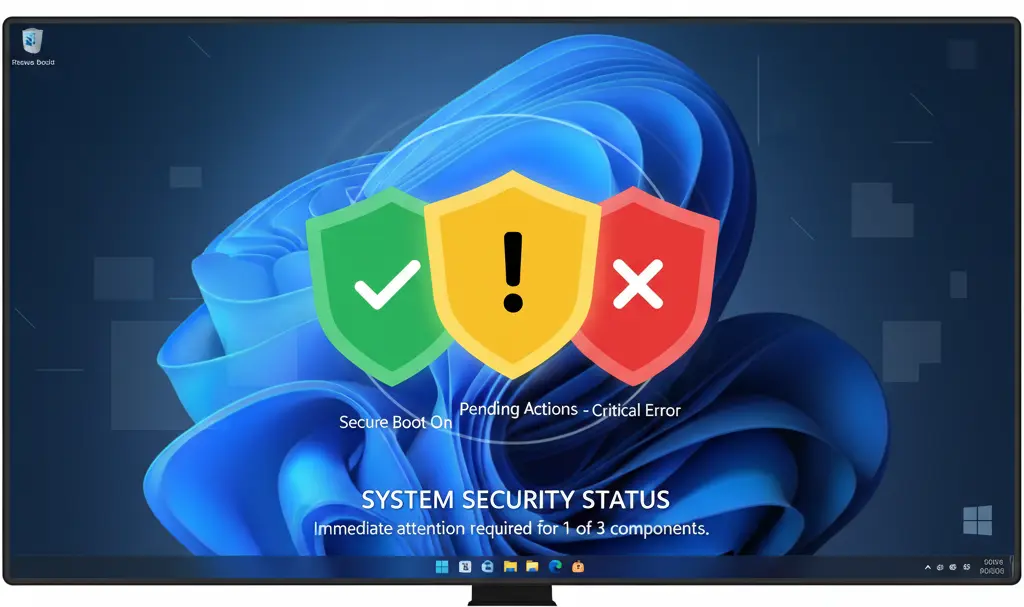
Microsoft is updating the Windows Security application to display these additional prompts, specifically focusing on the status of your Secure Boot configuration. These changes are expected to roll out, with distinct status types visible from April 2026:
- Green: This status indicates that Secure Boot is functioning correctly, and your system’s boot process is properly secured.
- Yellow: A yellow prompt means Secure Boot is active, but a security certificate needs to be updated. This is often a straightforward fix that requires user intervention.
- Red: A red status signifies that Secure Boot is operational, but the user cannot update the security certificate. This typically points to an older computer model that lacks the necessary hardware or firmware capabilities to support the latest security certificates, leaving it more vulnerable during startup.
These certificate updates are not merely cosmetic; they are crucial for maintaining a robust security posture in an evolving threat landscape. Older certificates may become susceptible to newer attack vectors, making regular updates essential for sustained protection.
Responding to Secure Boot Notifications
By May 2026, you can expect to see notifications that will actively ask users to check the status of their Secure Boot certificates. Knowing how to respond to each prompt is key to maintaining your system’s integrity.
What to Do for a Yellow Prompt
If you see a yellow prompt, the solution is usually simple: check for available updates through Windows Update. Microsoft regularly rolls out security patches and certificate updates that can resolve this status. Ensuring your operating system is always up-to-date is a best practice for overall system health and security. For users looking to further optimize their system’s health and performance, exploring guides on how to debloat Windows 11 for better performance and privacy can offer valuable insights into maintaining a streamlined and secure environment.
Addressing a Red Prompt
Unfortunately, a red prompt typically indicates that your computer is too old to be fully secured against the injection of malicious code during the system’s boot-up process. While Secure Boot might be technically “on,” its underlying certificates cannot be updated to meet current security standards. Microsoft has indicated that it does not intend to block older computers from using Windows 11, even if they cannot support the latest certificates. However, users of such systems should be aware of the increased security risk during startup.
While managing security alerts, users might also be interested in other significant updates and improvements in the operating system, detailed in articles like Windows 11’s major changes, native apps, and search improvements.
The Lifespan of Security Certificates
The first Secure Boot certificates, issued around 2011, are set to expire in 2026. This expiry is the primary driver behind these upcoming security prompts and the need for certificate updates. While Microsoft is not expected to prevent users with older, incompatible hardware from using Windows 11, these new prompts will serve as clear warnings about potential security vulnerabilities.
Frequently Asked Questions (FAQ)
What is Secure Boot and why is it critical for my Windows 11 PC?
Secure Boot is a security standard developed by members of the PC industry to ensure that a device boots using only software that is trusted by the Original Equipment Manufacturer (OEM). It is a UEFI (Unified Extensible Firmware Interface) feature that prevents malicious software (malware) from loading during the computer’s startup process, providing a crucial layer of defense against boot-time attacks like rootkits. For Windows 11, Secure Boot is a mandatory requirement, ensuring the integrity of your operating system from the moment it starts.
My computer is showing a “red” Secure Boot status. Does this mean I can’t use Windows 11 anymore?
No, a “red” Secure Boot status does not mean you can no longer use Windows 11. It indicates that while Secure Boot is active, your computer’s hardware or firmware is too old to support updating to the latest security certificates. This means your system may not be fully protected against new forms of malicious code during startup. Microsoft has stated that it does not plan to block such computers from running Windows 11, but it serves as an important warning about a potential security vulnerability. You can continue to use Windows 11, but be aware of the increased risk.
How often should I check my Secure Boot certificate status?
With the introduction of new prompts in Windows 11, particularly from May 2026, the system will actively notify you if your Secure Boot certificates require attention. While there isn’t a daily or weekly manual check recommended, it’s important to respond promptly to any “yellow” or “red” alerts that appear in your Windows Security application. Regularly installing Windows Updates is also crucial, as these often include necessary certificate renewals and security patches.
What is the risk of having an outdated Secure Boot certificate?
The primary risk of an outdated Secure Boot certificate is increased vulnerability to boot-time malware, such as rootkits or bootkits. These malicious programs load before your operating system and antivirus software, making them difficult to detect and remove. Outdated certificates might have known vulnerabilities that newer threats can exploit to bypass Secure Boot’s protections, allowing attackers to gain deep control over your system from the very beginning of its operation. Keeping your certificates updated ensures your system benefits from the latest security measures against evolving threats.
Source: Windows Latest. Opening photo: Tomasz / Adobe Stock
About Post Author
