

Contents
Safeguarding Your Finances: Navigating Tax Season Scams
The tax filing season is a critical time for many, often bringing anticipation of refunds or apprehension about audits. Unfortunately, cybercriminals are keenly aware of this, making tax-related phishing campaigns some of the most active threats today. These scammers impersonate various official institutions, relentlessly pursuing your most sensitive data.
The Tax Harvest: A Goldmine for Scammers
The tax filing period presents a perfect opportunity for cybercriminals. They understand that millions of taxpayers are awaiting communications from tax offices regarding refunds, outstanding payments, or potential audits. Scammers exploit the urgency and emotions associated with tax season – whether it’s the excitement of an anticipated refund, the fear of an audit, or the pressure to complete formalities. Their goal is to provoke an immediate click on a malicious link to “resolve the issue” instantly.
These phishing campaigns often feature catchy, alarming headlines such as “Urgent Refund Procedure!”, “Audit Initiated – Click to Avoid Penalty!”, or “Your Tax Refund Awaits Confirmation.” They meticulously design their messages to mimic official communications from tax administrations, leading many recipients to believe they are genuine calls to action from tax authorities.
Deceptive Messages: “The Government Owes You Money”
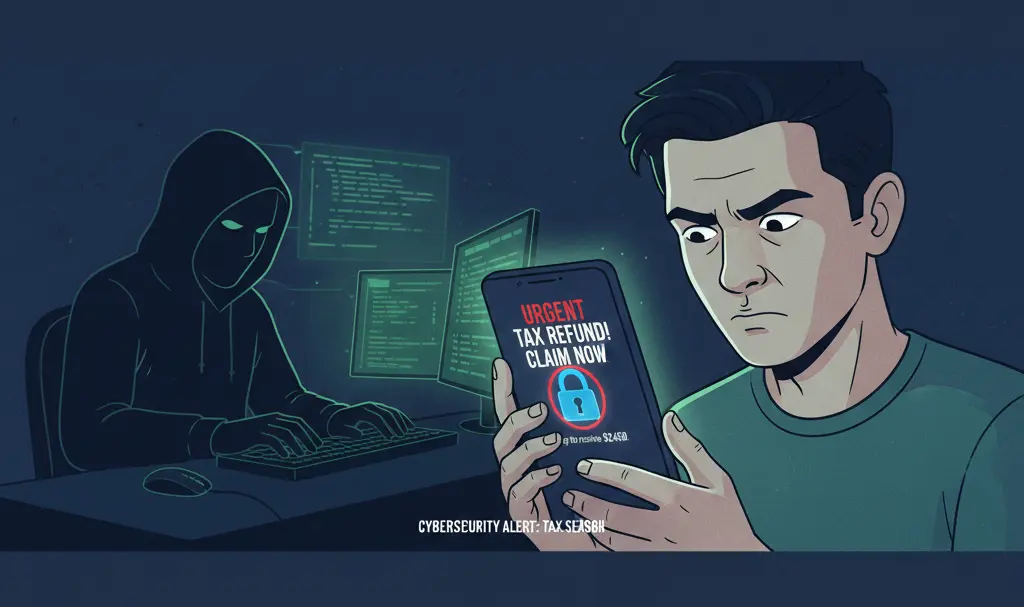
A common scam involves an SMS message encouraging recipients to claim a tax refund from their e-PIT (electronic tax filing system). These messages often include a specific amount, hinting at a quick, concrete gain, along with a link to a supposed government service.
Upon clicking, users are redirected to a website meticulously designed to resemble official government portals. While it may partially copy elements from legitimate financial ministry websites, it operates from a suspicious domain, such as secure-tax-refund[.]com. These fraudulent sites often feature informal language, like “The U.S. government owes you money,” a phrase that would never appear in an official communication from a financial ministry. They then prompt users to log in via their “bank” or provide credit/debit card details.
Fake Emails and “Click-to-Audit” Scams
Beyond SMS, taxpayers are also bombarded with fraudulent emails disguised as notifications from tax authorities. These emails typically inform recipients about a tax overpayment, the urgent need to confirm personal data, or the initiation of a tax audit. Crucially, all these messages contain a link leading to a website that visually mimics official tax portals (e.g., taxes.gov or similar government sites).
The sender addresses often appear legitimate, incorporating names like “e-Tax Office” or “National Tax Administration.” However, these are merely cloaked identities, hiding behind random commercial email accounts or domains cleverly designed to look official, such as taxes-gov[.]com or gov[.]com.
Once clicked, the user lands on a phishing page that demands sensitive information, such as login credentials for verified identity profiles or credit/debit card details, including the CVC/CVV code. It’s critical to remember that CVC/CVV codes are used for making payments, not for receiving refunds. No legitimate tax authority would ever request this information for a refund.
Red Flags in Tax-Related Messages
Experts emphasize that the first step should always be a careful assessment of the message’s source, content, and the sender’s credibility – whether it’s an email or an SMS.
- Unusual Sender Addresses: Official tax offices and other public institutions always use addresses with
gov.us(or similar country-specific official domain) endings. Messages with unusual suffixes, extra elements likegov-us[.]com, or spellings that deviate from the official name should immediately raise suspicion. - Urgency and Threatening Language: Scammers often use phrases like “Urgent action required,” “Click to avoid penalties,” or “Your refund expires soon” to create panic and bypass critical thinking.
- Requests for Sensitive Information: Legitimate tax authorities will never ask for your full credit card number, CVC/CVV, bank login credentials, or verified identity profile passwords via email or SMS for refunds or audits.
- Generic Greetings: Messages that start with “Dear Taxpayer” instead of your name can be a red flag.
- Poor Grammar and Spelling: While not always present, errors can indicate a scam.
- Suspicious Links: Hover over links (without clicking!) to see the actual URL. If it doesn’t clearly lead to an official government domain, it’s likely a phishing attempt.
“During tax season, most of us submit our tax returns and expect some communication from the authorities. When we suddenly receive a message saying ‘You are entitled to a refund!’ or ‘Tax audit – click here!’ – our instinct tells us to react quickly due to curiosity or fear. That’s exactly what scammers are counting on,” says cybersecurity expert Iwona Prószyńska.
What to Do If You Suspect a Scam
If you have any doubts about the authenticity of a message regarding a tax refund or audit, the best course of action is to contact the tax office independently of the email or SMS content.
- Do Not Use Links: Avoid clicking on any links in suspicious messages.
- Direct Login: Manually type the true official address into your browser (e.g.,
irs.govfor the U.S.) to log into your online tax account. - Verify Information: Check your official taxpayer account for any notifications about refunds or audits. If the information only appears in an email or SMS and not on your official account, it’s a very strong indicator of an attempted scam.
- Report Scams: Report phishing attempts to the relevant authorities, such as the IRS phishing reporting system or local consumer protection agencies.
Frequently Asked Questions (FAQ)
What is tax phishing?
Tax phishing is a type of cybercrime where scammers impersonate legitimate tax authorities (like the IRS in the U.S.) through fake emails, SMS messages, or websites. Their goal is to trick individuals into revealing sensitive personal and financial information, such as bank account details, credit card numbers, or login credentials, often by promising tax refunds or threatening audits.
How can I tell if a tax email or SMS is legitimate?
Always check the sender’s email address or phone number. Official government communications typically come from .gov domains. Be wary of urgent language, requests for personal financial details (especially CVC/CVV codes), generic greetings, and suspicious links. Legitimate tax authorities will generally not initiate contact about refunds or audits via unsolicited email or SMS asking for sensitive information.
What should I do if I clicked on a suspicious link?
If you clicked a suspicious link and entered any personal information, immediately change passwords for any accounts that might be compromised (email, banking, etc.). Monitor your bank and credit card statements for unauthorized activity. Report the incident to your bank and relevant cybersecurity authorities. You may also consider placing a fraud alert on your credit file.
Will the IRS or other tax authorities contact me by email or SMS for a refund?
Generally, no. The IRS (in the U.S.) will typically contact taxpayers about tax refunds or audits via official mail. While they do use secure online accounts, they will not initiate contact through unsolicited emails or SMS messages asking for personal or financial details to process a refund or threaten an audit. Always log in directly to the official government website to verify any claims.
Source: NASK, CERT Orange Polska, PREBYTES SIRT. Opening photo: Generated by Gemini
About Post Author
