
Contents
Samsung Galaxy A37: Don’t Miss This Critical Security Update!
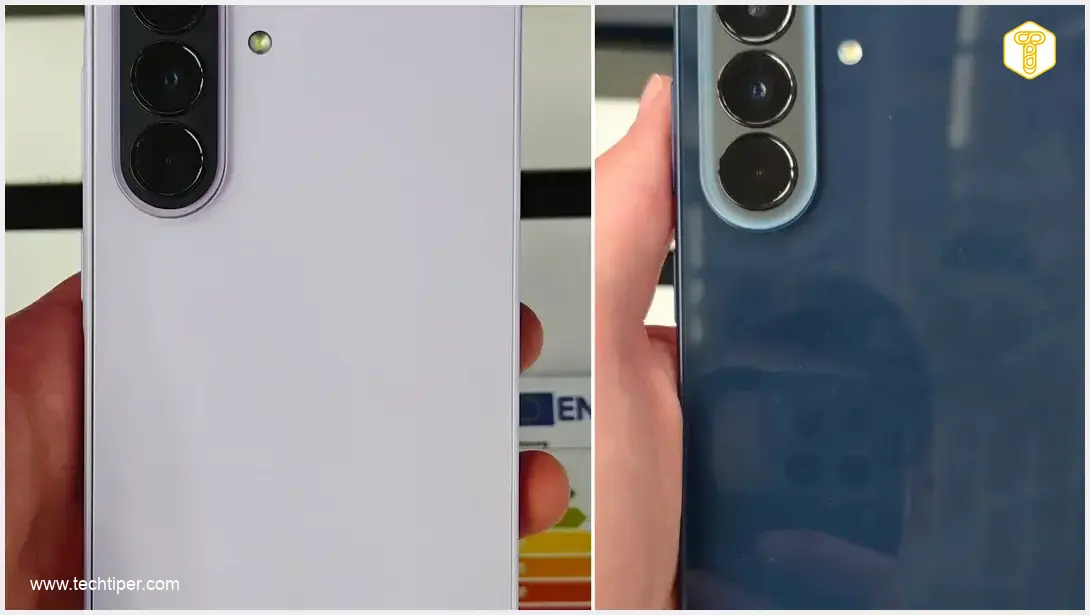
Samsung has commenced the rollout of its crucial November security update for Galaxy A37 owners globally. This essential patch is designed to fortify your device’s defenses against a wide array of digital threats. According to security reports, this update addresses a significant 179 vulnerabilities, with 20 of these classified as critical Android flaws. It’s imperative for all Galaxy A37 users to ensure their device is up-to-date.
Why This Update is Crucial for Your Galaxy A37
In today’s digital landscape, keeping your smartphone’s software updated is paramount for security and performance. Security patches like this one are not just routine maintenance; they are vital shields against potential cyber threats that could compromise your personal data, privacy, and device functionality. Ignoring these updates can leave your device vulnerable to:
- Data Breaches: Unpatched vulnerabilities can be exploited by malicious actors to gain unauthorized access to your personal information.
- Malware Infections: Security flaws often serve as entry points for viruses, ransomware, and other harmful software.
- Performance Issues: Updates often include bug fixes and optimizations that improve your device’s stability and speed.
What’s New in the November Security Patch for Galaxy A37?
The latest update for the Samsung Galaxy A37 carries the build number A376BXXS7BZK1. This is a significant security release for the model. Beyond the standard Google Android fixes, this patch incorporates an additional 24 Samsung-specific security improvements detailed in Samsung’s own security bulletin. These fixes target various components of Samsung’s proprietary software, enhancing the security of:
- Camera functionalities
- Messaging applications
- Multimedia file handling
- And other core system services
This comprehensive update ensures that both the Android operating system and Samsung’s custom One UI interface are protected against the latest discovered vulnerabilities.
How to Install the Latest Galaxy A37 Update
Installing the security update on your Galaxy A37 is a straightforward process. For the best experience and to avoid any interruptions, ensure your device is connected to a stable Wi-Fi network and has at least 50% battery charge (or is connected to a charger).
- Open Settings: Navigate to your phone’s main “Settings” application.
- Access Software Update: Scroll down and tap on “Software update.”
- Check for Updates: Tap “Download and install.” Your device will then check for available updates.
- Install the Update: If the update is available, follow the on-screen prompts to download and install it. This process may take several minutes, and your phone will restart.
- Verify Installation: After your phone restarts, go back to “Settings” > “About phone” > “Software information” and check that the “Android security patch level” now indicates “November 202X” (or the latest available month).
Note on Rollout: Samsung deploys updates in phases. If you don’t see the update immediately, don’t worry. It will likely become available for your device within a few days. Check back periodically.
Other Samsung Devices Receiving the November Update
The November security patch has been progressively rolling out to various Samsung models over the past few weeks. While the Galaxy A37 is now receiving it, several other devices have already been updated, including recent flagship series like the Galaxy S23 and S22, and mid-range devices such as the Galaxy A54 and A53, as well as select Galaxy Tab series tablets. For more on Samsung updates, see our previous coverage on Samsung Galaxy A36 Security Update: One UI 8.5.
Galaxy A37’s Update Future
Samsung has a strong commitment to long-term software support, with the Galaxy A37 promised an impressive six years of security updates. This ensures your device remains secure and functional for an extended period. While this update focuses on security, users can also anticipate future feature enhancements. The next major update is expected to be a new version of the One UI overlay; however, Samsung has not yet provided a specific timeline. For more details on device specifics, you might find our article on Samsung Galaxy A37 and A57: Official Photos and Specs helpful.
Frequently Asked Questions (FAQ)
Samsung typically provides regular security updates for its devices, including the Galaxy A37, for a period of several years. These updates are released periodically to address newly discovered vulnerabilities and improve overall system stability. The Galaxy A37 is promised six years of updates, indicating a long-term commitment to device security.

Samsung rolls out updates gradually to ensure stability and address any unforeseen issues. If you don’t see the update immediately, it means it hasn’t reached your device yet. You can wait a few days and check again. Ensure your device is connected to a stable Wi-Fi network and has sufficient battery charge when checking for updates.
Typically, installing a software update does not erase personal data from your device. However, it is always a best practice to back up your important data (photos, videos, contacts, documents) before performing any major software update. This ensures that your information is safe in the rare event of an unexpected issue during the update process.
Source: SamMobile, GIGA, Samsung
Opening photo: Maksdroider / Wikimedia Commons, CC BY 4.0
About Post Author