

Contents
Samsung Enhances Privacy Display in One UI 9, Eliminating Prior Annoyances
Samsung is rolling out a significant enhancement to its Privacy Display feature within the One UI 9 operating system, specifically for the Galaxy S26 Ultra. This update addresses a common user frustration, allowing for more precise privacy protection without compromising overall screen visibility.
What is Samsung’s Privacy Display?
The Privacy Display feature on Samsung Galaxy S26 Ultra devices is an innovative solution designed to protect your screen content from prying eyes. Unlike traditional physical privacy screen protectors, Privacy Display offers a dynamic, software-based approach. It limits the viewing angle of your screen, making it difficult for people standing beside you to peek at what’s on your display. For more details on potential display issues or privacy screen problems, you can refer to our article on Samsung Galaxy S26 Ultra display issues and privacy screen problems.
Flexible Privacy Options
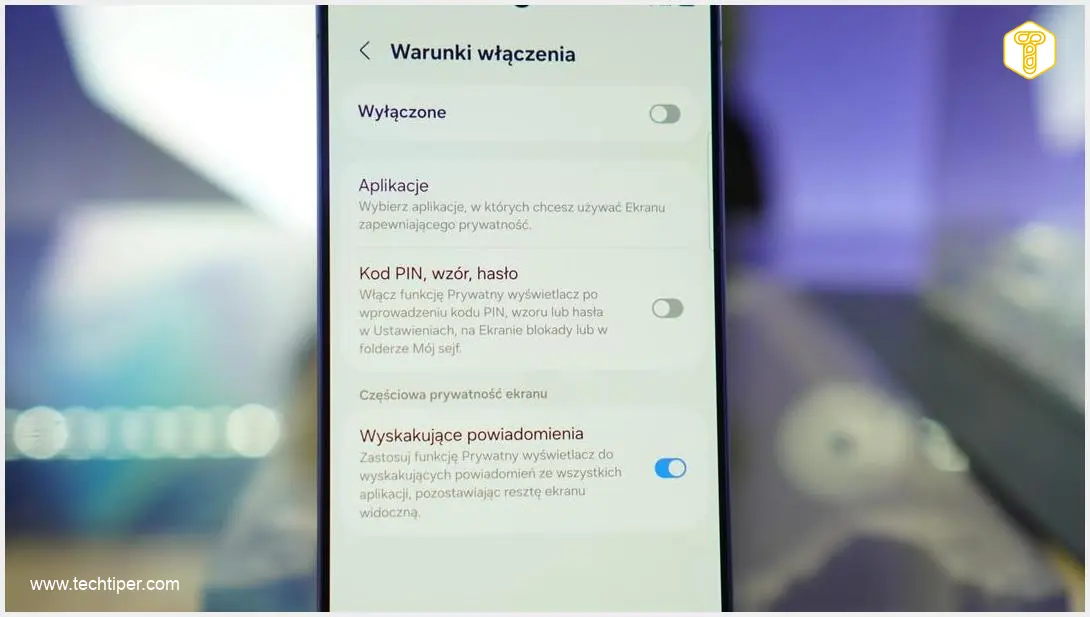
The Galaxy S26 Ultra’s Privacy Display offers flexible customization to suit various needs. Users can choose to apply privacy protection across the entire screen, to selected applications only, or specifically when sensitive information is being entered or notifications appear. For those times when privacy isn’t a concern, the feature can be easily deactivated.
Major Improvement in One UI 9: Picture-in-Picture (PiP) Mode
A key frustration with previous iterations of Privacy Display was its interaction with Picture-in-Picture (PiP) mode. Before the One UI 9 update, if a video was minimized to a small, floating PiP window, the Privacy Display feature would often obscure the entire screen, even though the protected content occupied only a small portion. This significantly hampered usability.
Dynamic and Precise Protection
With the One UI 9 Beta 4 update, this issue is resolved. When Privacy Display is enabled – for instance, for a streaming app like YouTube – and a video is played in PiP mode, the feature will now only obscure the small video player window. The rest of your screen remains fully visible and usable. This marks a significant step forward in user experience for One UI 9 and Android 17 development for the Galaxy S26 Ultra.
Furthermore, the protected area is now dynamic and will move seamlessly with the PiP video window. If you reposition the floating video, the Privacy Display will adjust accordingly, continuing to cover only that specific segment of the screen. This intelligent approach means your phone can hide precise sections of the display rather than limiting visibility across the entire screen.
Why This Matters for Users
This improved handling of PiP mode underscores Samsung’s commitment to refining privacy features and enhancing the protection of individual screen elements. It’s particularly useful in situations where discreet viewing is essential, such as watching a private recording or engaging in a video call in a public setting. Users gain better control over what content is visible to others, without sacrificing the utility of their device.
Availability: Currently for Beta Testers
The enhanced PiP mode functionality is currently available only to participants in the One UI 9 beta program. It has not yet been rolled out to all Galaxy S26 Ultra owners. The fourth beta version also includes various bug fixes and incorporates the latest security updates, including a resolution for issues related to toggling Privacy Display on and off in settings.
Galaxy users enrolled in the beta program can check for this update via the Samsung Members application. Others will need to await the stable public release of One UI 9. Samsung has not yet provided an official timeline for when this improved feature will be universally available to all Galaxy S26 Ultra users.

Frequently Asked Questions (FAQ)
Privacy Display is a software feature on the Galaxy S26 Ultra that limits the viewing angle of your screen, making it harder for others to see your content from the side. It’s a dynamic alternative to physical privacy screen protectors.
The primary improvement in One UI 9 is that Privacy Display will now only obscure the specific area of a Picture-in-Picture (PiP) video window, rather than dimming or obscuring the entire screen. The protected area will also move with the PiP window.
Yes, Privacy Display offers extensive customization. You can choose to enable it for the entire screen, selected applications, only when entering confidential data, or upon receiving notifications. It can also be completely disabled when not needed.
Currently, this enhanced functionality is only available to participants in the One UI 9 beta program. Samsung has not yet announced a specific date for its stable public release.
The improved Privacy Display, especially its precise PiP protection, significantly enhances privacy in public. Users can discreetly watch videos or participate in video calls without worrying about exposing the rest of their screen content to onlookers, thus maintaining better control over their digital privacy.
Source: SamMobile. Opening photo: Krzysztof Rojek
About Post Author
