

Contents
Samsung One UI 9 Beta: Complete List of Features and Improvements
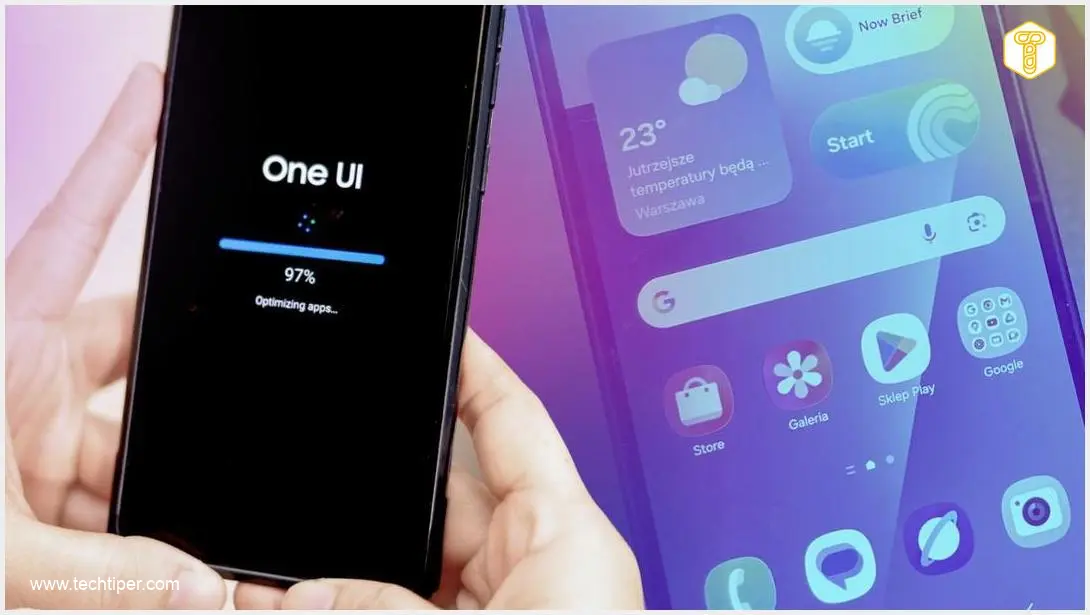
Samsung has officially initiated the beta testing phase for One UI 9. The first beta version of this highly anticipated system interface has just landed on the Galaxy S26 series, starting its rollout in Germany. Weighing in at a substantial 3.6 GB, the update includes the May 2026 security patch. Thanks to the official changelog published by Samsung, we now have a clear view of the software’s future direction.
A Focus on Deep System Refinements
Interestingly, One UI 9 is not positioned as a massive visual overhaul compared to its predecessor. Instead, the sheer size of the changelog indicates that Samsung is laser-focused on under-the-hood system enhancements. The majority of these core improvements are directly inherited from Android 17.
To these foundational updates, Samsung has added its own proprietary tweaks centered around productivity, accessibility, and personalization. For power users tracking the Samsung One UI 9 Android 17 Galaxy S26 Ultra development, this beta represents a mature step forward rather than a radical redesign.
That doesn’t mean the South Korean tech giant has forgotten about exciting new features. Below is a comprehensive list of the most notable additions making their way to One UI 9.
Unprecedented Quick Panel Customization
One of the most exciting updates is the expansion of customization options within the Quick Panel. This gives users much more granular control over their daily interface. New capabilities include:
- Resizing the brightness and volume sliders to fit user preferences.
- Modifying the visual layout of the media player widget.
- Separating the sound mode toggle from the main volume slider.
- Enjoying complete freedom in arranging quick settings shortcuts.
Desktop-Class Upgrades in Samsung DeX
Samsung DeX, the feature that transforms your phone into a desktop environment, has received several practical quality-of-life improvements. Moving application windows between virtual desktops is now noticeably smoother. Additionally, the system now displays a desktop preview on the “Recent Apps” screen. This makes navigating between different workspaces feel much more akin to a traditional PC environment.
The New “Tape” Feature in Samsung Notes
For students and professionals, the Samsung Notes app introduces an innovative “Tape” function. This clever tool allows users to visually “tape over” or obscure specific fragments of text, revealing them only when tapped. It is an excellent feature for active recall studying or protecting sensitive information during presentations. Samsung has also expanded its library of pen styles and drawing tools, catering to fans of handwritten digital notes.
If you are curious about deeper productivity integrations, you can explore what is new in One UI 9 multi window AI cross device ecosystem enhancements.
Advanced In-Game Controls via Game Booster
Mobile gamers will appreciate the revamped Game Booster, which now offers deeper settings without requiring users to exit their game. From the overlay menu, players can instantly adjust screen resolution, change the format of their screenshots, and tweak advanced performance metrics to prioritize frame rates or battery life.

Stricter Android 17 Privacy Protocols
One UI 9 heavily integrates the stricter privacy protocols native to Android 17. The most visible change is the new location indicator. Whenever an application accesses your device’s GPS, a prominent blue indicator appears at the top of the screen. By pulling down the Quick Panel, you can instantly see exactly which app is actively pinging your location—a feature that directly mirrors the microphone and camera alerts introduced in previous software generations.
Major Leaps in Accessibility
A significant portion of the One UI 9 changelog is dedicated to accessibility, signaling Samsung’s intent to compete aggressively with competitors’ ecosystems in this vital area. Key accessibility additions include:
- A dedicated floating window specifically for text magnification.
- A wider array of physical keyboard shortcuts.
- Enhanced keyboard-based cursor control for users with limited mobility.
- A new “Select to speak” option, which allows the device to quickly read aloud highlighted text and analyze images.
- Streamlined and faster updates for TalkBack directly through the Google Play Store.
Frequently Asked Questions (FAQ)
How do the new Android 17 privacy indicators differ from previous One UI versions?
While earlier versions introduced green dot indicators for camera and microphone access, One UI 9 on Android 17 introduces a dedicated blue indicator specifically for GPS and location services. Expanding the notification panel will explicitly name the app actively requesting your location in real-time.
Can I use the new Samsung Notes “Tape” feature on older Galaxy devices?
The “Tape” feature is debuting with the One UI 9 update. Once One UI 9 rolls out beyond the Galaxy S26 beta phase to older compatible devices, the updated Samsung Notes app containing this feature will become available for those models as well.
Does the One UI 9 Quick Panel customization require third-party apps like Good Lock?
No, the new Quick Panel personalization tools—such as resizing sliders and separating the sound mode button—are now natively built into the One UI 9 settings menu, eliminating the need to download extra customization modules.
Source: SamMobile. Opening photo: Andri / Adobe Stock, Jolanta Szczepaniak
About Post Author
