

Contents
Seamlessly Switch from iPhone to Android: Google’s Next-Gen Migration Revolution
During the highly anticipated The Android Show: I/O Edition 2026, Google unveiled the future of the world’s most popular operating system. While the event featured exciting updates on Gemini Intelligence, Android Auto, and the new Googlebooks, the standout announcement for many was a drastically simplified method for transferring data from an iPhone to an Android device. This innovation promises a truly painless transition from Apple’s ecosystem to Google’s.
Google Streamlines the Transition from iPhone to Android
For years, switching from iOS to Android was synonymous with a frustrating juggling act of cables, manually backing up photos to external drives, and the tedious task of logging into dozens of services from scratch. The brand-new migration solution developed by Google is designed to eliminate these hurdles, reducing the entire process to just a few taps on your screen.
In practical terms, a vast majority of your digital footprint—ranging from your address book to complex mobile network configurations—can now be transferred between an iPhone and an Android smartphone automatically, requiring almost zero manual intervention from the user.
How the New Wireless Transfer Process Works
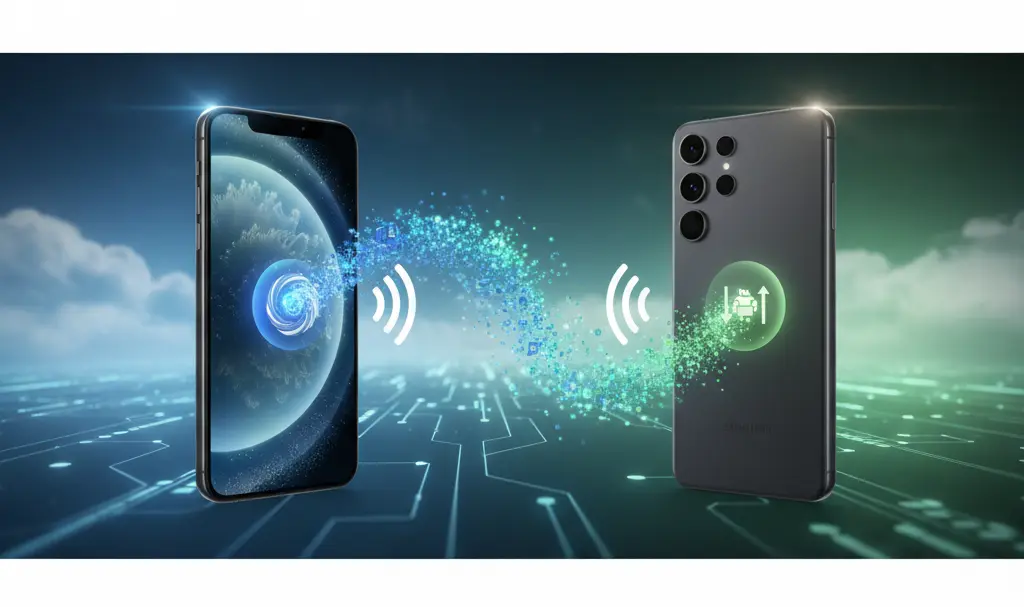
The updated migration experience begins immediately upon turning on a brand-new Android smartphone. Right from the initial setup screen, users can select the option to copy data from an iPhone. By leveraging a direct Wi-Fi connection, the data transfer is initiated securely and swiftly.
On the Android side, this streamlined process is powered by the updated Android Switch application working in tandem with core Google system services. These tools automatically reconstruct your iOS data structure on the new device. In the background, the system performs several complex tasks:
- Authenticating your Google account.
- Mapping data from iCloud and local iOS storage to their corresponding categories in Android.
- Saving and organizing this data securely within built-in Android applications, system services, and device settings.
To keep things simple, the user is only presented with a clean progress bar and a reminder to keep both devices connected to Wi-Fi and a power source until the migration is complete.
What Data Can You Actually Transfer from iOS to Android?
The most significant upgrade in this new generation of migration tools is the sheer volume and variety of data it handles. It goes far beyond the basic transfer of standard media and contact numbers. Google has confirmed that the wireless tool can securely copy the following elements:
- High-resolution photos and videos.
- Contacts, call history, and SMS/iMessage texts.
- Favorite applications (downloading the Android equivalents from the Google Play Store).
- Home screen layout and app arrangements.
- Saved passwords and Wi-Fi networks.
- Specific privacy settings, calendars, and notes (where compatible with the Google ecosystem backup mechanisms).
Because the layout and settings are mirrored so closely, your new Android smartphone will look and feel incredibly similar to your old iPhone right out of the box, drastically reducing the learning curve. If you want to continue bridging the gap between ecosystems after the transfer, you might want to look into how to enable Quick Share between Samsung Galaxy and Apple devices for seamless file sharing later on.
The Game Changer: Seamless eSIM Transfer
Perhaps the most requested feature finally making an appearance is the ability to transfer an active eSIM cross-platform. Apple has confirmed compatibility with this feature, allowing users to migrate their network profile in a continuous flow alongside their personal data.

In the iPhone settings, a new “Transfer eSIM to Android” option has been introduced. Simultaneously, Android provides a built-in tool to initiate and handle the session. If your network operator supports this protocol, you can securely move your active eSIM from iOS to Android in a matter of minutes—no more waiting for a physical SIM card in the mail or going through lengthy customer support verification. This feature operates perfectly alongside other system-level integrations seen in recent updates, such as the iOS 26.4 update features.
When and Where Will These Features Be Available?
Google has announced that this modernized transfer process will debut on Samsung Galaxy and Google Pixel smartphones later this year. By prioritizing their flagship partners, Google ensures a stable initial rollout.
Over time, the functionality will be made available to other Android manufacturers via Google Play Services updates and upcoming Android OS releases. Ultimately, this seamless migration tool will become a standard setup feature across the vast majority of new Android devices.
Please note that for the cross-platform capabilities to work seamlessly, both devices require up-to-date software. On the Apple side, the “Transfer to Android” functionality and the corresponding cross-platform eSIM support are available starting from iOS 26.3 and newer.
Frequently Asked Questions (FAQ)
Does the new migration process require a cable to connect the iPhone and Android device?
No, the newly announced transfer process is completely wireless. It utilizes a secure, direct Wi-Fi connection to migrate your data securely between the iPhone and the new Android device.
Can I transfer my active mobile number (eSIM) directly from an iPhone to an Android phone?
Yes! As long as your carrier supports it and your iPhone is running iOS 26.3 or later, you can use the built-in “Transfer eSIM to Android” tool to move your active mobile plan seamlessly during the setup process.
Will my Android phone look the same as my iPhone after the transfer?
While the operating systems differ, Google’s new migration tool specifically attempts to map your iPhone’s home screen layout, favorite apps, and even specific settings so that your new Android device feels familiar right from the first boot.
Source: Android Authority, Google, Yahoo, YouTube. Opening photo: Gemini
About Post Author
