
Contents
Spotify’s New Video Toggle: Regain Control Over Your Music Streaming Experience
Spotify is rolling out new settings that empower users to decide exactly how much video content they want to see within the app. While it may seem like a minor update on paper, this highly anticipated change can significantly enhance how millions interact with the world’s most popular music and podcast streaming service.
Putting Control Back in the Users’ Hands
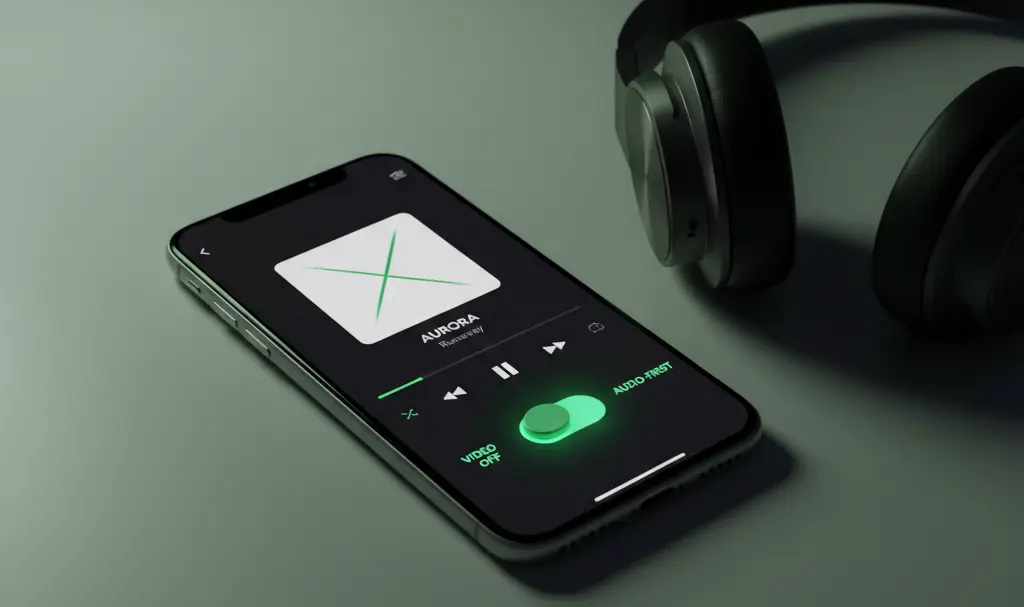
After a heavy push into multimedia, Spotify is finally expanding its personalization options. The platform is delivering a feature that the community has requested for a long time: the ability to limit or completely disable video content. This new functionality allows you to choose whether your app functions as a dedicated audio-listening tool or a hybrid multimedia platform combining sight and sound.
While Spotify has been innovating with interactive and social features, like Spotify played receipts and musical ghosting, sometimes you just want pure audio without any visual distractions. This update caters exactly to that need.
Who Gets the New Feature?
The best part of this update is its broad availability. It is not locked behind a paywall.
- Premium Subscribers: Can easily toggle off music videos, Canvas looping animations, and video podcasts.
- Free Tier Users: Will also gain access to the new video restriction settings, ensuring everyone gets a more tailored experience.
Ultimately, almost anyone can decide if they want to watch engaging animations and music videos or if they prefer returning to a classic, “audio-first” approach.
Seamless Sync Across All Devices
Spotify has confirmed that these new video preferences will be cloud-synced across all your major platforms. Once you configure your settings, your choices will automatically reflect on:
- Smartphones (iOS and Android)
- Desktop applications
- Web browsers
- Smart TVs and gaming consoles
For audiophiles who prefer a clean, distraction-free listening setup—such as those utilizing Spotify’s exclusive mode on Windows for bit-perfect audio—turning off videos further streamlines device performance and minimizes interface clutter.
What You Need to Know About Video Ads
While this update is a massive win for user experience, it is important to note that turning off video content does not mean all visuals will vanish completely. If you are on the free tier, some video advertisements will remain unaffected by this toggle. The app will not become entirely “blind” to imagery.
Despite this limitation, simply restricting looping Canvas animations, music videos, and heavy video podcasts will significantly improve the daily comfort of using the service, while simultaneously reducing battery drain and cellular data consumption.
Frequently Asked Questions (FAQ)
Does turning off video content on Spotify save mobile data and battery life?
Yes, disabling video podcasts, music videos, and Canvas looping animations significantly reduces both data consumption and battery drain, making it highly beneficial for users with limited data plans or those traveling.
Will this feature block video advertisements on the free version of Spotify?
No, the new video toggle applies strictly to content such as video podcasts and music videos. It does not act as an ad-blocker, meaning users on the free tier will still encounter video advertisements between tracks.
Do I need to adjust the video settings on every device I own?
No, your video preferences are linked to your Spotify account. Once you change the setting on one device, it will automatically synchronize across your smartphone, desktop, web browser, and smart TV.
Source: TechCrunch, press release. Opening photo: Gemini.
About Post Author
