
Contents
Massive WhatsApp Update: Finally, Solutions to Everyday Problems
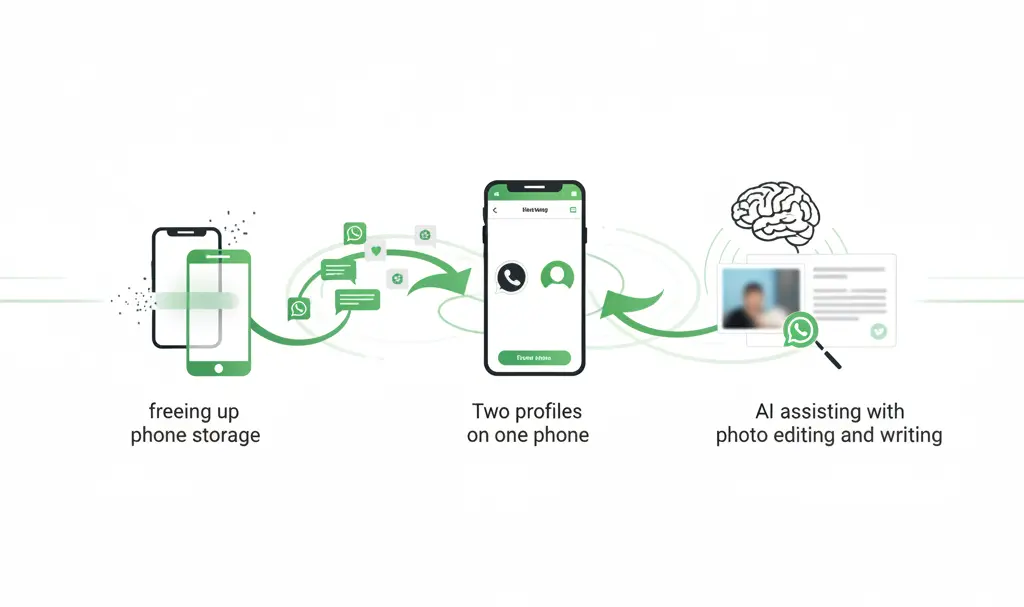
WhatsApp has announced a series of new features designed to solve many common everyday problems for users, including running out of phone storage, the tedious process of transferring chat history when switching phones, and the hassle of juggling two devices for work and personal life. This significant update is already rolling out globally and is expected to reach all users of the messenger in the coming weeks.
Freeing Up Storage Space
For years, WhatsApp has been one of the most popular messaging apps worldwide. However, with an increasing number of photos, videos, and documents, it often becomes the biggest consumer of smartphone storage. To combat this, Meta is introducing new chat “cleaning” tools that allow users to quickly find and delete the largest files within specific conversations, without the need to erase entire chat histories.
From the chat info screen, users can now view how much space multimedia files occupy, sort them by size or date, and with a single action, select and delete only specific items, such as old HD videos. For users, this translates to real-time savings and fewer frustrating “storage full” notifications – especially for more affordable phone models with limited internal memory.
Seamless Cross-Platform Chat Transfer
Another core pillar of this update is simplified chat transfer between phones. This now extends beyond migrations within Android or iOS to include seamless transitions from an iPhone to an Android smartphone, and vice versa. WhatsApp emphasizes that transferring chat history, photos, and videos can now be done in just a few steps, without cables or the need for paid third-party tools. All that’s required is a stable Wi-Fi connection and the WhatsApp app installed on the new device.
This feature is particularly crucial for individuals who frequently change phones or switch between different mobile ecosystems. Previously, recovering a complete chat history could be time-consuming and, at times, nearly impossible. This update significantly streamlines the process, making device upgrades or platform changes hassle-free. For users interested in wider device compatibility, you might also be curious about how WhatsApp integrates with various wearables, such as Garmin smartwatches.
Two Accounts, One Phone (Now on iOS Too)
A significant change is the official support for two WhatsApp accounts on a single iPhone – a functionality previously available primarily on Android devices. Users can now simultaneously log in with both a personal and a business account. The application clearly indicates which profile is currently in use, partly thanks to a visible profile picture in the bottom navigation bar.
This eliminates the need to carry two phones or resort to cloning applications, while simultaneously allowing for better separation of professional and private life on a single device.
Photo Enhancements with Meta AI
An important part of the update package includes features powered by Meta AI, which are increasingly integrated into the messenger. Users can now “enhance” photos directly within the chat window. Before sending a photograph to friends, users can remove distracting elements from the frame, replace the background, or apply a chosen graphic style.
This is a result of Meta AI’s ecosystem expanding to more of the company’s products. In practice, it means that simple edits no longer require launching external editors or installing additional applications. For deeper insights into the development and ethical considerations of such AI technologies, exploring resources like the Meta AI Board Advisor can be beneficial.
Artificial Intelligence to Assist with Writing
The new features in WhatsApp align well with the broader trend of “intelligent” tools in messaging apps. One such feature is “Writing Help,” which can now generate entire suggested responses based on the conversation’s context. Previously, this tool primarily served to improve style, shorten, or lengthen text. Now, however, it can propose a complete message that the user can simply accept or modify before sending.
Frequently Asked Questions (FAQ)
What are the main problems WhatsApp’s new update aims to solve?
The update addresses common issues such as limited phone storage, complex chat transfers between different phone operating systems (like iOS to Android), and the inconvenience of using two separate devices for personal and professional WhatsApp accounts.
How does WhatsApp help free up storage space with this update?
New tools allow users to easily identify and delete large media files (photos, videos, documents) within specific chats. You can sort files by size or date and selectively remove them without deleting entire chat histories, offering more granular control over your device’s storage.
Is it now easier to transfer WhatsApp chats between iPhone and Android?
Yes, a major improvement allows for seamless cross-platform chat migration between iOS and Android devices. This can be done wirelessly with a stable Wi-Fi connection, eliminating the need for cables or third-party paid services.
What advanced AI features are included in this WhatsApp update?
The update integrates Meta AI for advanced photo editing directly within chats, allowing users to remove objects, change backgrounds, or apply stylistic filters. Additionally, an enhanced “Writing Help” feature can now generate full message responses based on conversation context, moving beyond just style improvements.
Source: WhatsApp, wabetainfo.com
Opening photo: Reza Nur Arifin / Shutterstock
About Post Author
