

Contents
Unveiling Samsung Galaxy S26’s Privacy Display: How It Protects Your Screen from Prying Eyes
In today’s digital age, personal privacy is paramount. Our smartphones hold a wealth of sensitive information, making screen privacy a growing concern, especially in public spaces. Samsung addresses this need with its innovative Privacy Display feature, debuting in the new Galaxy S26 series. This cutting-edge technology is designed to give users peace of mind, ensuring their digital interactions remain confidential.
What is Samsung’s Privacy Display and Why Does It Matter?
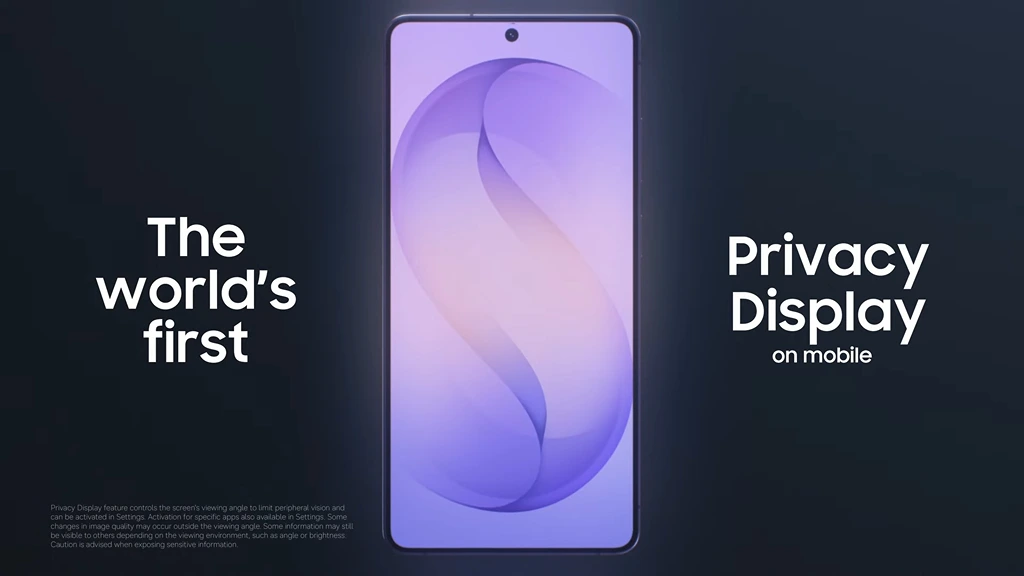
First showcased at the Galaxy Unpacked 2026 event, Privacy Display is a groundbreaking screen technology specifically developed for the latest Samsung Galaxy S26 flagships, with its effects being most prominent on the Galaxy S26 Ultra model. Its primary objective is to combat “shoulder surfing”—the act of someone illicitly peeking at your screen from over your shoulder in crowded environments.
Imagine browsing sensitive documents, entering your PIN, or reading private messages on a busy bus or in a bustling cafe. Without adequate protection, your personal information could be easily exposed to onlookers. Privacy Display minimizes this risk, allowing you to use your phone confidently, knowing that your screen content is visible only to you.
How Privacy Display Works
The magic behind Privacy Display lies in its sophisticated control over the screen’s viewing angle. By intelligently limiting peripheral vision, it makes the screen appear significantly dimmer or even obscured to anyone not directly in front of it. This creates a virtual privacy filter, similar to physical screen protectors but integrated seamlessly into the device’s software and hardware.
- Restricted Viewing Angle: The technology precisely manipulates light emission to narrow the field of view, making the screen content clear only to the user looking directly at it.
- Enhanced Security: It’s particularly effective in scenarios like entering passwords, viewing banking information, or reading confidential emails, where accidental exposure could lead to privacy breaches.
However, it’s important to understand the nuances of this technology:
- Potential Image Quality Changes: Outside the optimal viewing angle, you might notice slight alterations in image quality or color accuracy.
- Conditions Apply: While highly effective, Privacy Display is not entirely foolproof. Depending on ambient lighting conditions, screen brightness settings, and the exact angle of an observer, some information might still be partially visible to others. Users should always exercise caution when handling highly sensitive data.
Seamless Integration with One UI 8.5
The Privacy Display feature is deeply integrated within Samsung’s One UI 8.5 operating system, ensuring a fluid and intuitive user experience. This integration allows for smart, contextual activation:
- Contextual Activation: The feature can automatically engage when you open specific applications, such as banking apps, or when you interact with sensitive fields like password entry forms. This proactive approach means your privacy is protected precisely when you need it most, without constant manual intervention.
- User Customization: For those who prefer more control, Privacy Display offers flexible customization options:
- Users can assign the feature to a side button for quick toggling.
- It can be configured to activate only for specific applications or notifications, allowing you to tailor its behavior to your personal privacy preferences.
Samsung emphasizes that Privacy Display is more than just a novel feature; it’s a testament to their ongoing commitment to user privacy and a significant advancement in the security architecture of the Galaxy ecosystem. It’s a proactive response to the evolving landscape of digital privacy concerns, offering users an essential tool for protecting their on-screen information.
Frequently Asked Questions (FAQ)
Which Samsung Galaxy S26 models feature Privacy Display?
Privacy Display debuts across the Samsung Galaxy S26 series, with its capabilities being particularly noticeable and effective on the high-end Galaxy S26 Ultra model.

How can I activate or control Privacy Display on my device?
The feature can activate automatically in sensitive contexts (like banking apps or password fields). Additionally, users can assign it to a side button for quick access or configure it to work only for specific apps and notifications through the One UI 8.5 settings.
Does Privacy Display offer complete privacy from all angles?
While highly effective in limiting peripheral vision, Privacy Display is not entirely foolproof. Its effectiveness can vary depending on factors such as the observer’s viewing angle, screen brightness, and ambient lighting conditions. It’s always advisable to maintain general caution when displaying highly sensitive information.
What is “shoulder surfing”?
“Shoulder surfing” refers to the act of someone looking over another person’s shoulder to secretly view private information being displayed on their screen, often in public places. Privacy Display is specifically designed to counteract this type of visual data theft.
Source: Samsung Press Release & Internal Research. Opening photo: Generated by Gemini.
About Post Author
