

Contents
Unlock Your Home with Your Samsung Galaxy: The Future of Digital Keys is Here
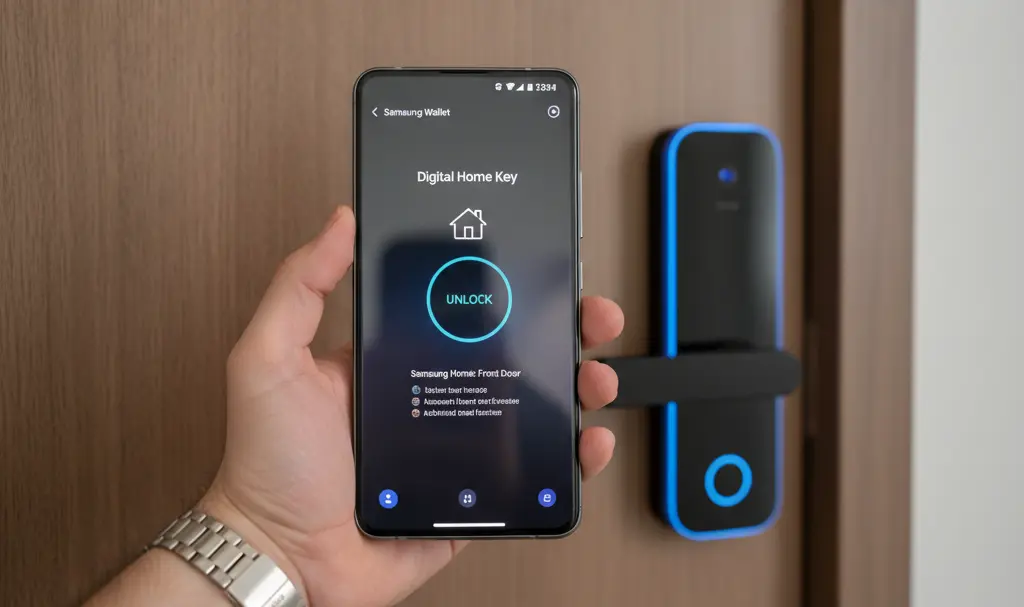
Samsung has just unveiled its latest Galaxy S26 series smartphones, and alongside these new devices, an exciting new feature for the Samsung Wallet app is taking center stage. This innovation allows Galaxy smartphone users to completely replace traditional physical home keys with a secure digital alternative. This groundbreaking capability is made possible by the implementation of the new Aliro communication standard. Let’s explore how this solution works and how you can benefit from it.
The Aliro Standard: Unifying Smart Locks
The evolution of the smart home ecosystem is steadily moving towards making your smartphone the central tool for managing your physical environment. Manufacturers are increasingly focused on enabling mobile devices to securely store digital access credentials and interact seamlessly with smart locks. This push aims to streamline our daily lives, making access control more convenient and secure.
The result of these collaborative efforts is the Aliro 1.0 standard, a new specification developed by the Connectivity Standards Alliance (CSA)—the same group behind the widely adopted Matter standard.
Why Aliro Matters for Smart Homes
Historically, each smart lock manufacturer developed its own proprietary system for handling lock operations. This fragmentation created a significant barrier to widespread adoption, as users faced compatibility issues between different phone models and smart locks. The Aliro standard is designed to eliminate this hurdle. With Aliro, users will no longer need to worry about the specific compatibility of their phone with a chosen lock, as the standard guarantees smooth cooperation across various brands and ecosystems. This means greater flexibility and choice for consumers.
The Aliro standard supports several communication technologies, offering robust and flexible deployment options:
- NFC (Near Field Communication): Ideal for close-range interactions, requiring the phone to be tapped or held near the lock.
- Bluetooth Low Energy (BLE): Provides a reliable connection for a broader range and lower power consumption.
- Ultra Wideband (UWB): Enables highly accurate spatial awareness and contactless access, particularly useful for automatic unlocking.
To enhance security, Aliro also leverages asymmetric cryptography, ensuring that communication between the user’s device and the lock reader is securely encrypted and tamper-proof. This multi-layered approach to communication and security sets a new benchmark for digital access solutions.
Samsung Embraces Aliro: What It Means for Users
Aliro is poised to significantly impact the entire smart lock market by removing a key barrier to adoption: fragmented standards and confusing solutions. This standard is also a crucial component of the new functionality within Samsung Wallet, offering a streamlined experience for homeowners.
Instead of needing to install dozens of different applications from various door or lock manufacturers, homeowners can manage all their digital access—through the Digital Home Key feature—from a single, secure application protected by Samsung Knox. Knox, Samsung’s defense-grade security platform, ensures that your digital keys are protected against unauthorized access and tampering.
Seamless Access with NFC and UWB
The new Samsung Wallet feature primarily utilizes two key wireless technologies for unlocking: NFC and Ultra-Wideband (UWB). The latter is particularly important for users of flagship Galaxy models, as it enables touchless unlocking.

For instance, a UWB-enabled Galaxy phone can detect the owner’s presence as they approach the door and automatically unlock it, all without the need to take the phone out of a pocket or bag. This creates an incredibly convenient and futuristic hands-free experience.
For devices that do not support UWB, or as a reliable alternative, NFC technology is available. This method simply requires holding the smartphone close to the lock reader to gain access. Both NFC and UWB methods prioritize the highest level of security, as digital keys are stored in an isolated, secure environment called the Secure Element on the smartphone. This hardware-based security ensures that sensitive key data is protected from software-level attacks. Furthermore, in the unfortunate event of a lost phone, the digital key can be remotely deactivated using Samsung’s Find My Mobile service, providing an extra layer of peace of mind.
New Partnerships and the Future of Access
Samsung has established close collaborations with leading security market giants, including Yale and August Home, to ensure broad availability of these new features from the outset. These partnerships are critical for the rapid deployment of digital keys across some of the world’s most popular smart lock models.
The Aliro-compatible lock keys will be addable to the Wallet application on both iOS and Android devices, further simplifying the daily use of this solution for a wider audience.
The Samsung Wallet Digital Home Key service began its rollout in select regions starting March 2026. Its availability will progressively expand as more compatible smart lock brands enter the market. Expect to see smart door locks supporting Samsung Wallet Digital Home Key from partners such as Aqara, Nuki, Schlage, and ULTRALOQ, aligning with each partner’s implementation schedule.
Frequently Asked Questions (FAQ)
What is the Aliro standard and why is it important?
Aliro 1.0 is a new communication standard developed by the Connectivity Standards Alliance (CSA) to unify smart lock compatibility. It’s important because it allows different brands of smart locks and mobile devices to work together seamlessly, eliminating compatibility issues and simplifying digital access for users.
How does Samsung Wallet Digital Home Key work?
The Digital Home Key feature in Samsung Wallet uses NFC (Near Field Communication) and UWB (Ultra Wideband) technologies to unlock smart locks. With UWB, your Galaxy phone can automatically unlock doors as you approach. With NFC, you simply tap your phone to the lock. Your digital keys are stored securely in the phone’s Secure Element.
What if I lose my Samsung Galaxy phone with the digital key?
If your phone is lost or stolen, you can remotely deactivate your digital home key using Samsung’s Find My Mobile service. This ensures that unauthorized individuals cannot use your phone to access your home, maintaining the security of your property.
Source: DigitalTrends, jablickar.cz, Samsung, The Verge
Opening photo: Gemini
About Post Author
