

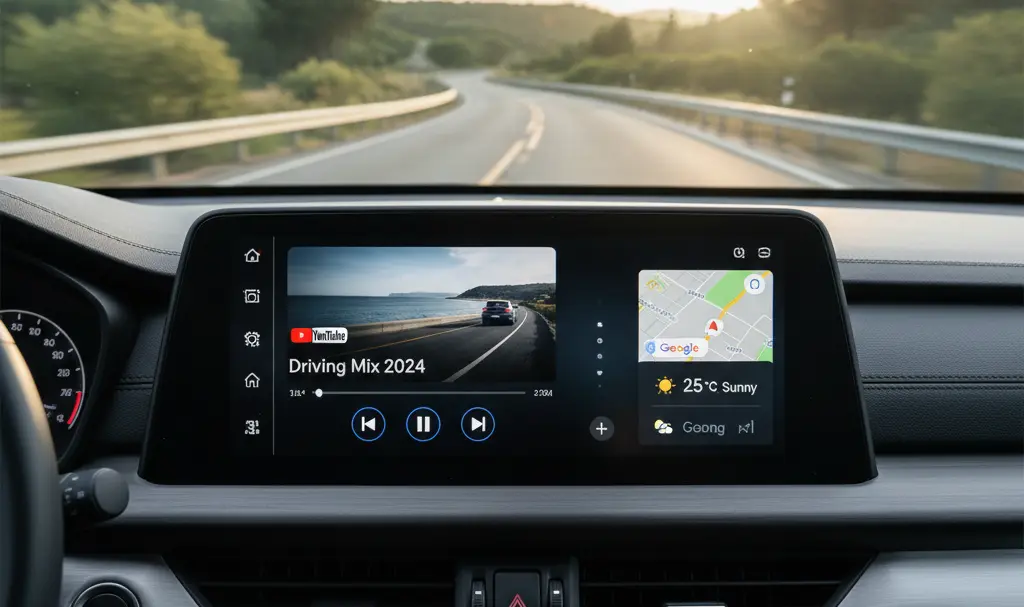
For many drivers, the news that YouTube is beginning to integrate with Android Auto might sound like a dream come true. However, it’s crucial to manage expectations immediately: this new functionality does not yet mean a full-featured YouTube application for your car’s display.
Contents
YouTube in Android Auto: A Limited Introduction
This isn’t a rumor; YouTube is indeed starting to roll out support for Android Auto. This change has already been observed across various devices, user accounts, and application versions, including both test and stable releases. This widespread deployment indicates that the feature is being implemented broadly rather than being a mere experiment.
However, this integration does not grant drivers complete access to YouTube within their vehicle. There’s no classic application launching on the car screen, no browsing through content libraries, and no video playback directly within the Android Auto interface. The feature operates in a much more modest capacity, focused exclusively on fundamental media controls.
Basic Media Control Functionality
In practice, YouTube appears solely within Android Auto’s media widget. Users can perform essential actions:
- Pause and resume playback of the current audio or video.
- Skip to the next item in a playlist or queue. It’s important to note that this means advancing to an entirely new recording, not fast-forwarding within the current video.
These controls are also expected to function via the steering wheel buttons, enhancing convenience and reducing driver distraction.
A Welcome Update for Audio Listeners
While this limited functionality might not fulfill the desires of those who hoped for a complete in-car YouTube experience, it still offers significant utility for a specific group of users. Increasingly, people use YouTube not only for watching videos but also for listening to:
- Podcasts
- Extended interviews
- Commentaries
- Other content that works well without visual accompaniment.
During a drive, consuming content in this audio-focused manner is both natural and convenient. From this perspective, YouTube’s integration with Android Auto proves highly practical. Drivers no longer need to pick up their phone to resume content or navigate to the next track, contributing to safer driving practices.
The Essential Requirement: YouTube Premium
There’s an important condition for this functionality to work seamlessly: a YouTube Premium subscription is required. Background playback—the ability to listen to content with the screen off or while using other apps—is not available to standard YouTube users. This means that without Premium, the utility of this Android Auto integration for audio-only consumption would be severely limited.
Enhancing Your Android Auto Experience
Even with these limitations, this update marks a significant step forward in Google’s development of Android Auto. It shows a commitment to expanding functionality, and it’s plausible that more substantial updates, offering deeper integration, could be on the horizon. For those looking to further enhance their in-car connectivity, consider exploring options like a wireless Android Auto adapter upgrade for a cable-free experience. Additionally, Google continues to refine the platform, addressing user concerns such as persistent connectivity issues, which have been resolved in recent updates.

Frequently Asked Questions (FAQ)
What exactly does YouTube integration in Android Auto allow?
The current YouTube integration in Android Auto allows users to pause, resume, and skip to the next audio or video track directly from the Android Auto media widget. These controls can also be managed via steering wheel buttons, enhancing convenience for drivers focused on audio content like podcasts.
Why isn’t this a full YouTube app experience with video playback on my car screen?
For safety reasons, Android Auto is designed to minimize driver distraction. A full YouTube app with video playback capabilities would inherently encourage visual engagement, which is unsafe while driving. The current integration prioritizes audio content, allowing drivers to safely manage playback without looking at their phone or a video screen.
Do I need YouTube Premium to use YouTube in Android Auto?
Yes, a YouTube Premium subscription is required to fully utilize the YouTube integration in Android Auto, especially for background playback. Without Premium, content playback would stop if you navigate away from the YouTube widget or if your screen turns off, limiting its utility for audio-focused listening while driving.
Is this YouTube integration a permanent feature or just an experiment?
This YouTube integration appears to be a broad rollout rather than a temporary experiment. It has been observed across various devices and app versions (both test and stable), indicating Google’s intention to make it a standard feature for Android Auto users with YouTube Premium.
Can I watch YouTube videos on my car screen with this new Android Auto integration?
No, the current YouTube integration with Android Auto does not allow for watching videos directly on your car screen. Its functionality is limited to basic media controls for audio playback, primarily catering to users who listen to podcasts, music, or other audio-focused content on YouTube while driving.
Source: 9to5Google
Opening photo: Gemini
About Post Author
